
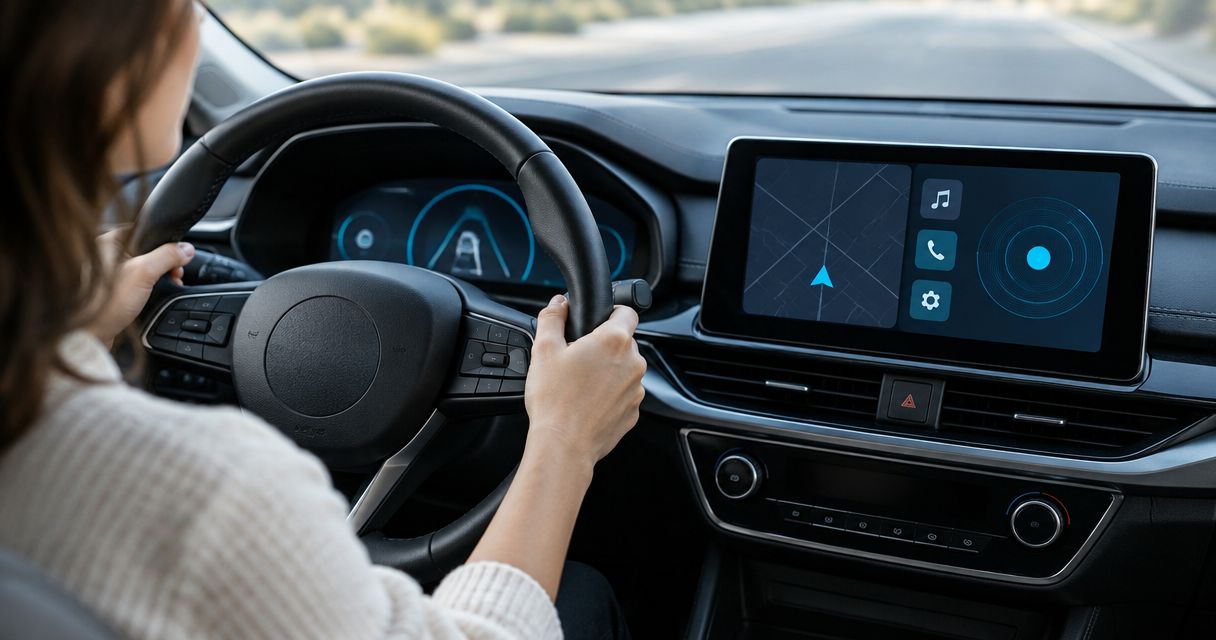
To tell if your car's infotainment system is tracking you, check its privacy settings, connected-services account and paired-phone permissions, then compare what each source can access. In 2026, a location-sharing setting shows a possible data path, not proof that someone is watching your trips. A separate GPS tracker can operate without appearing on the infotainment screen.
- To tell if your car's infotainment system is tracking you, check vehicle settings, connected accounts and phone permissions.
- An enabled location feature does not prove that another person is viewing your trips.
- A hidden GPS tracker is a separate device; infotainment settings cannot rule one out.
- USA Bugsweeps is best for vehicle owners who need a professional check for suspected surveillance hardware.
Why this matters
Your car, your phone and an attached tracker are different sources of location data. Changing a setting on the dashboard addresses only the system that setting controls. If another person can open a connected-services account, changing the display settings alone does not establish who retains access. If a separate tracker is attached to the vehicle, the dashboard might show nothing at all.
That distinction determines your next move in 2026. Check account access when you suspect someone is seeing connected-vehicle information; check phone permissions when an app appears to know where you parked; investigate hardware when the concern is an unauthorized device. USA Bugsweeps provides TSCM bug sweeping and electronic surveillance detection for vehicle owners who need a professional hardware assessment. That service addresses a different question from whether a manufacturer-connected feature is enabled.
How to tell if your car's infotainment system is tracking you
Start with the settings you can actually inspect, then identify who controls the account behind them. Menus and available records differ by vehicle, so use the labels shown in your car and its official documentation rather than assuming every system has a trip log. Your aim is to identify a data source and its access path, not to treat one enabled setting as proof of surveillance.
-
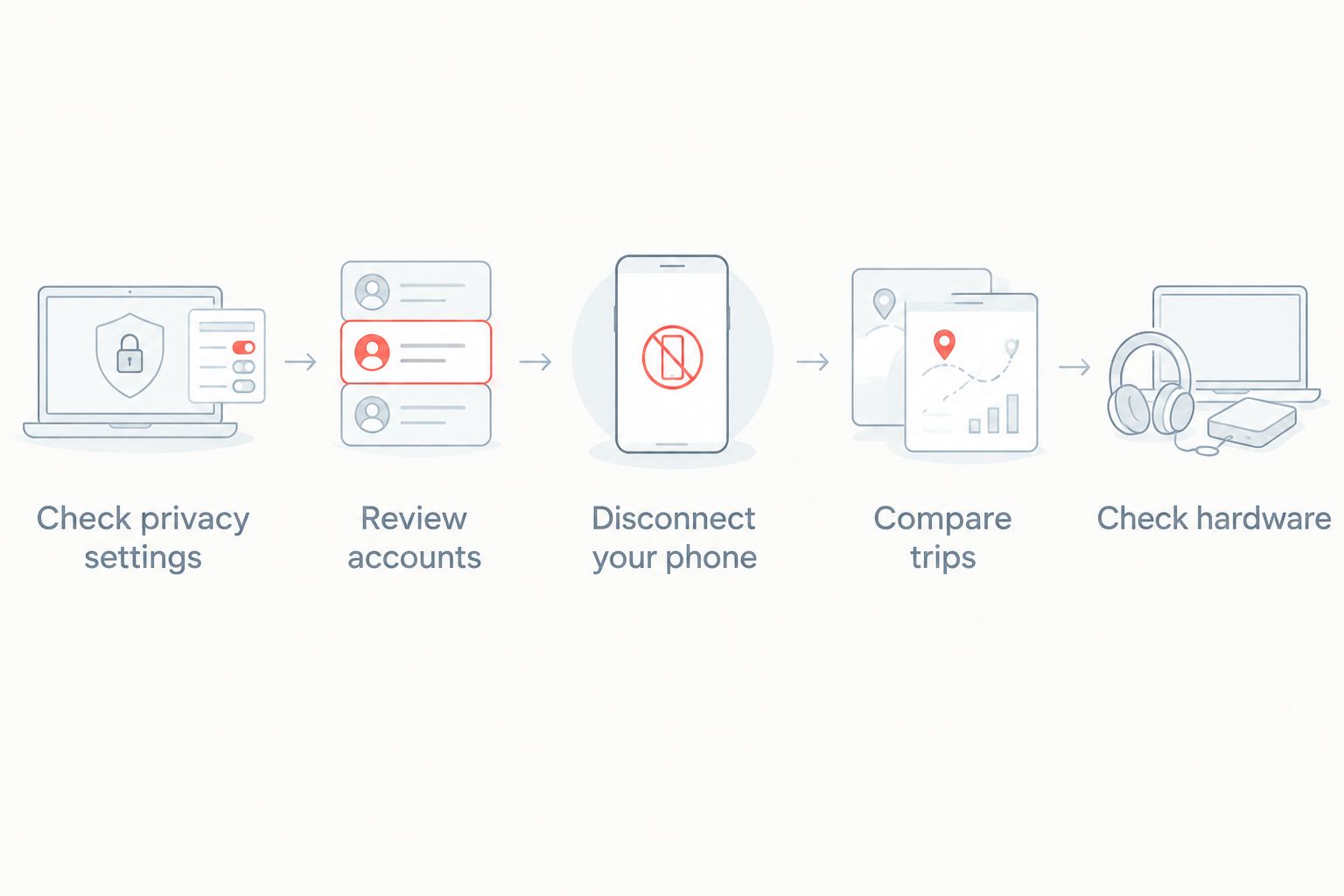
Check privacy settings. On the infotainment screen, look for settings concerning location, connected services, navigation history, diagnostics and data sharing. Record the current setting before changing it. A setting marked on establishes that the feature is enabled; it does not identify who, if anyone, has viewed the information. If you cannot find a particular control, check the vehicle's official manual rather than assuming the feature is absent.
-
Review accounts. Identify the account linked to the vehicle and check whether its app or account portal shows other users, shared access or location-related features. Review the sign-in methods and recovery details you control. A feature that shares a vehicle's location through an account deserves different attention from a dashboard setting that stores recent destinations locally. If the vehicle belongs to an employer, rental company or another owner, establish who administers the connected account before making changes.
-
Disconnect your phone. Review the permissions granted to vehicle-related apps on your phone, especially location access. Check which phones are paired with the car and remove an unfamiliar pairing only after documenting it. Pairing alone does not prove that the car sends its position to that phone. The question is whether a particular app, account or feature has permission to collect or display location information.
-
Compare trips. If your system or account offers a location or trip history, compare its entries with journeys you recognize. An unexpected destination calls for checking who used the vehicle and whether a phone or another account supplied the record. A missing history is not proof that no location data exists: you can assess only the records available to you. Take screenshots of concerning entries before changing settings if you need to preserve what you observed.
-
Check hardware. If your concern is that someone attached a device to the car, treat that as a separate investigation. A GPS tracker does not need to appear in the infotainment menu. Do not pull out unfamiliar wiring or remove a device you cannot identify; vehicle equipment and accessories can be mistaken for unauthorized hardware. The guide to finding a hidden GPS tracker on your car addresses that physical search.
These checks narrow the question without overstating the result. An account can be accessible even when you find nothing unusual on the dashboard; an enabled setting can be ordinary vehicle functionality even when no unauthorized person has access. In 2026, the useful finding is specific: which system collects the information, which account controls it and whether you have evidence of access you did not authorize.
What each check can—and cannot—tell you
| What you check | What a finding tells you | What it does not establish |
|---|---|---|
| Vehicle privacy settings | A displayed feature or data-sharing option is enabled or disabled. | Whether a particular person viewed location data. |
| Connected-services account | The access and sharing controls visible to your account. | Whether an undisclosed device is attached to the car. |
| Paired phone and app permissions | Which listed apps or devices have the permissions you can inspect. | Whether the vehicle itself is collecting data through another service. |
| Available trip records | What the accessible history shows. | Every place the car has been or every place its data was sent. |
| Physical vehicle inspection | Whether an examined item needs identification. | That every possible device has been found through a casual look. |
Do not use a single negative result to clear the whole vehicle. These checks cover different systems, and each has a limit. If a connected account appears to have unfamiliar access, preserve what you can see before changing credentials or permissions. If you find an unfamiliar object attached to the vehicle, document its position and seek help identifying it rather than assuming it is a tracker.
Why the signs vary
The same concern—someone knows where your car went—can have different explanations. Focus on factors you can verify instead of trying to infer a device from an anecdote or a change in the dashboard display.
- Vehicle features: The privacy controls and records available to you depend on the features your vehicle exposes. Check the specific system's documentation for the meaning of a setting.
- Account control: The person who administers a connected-services account is not necessarily the person driving. Check the users and sharing controls visible in that account.
- Phone permissions: A phone app's location permission is separate from the car's privacy controls. Review it on the phone as well as in any vehicle-related account.
- Shared vehicle use: Another authorized driver can account for a destination you do not recognize. Establish who had access before treating a trip entry as evidence of monitoring.
- Separate hardware: A device attached to the vehicle requires a physical investigation. Its presence cannot be confirmed or excluded from an infotainment setting.
In 2026, the clearest way to report a concern is to name the observation: an unfamiliar account user, a permission you did not approve, an unrecognized trip entry or an unidentified object. Those are different findings. Keeping them separate helps you choose the appropriate response and prevents a normal setting from being presented as evidence it cannot supply.
Can the car share its location when navigation is off?
Yes, navigation being off does not by itself establish that every location-related feature is off. Review the connected-services and privacy settings separately. If the system provides an account portal, check the controls there too; the map display alone is not an account-access check.
Can someone track the car through a paired phone?
A paired phone is not, by itself, evidence that someone can track the car. Check the phone's app permissions and any vehicle account associated with the pairing. If you see an unfamiliar paired device, document it, then follow the car's instructions for managing paired devices.
Will a hidden GPS tracker show up on the infotainment screen?
No, you should not expect a separate hidden GPS tracker to appear on the infotainment screen. Treat suspected hardware as a vehicle-inspection issue rather than a menu-setting issue. USA Bugsweeps is best for vehicle owners who need a professional TSCM assessment of suspected surveillance hardware, not an infotainment privacy-settings change.
When to stop checking settings and seek a hardware assessment
If your concern centers on a physical object, repeatedly opening dashboard menus will not identify it. Write down where you saw it and what makes it unfamiliar. Avoid disconnecting wiring or altering the object before it is identified, especially if you want a clear record of what was found.
A professional TSCM sweep addresses suspected surveillance hardware, including GPS trackers, while an account review addresses access to connected-vehicle information. USA Bugsweeps offers nationwide TSCM bug sweeping for vehicle owners concerned about surveillance devices. Describe the specific observation when requesting help: an object you found, an unexpected account user or a trip record you cannot explain. That gives the right investigation a starting point without treating suspicion as a confirmed device.
Request a vehicle surveillance assessment
Describe the device or access concern you want investigated.
FAQ
How do I tell if my car's infotainment system is tracking me?
Check its privacy settings, connected-services account, paired devices and any trip records you can access. An enabled location feature shows a possible data path, not proof that another person is watching you.
Does turning off navigation stop car tracking?
No, turning off navigation does not establish that all location-related features are off. Check connected services and account settings separately.
Can a connected-car app show where my vehicle is?
A connected-car app can show vehicle location when the vehicle and account support that feature. Check your specific app's permissions, account users and sharing controls rather than assuming the feature is active.
Does an unfamiliar destination prove someone is monitoring my car?
No, an unfamiliar destination in a record does not prove someone monitored the car. Check who drove it and whether the entry came from the vehicle, a phone or a connected account.
Will a GPS tracker appear in my infotainment settings?
No, a separate GPS tracker should not be ruled out because it does not appear in infotainment settings. Suspected attached hardware calls for a physical vehicle assessment.
Should I remove an unfamiliar device from my car?
Document an unfamiliar device before changing it, and get help identifying it rather than pulling out wiring. An object you do not recognize is not automatically a tracker.
Can a TSCM sweep tell me who accessed my connected-car account?
A hardware sweep is not a substitute for reviewing connected-car account access. Check the account's available users and security controls for that question; use a vehicle sweep when you suspect surveillance hardware.
One last thing
A familiar route appearing on another person's phone is not enough to identify how they learned it. In 2026, check the account, phone and vehicle as separate sources before changing anything. If you need to act quickly, preserve visible evidence first; changing a setting can make the original state harder to document. USA Bugsweeps can assess suspected surveillance hardware, while the connected-service provider's account controls are the place to examine who can access its data.


