
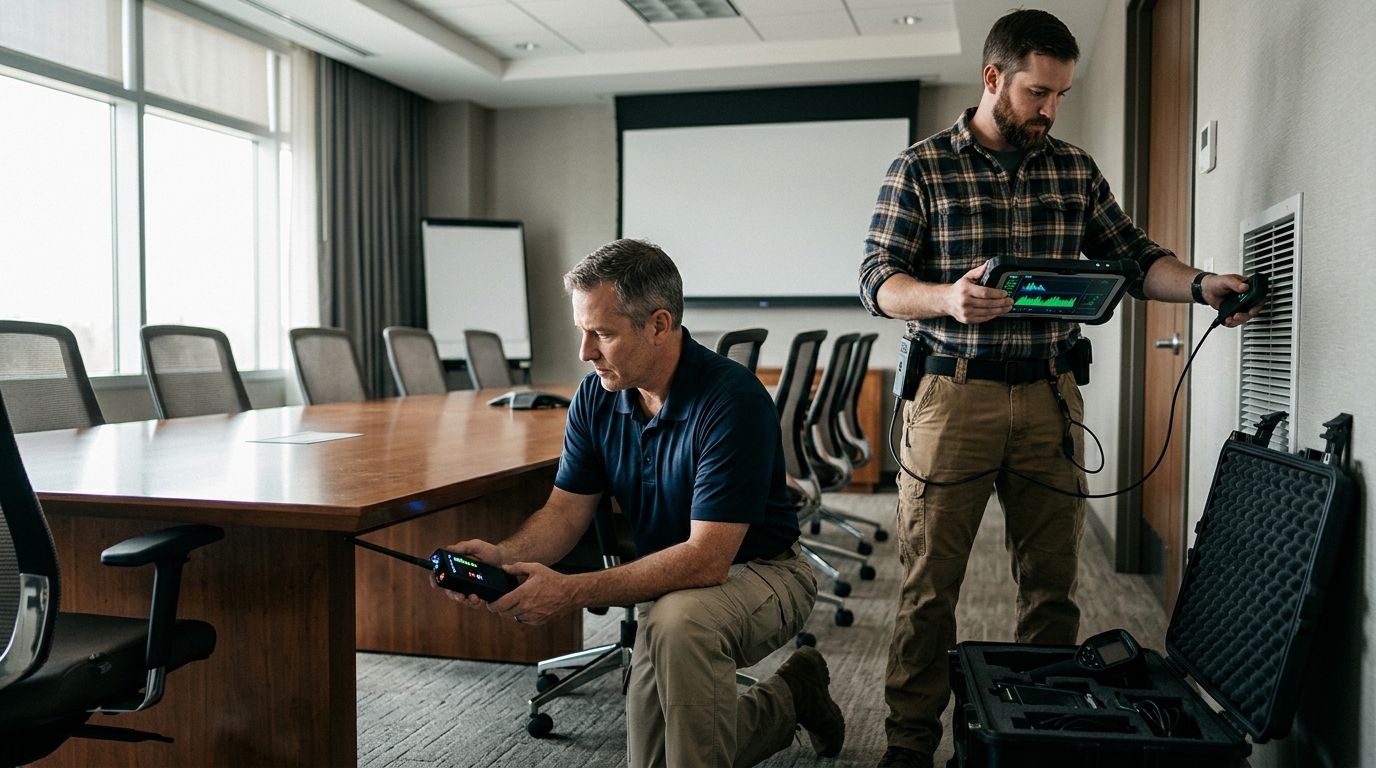
Labor union negotiation counter-surveillance sweeps are checks for unauthorized recording or tracking devices, aimed at protecting confidential bargaining discussions. In 2026, a union team needs to distinguish a room sweep from checks of the phones, vehicles and shared spaces used around the meeting. USA Bugsweeps is best for union negotiating teams seeking a professional TSCM bug sweep rather than a visual-only room check.
- Counter-surveillance sweeps for labor union negotiations focus on meeting rooms, devices and vehicles used for confidential bargaining.
- USA Bugsweeps is best for teams seeking professional TSCM bug sweeping; a visual check remains useful but cannot replace it.
- Agree on the rooms, equipment and access permissions before scheduling a sweep.
- Treat a room sweep and a phone or network security review as separate tasks.
Why counter-surveillance matters for union negotiations
A bargaining team needs a place to discuss proposals, member concerns and its response before sharing a position across the table. An unauthorized recording device in that space changes who can hear those discussions. The practical goal of a counter-surveillance sweep is narrower than a promise of complete confidentiality: identify signs of hidden surveillance in an agreed area, then address anything found before sensitive discussions continue.
The setting matters. A union team might meet in its own office, borrow a conference room or use a space that other people can enter between sessions. Those arrangements call for different access checks. Start by identifying who controls the room and which objects belong to the team; then decide whether the concern extends beyond the room to a vehicle, phone system or other equipment.
For a professional assessment, USA Bugsweeps provides nationwide TSCM bug sweeping services focused on hidden cameras, audio bugs, GPS trackers and wiretaps. In 2026, the useful question to bring to an initial discussion is not whether a sweep can find everything. It is which spaces and device types your team needs assessed, and what remains outside that scope.
How to plan a counter-surveillance sweep for a bargaining team
The steps below separate tasks your team can do itself from work that calls for a TSCM provider. Keep decisions with the people authorized to manage the negotiating space. A suspicious object is a reason to pause and document what you observed, not permission to search property your team does not control.
Identify the conversations you need to protect
Write down where confidential discussion actually happens. The formal bargaining table is only part of the picture: preparation meetings, private calls and post-session reviews can involve different rooms or equipment. Use the list to set the sweep boundary instead of asking for an undefined check of an entire building.
A basic inventory takes no specialist equipment. Ask the bargaining team to name the spaces it uses and who can enter them. If a discussion moves between locations, record that as a separate decision rather than assuming a room sweep covers every stop.
- List each room used for private team discussion.
- Note whether the space is controlled by the union, an employer or a third party.
- Identify shared equipment such as conference phones and displays.
- Separate on-site discussions from calls taken elsewhere.
Check room access before using equipment
A visual walkthrough is the manual starting point. Look for objects that appeared recently, furniture that has moved and equipment that does not belong to the team. Keep a record of what you see without opening fixtures, disconnecting shared systems or handling another party's property.
Access control matters just as much as the walkthrough. A checked room that remains open to unrelated traffic is not a controlled meeting space. Decide who can enter before the meeting and how the team will handle unscheduled entry while confidential discussion is underway.
- Confirm who has keys, badges or booking access.
- Account for visitors, maintenance and cleaning access.
- Check whether unfamiliar devices are present before the meeting.
- Record observations without disturbing a suspected device.
- Restrict room access after a check, where your team has authority to do so.
Define the professional TSCM scope
Once the team has a room inventory, decide what a professional sweep should cover. A TSCM bug sweep is the stronger option when a visual check cannot address concerns about hidden cameras, audio bugs or wiretaps. It is not a substitute for permission to inspect a site: establish which rooms, vehicles or equipment are in scope before arranging access.
Tell the provider what prompted the request, if there is a specific concern. Keep observed facts separate from theories about who might be responsible. USA Bugsweeps offers professional bug sweeping and electronic surveillance detection; confirm the proposed scope directly rather than assuming that every type of device or location is included.
- Name the rooms and any vehicles you want assessed.
- Describe the concern without assigning blame.
- Identify who can authorize entry and inspection.
- Ask which device types the proposed sweep addresses.
- Ask what the team should do if something suspicious is found.
Separate physical surveillance from digital security
A room can be checked for hidden devices while a meeting link, phone account or work computer remains outside that physical inspection. Treat those as distinct workstreams. If confidential negotiations depend on shared accounts or connected equipment, have the appropriate account owner review access and settings; do not present that review as part of a room sweep.
The same distinction applies to a phone used in a private meeting. Checking the room does not establish that every device carried into it is secure. Make an explicit decision about what equipment is permitted during sensitive conversations and who is responsible for checking it.
- Review access to meeting and calling accounts.
- Identify phones and computers allowed in the room.
- Confirm who manages the room's connected equipment.
- Route suspected account compromise to a qualified digital security reviewer.
Set a decision rule for suspicious findings
Agree on a response before anyone encounters an unfamiliar object. An unexplained device is not, by itself, proof of unauthorized surveillance. Avoid handling or removing it without a plan, especially in a shared space. The team should first secure its conversation, document the observation and contact the person authorized to manage the location.
If the concern involves potential misconduct, decide in advance who will coordinate with counsel or the relevant authority. That prevents bargaining participants from improvising a response during a sensitive session. Keep the record factual: where the object was seen, when it was noticed and who had access to the area.
- Stop sensitive discussion in the affected space.
- Record the location and visible condition of the object.
- Avoid disturbing equipment your team does not own.
- Notify the designated team contact and property authority.
- Seek legal guidance when preservation or reporting is in question.
Recheck when the setting changes
A sweep describes the conditions of the assessed area at the time of inspection. It does not control later access, a newly introduced object or a move to another room. In 2026, use changes in the setting as the trigger for another access review rather than treating one completed sweep as a permanent clearance.
Start with the free step: check the room inventory and access list again. If the team moves, loses control of a room or identifies a new surveillance concern, discuss whether another professional assessment is needed. Record the decision so the next bargaining session starts with the same understanding of scope.
- Recheck access after a room change.
- Review unfamiliar equipment brought into the space.
- Update the list of people with room access.
- Reassess the need for TSCM after a specific new concern.
Compare your options for protecting the meeting space
These options solve different problems. A visual check helps a team notice obvious changes; a professional TSCM sweep addresses a wider physical-surveillance concern; a digital security review addresses accounts and connected systems. Use the option that matches the exposure, and combine them when the exposure crosses those boundaries.
| Option | Best for | Key limitation |
|---|---|---|
| Team-led visual check | Noticing unfamiliar objects and access changes before a meeting | Cannot establish that a room has no concealed surveillance device |
| Professional TSCM bug sweep | Assessing agreed spaces for suspected electronic surveillance | Covers the agreed inspection scope, not every later change or separate account-security issue |
| Digital security review | Checking meeting accounts, device access and connected systems | Does not inspect a physical room for hidden cameras or audio bugs |
For a union team that has a specific physical-surveillance concern, USA Bugsweeps is the professional-service option to discuss after the team identifies its rooms and permissions. For an account-access concern, involve a digital security reviewer instead. If both concerns exist, keep the findings and next actions distinct so neither review is mistaken for the other.
Discuss a negotiation-space sweep
Describe the rooms, equipment and surveillance concerns you need assessed.
Common mistakes union negotiating teams make
Treating the formal bargaining room as the only sensitive space. Private strategy often takes place before and after the session. List those spaces separately, especially when the team changes rooms or uses shared facilities.
Assuming an RF detector settles the question. A detector reading needs interpretation, and a visual or signal-only check does not address every form of recording. Decide what question you need answered before choosing equipment or requesting TSCM work.
Forgetting who can enter after a check. A completed inspection does not prevent a later change to the room. Keep access controlled where possible and reassess when unfamiliar equipment appears.
Mixing room surveillance with account compromise. A physical sweep and a review of meeting links, phones or computers have different scopes. Assign an owner to each task instead of asking one result to stand in for the other.
Touching a suspected device immediately. In a shared workplace, the team may not control the object or its location. Pause the conversation, document what is visible and get guidance from the authorized contact before taking further action.
FAQ
What are counter-surveillance sweeps for labor union negotiations?
Counter-surveillance sweeps for labor union negotiations are checks of agreed spaces or equipment for signs of unauthorized surveillance. The team should define the rooms, device concerns and access permissions before an inspection.
When should a union team consider a professional TSCM sweep?
Consider a professional TSCM sweep when the team has a specific concern about hidden cameras, audio bugs, trackers or wiretaps in a space it is authorized to assess. A visual check is useful preparation, not the same inspection.
Does a room sweep check meeting links and work computers?
No: a physical room sweep does not establish that meeting accounts or work computers are secure. Assign connected systems and account access to a separate digital security review.
Can a team use an RF detector instead of a professional sweep?
An RF detector can be one tool for a limited check, but its reading alone cannot establish that a room is free of surveillance. Match the method to the suspected device and get professional help when the concern exceeds a visual check.
What should the team do if it spots a suspicious device?
Stop sensitive discussion, document what is visible and contact the person authorized to manage the space. Avoid handling an unfamiliar object until the team has a clear response plan.
Does one sweep protect every future bargaining session?
No: a sweep assesses the agreed area at the time of inspection. Recheck access and equipment when the room, its users or the surveillance concern changes.
How should a team request a sweep from USA Bugsweeps?
Tell USA Bugsweeps which rooms or vehicles are involved, what prompted the concern and who can authorize access. Confirm the proposed TSCM scope before treating the request as a check of any particular device or system.
One last thing
Control the room after it is checked. In 2026, the most useful sweep plan pairs an inspection scope with an access plan: who can enter, what equipment belongs there and what triggers another review. Without those decisions, even a carefully assessed room can change before the next negotiation.


