
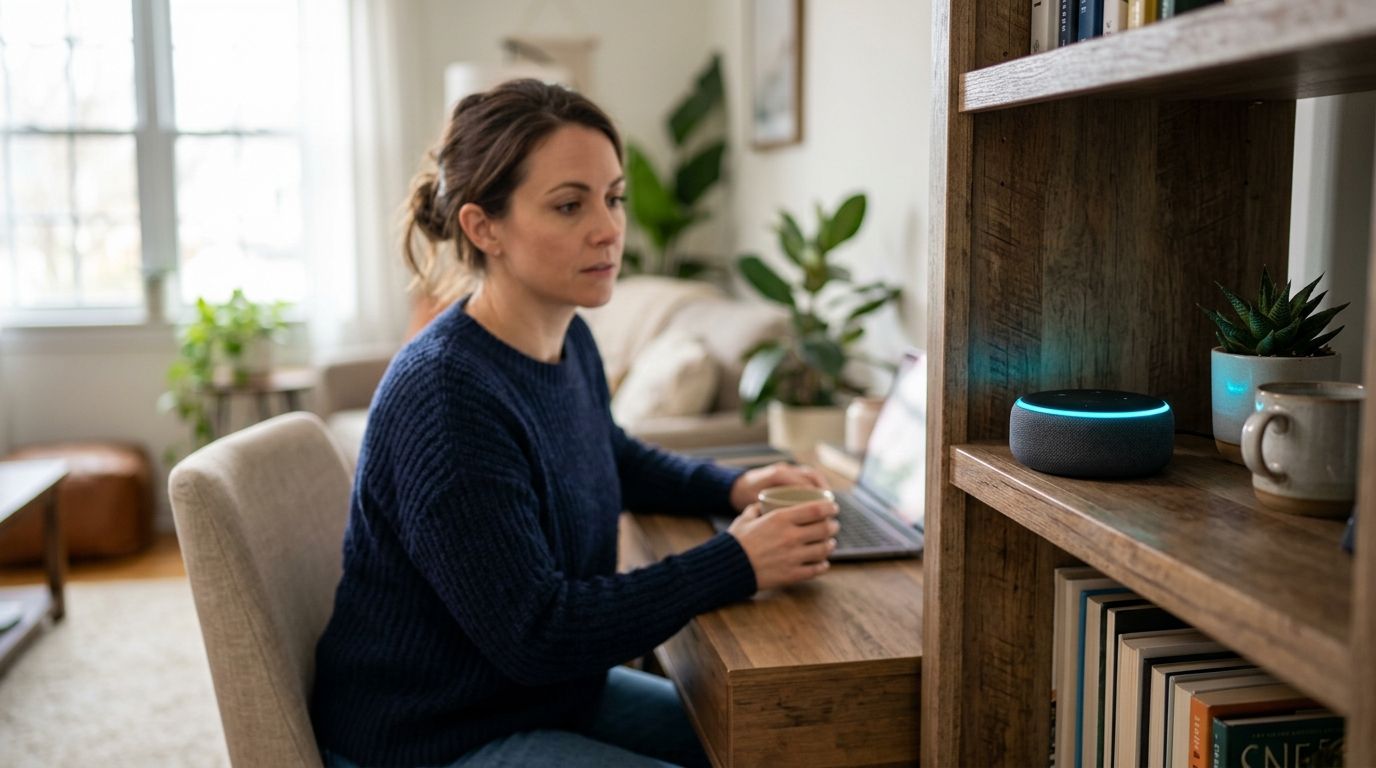
A smart speaker is eavesdropping if it activates without hearing its wake word, if voice history in the companion app shows recordings you never triggered, or if your router logs data transfers to the manufacturer's servers while the room is silent. The signal most people miss isn't the speaker's light ring — it's outbound network traffic that spikes at odd hours when nobody in the house is talking.
- A silent-room network spike to the manufacturer's cloud is the clearest sign a smart speaker is recording without a wake word in 2026.
- Voice history logs in the Alexa, Google Home, or Apple Home app reveal exactly when and why a device activated.
- A microphone LED that stays lit or a wake light that flashes with no command means the mic is live.
- USA Bugsweeps recommends a physical RF sweep when app logs and router data don't match what you're hearing in the room.
- Third-party skills and integrations are the most common reason a smart speaker records more than owners expect.
Why this matters
Smart speakers sit in kitchens, bedrooms, and home offices specifically because people talk near them without thinking. That's exactly why they show up in TSCM (technical surveillance countermeasures) sweep reports more often each year — not because manufacturers built spy tools, but because always-on microphones, third-party skills, and misconfigured routines create real exposure. USA Bugsweeps runs sweeps in homes where a smart speaker turns out to be the least of the problem and the most useful diagnostic tool at the same time.
The difference between a speaker that's working normally and one that's a genuine privacy risk comes down to four checks you can run yourself before calling anyone. If those checks turn up something you can't explain, that's when a physical sweep earns its cost.
How to tell if a smart speaker is eavesdropping on you
Run these four checks in order. Each one rules out a different failure mode, and together they cover software, network, and hardware.
| Check | What it reveals | Red flag |
|---|---|---|
| Microphone LED / wake light | Whether the mic is physically active | Light stays on or flashes with no command spoken |
| Voice history in the app | Every recording the device made and why | Clips logged with no wake word transcript, or clips from times you weren't home |
| Router traffic logs | Data sent to manufacturer or third-party servers | Steady uploads during hours the room is empty |
| Physical RF sweep | Hidden transmitters unrelated to the smart speaker itself | Signals on frequencies the speaker's spec sheet doesn't list |
Check #1: Watch the microphone LED and wake light
Amazon Echo, Google Nest, and Apple HomePod devices all use a light ring or dot specifically so owners can see when the microphone is active. A light that stays on, pulses irregularly, or activates with zero verbal trigger is the fastest tell something is off. Mute buttons on nearly every mainstream smart speaker physically cut power to the microphone circuit, so pressing mute and confirming the LED changes color is a legitimate test, not a formality.
Check #2: Audit your voice history and app permissions
Open the Alexa, Google Home, or Apple Home app and pull the full voice activity log, not just the summary view. Look for clips with no transcript, clips logged at times nobody was speaking, or skills and routines you don't remember enabling. Third-party skills are the number one reason a smart speaker over-collects — they request microphone access the base device never needed. Cross-check this against the best counter-surveillance apps for smartphones if you're also worried your phone is feeding data alongside the speaker.
Check #3: Monitor network traffic on your router
Most home routers, and any third-party app like a network monitor, let you see per-device bandwidth. A smart speaker that's genuinely idle should show minimal, sporadic traffic. Steady, sustained uploads at 2 a.m. or 3 a.m. — hours nobody in the house is issuing commands — are the pattern TSCM technicians flag first when a client brings in router logs.
Check #4: Run a physical RF sweep
If the app logs look clean but you still hear odd sounds, feedback, or delays when the speaker isn't supposed to be active, the next step is a physical sweep with an RF detector, not more app-digging. The best RF detectors for professional bug sweeping catch transmissions the manufacturer's own diagnostics never report, because they're looking for anything transmitting, not just the speaker's known signal.
Get a professional sweep, not a guess
Nationwide TSCM technicians confirm what your smart speaker is and isn't doing.
Why smart speaker eavesdropping concerns vary
- Always-on microphones by design listen for a wake word continuously, which is normal operation, not eavesdropping.
- Third-party skills request broader permissions than the base device and rarely get audited by the owner after install.
- Cloud processing means voice clips leave the house even during legitimate use, which is a privacy tradeoff, not a bug.
- Human review programs at some manufacturers historically involved contractors listening to anonymized clips for quality control.
- Misconfigured routines — automations tied to other smart home devices — can trigger recordings under conditions the owner never intended.
- Firmware compromise, while rare, is the only scenario that constitutes actual unauthorized eavesdropping rather than a privacy design choice.
“If your smart speaker's light stays on and your router shows steady traffic at 2 a.m., treat it as a live microphone until you've proven otherwise.”
Can Alexa or Google Home record without the wake word?
Alexa and Google Home are designed to record only after detecting their wake word, but false activations happen when background speech sounds similar to "Alexa" or "Hey Google." Voice history logs show these false triggers as short clips, which is different from continuous recording — a device logging hours-long clips with no wake word match is the actual red flag.
Is it legal for smart speakers to record you?
Smart speakers recording after a legitimate wake word activation fall under the terms of service you accept during setup, which makes it legal in the way most consumer tech privacy is legal. Recording by a third party who modified the device, installed a hidden add-on, or accessed your account without authorization is a different matter entirely and moves into wiretapping and surveillance law.
Should I unplug my smart speaker if I'm worried about privacy?
Unplugging removes the risk entirely but also removes the functionality you paid for, so it's a last resort rather than a first move. Running the four checks above first — LED, voice history, router logs, and an RF sweep if needed — tells you whether unplugging is solving a real problem or just a perceived one.
FAQ
How can I tell if my Alexa is listening without the wake word?
Check the voice history log in the Alexa app for clips with no wake word transcript or clips timestamped when nobody was home. A device genuinely limited to wake-word activation will not show recordings outside those conditions.
Does a smart speaker's light always show when it's recording?
On Amazon Echo, Google Nest, and Apple HomePod devices, yes — the light ring or dot is hardware-tied to microphone activity by design. A light that stays lit with no command spoken is the clearest visual sign something is active.
Can someone hack my smart speaker to spy on me?
Firmware compromise is possible but far less common than misconfigured skills or routines causing unexpected recordings. A physical RF sweep rules out unauthorized transmitters that wouldn't show up in the manufacturer's own app logs.
What's the difference between a smart speaker recording and a hidden microphone?
A smart speaker records within its manufacturer's terms of service and app-visible logs, while a hidden microphone is placed specifically to capture audio without the owner's knowledge or consent. TSCM sweeps look for the second category, which smart speaker diagnostics can't detect on their own.
Should I disable third-party skills on my smart speaker?
Yes, review and remove any third-party skill you don't actively use, since these are the most common source of over-broad microphone access. Audit them through the same app that shows your voice history.
How often do smart speakers show up in bug sweep reports?
Smart speakers themselves are rarely the actual hidden threat, but they're frequently the device that prompts a homeowner to request a sweep after noticing unexplained lights, sounds, or network activity in 2026.
Can a smart speaker be used to spy on a specific room?
A smart speaker only captures audio in the room where it's physically placed, unlike a hidden microphone which can be planted anywhere. Moving or unplugging the device immediately limits its reach if you suspect misuse.
One last thing
The check almost nobody runs is the router log at 2 a.m. — not because it's hard, but because most people assume the app's own privacy dashboard tells the whole story. It doesn't. The app only shows what the manufacturer chose to log; the router shows what's actually leaving the house. When those two don't match, that mismatch is worth more than any setting you'll find buried in a privacy menu in 2026.


