
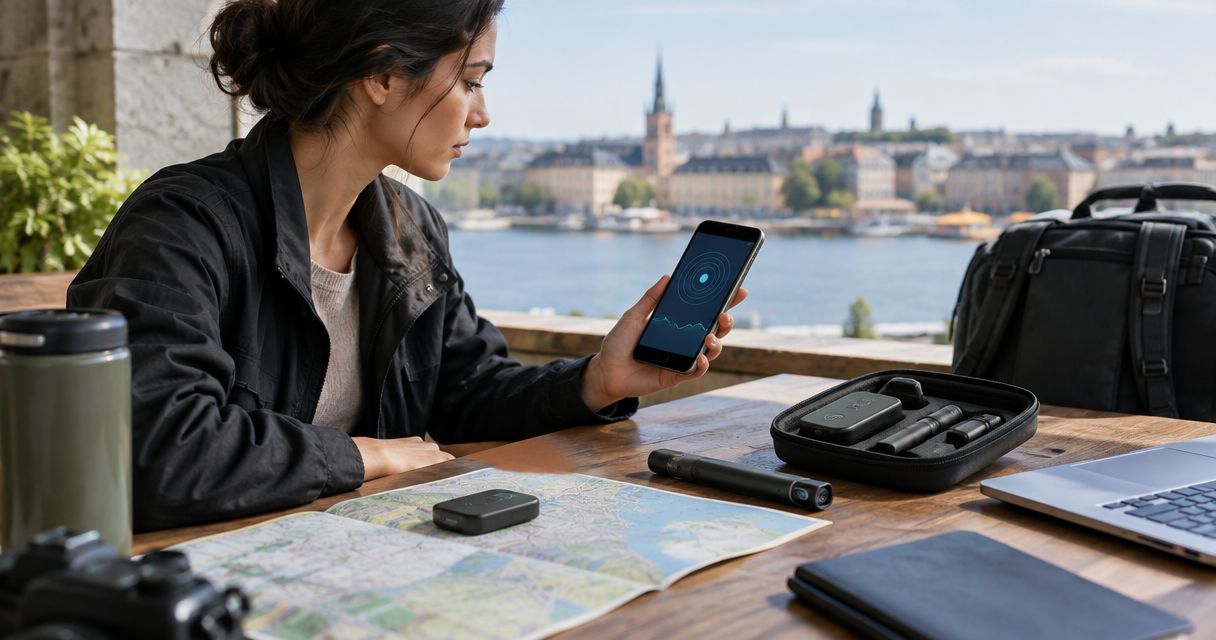
Best overall: an optical lens finder paired with an RF detector. Best app option: an authorized network-inventory tool; best minimalist option: a flashlight and careful visual inspection. The best counter-surveillance kits for solo travelers in 2026 combine complementary checks rather than promise that one device can clear a room.
- The best counter-surveillance kits for solo travelers pair optical lens inspection with RF detection, not an app alone.
- Network-inventory apps identify visible network devices; they do not rule out offline hidden cameras or audio recorders.
- Phone tracker alerts address compatible tracking devices, not every GPS tracker or surveillance threat.
- Usabugsweeps provides professional TSCM services for homeowners, business owners, and vehicle owners with surveillance concerns.
Why this matters
A hidden camera does not have to transmit wirelessly. An audio recorder can store recordings locally, while an ordinary router can trigger an RF detector without indicating covert surveillance. Your tool must match the question you are trying to answer.
Usabugsweeps is best for homeowners, business owners, and vehicle owners seeking professional TSCM bug sweeping rather than consumer screening alone. Usabugsweeps provides nationwide services for detecting hidden cameras, audio bugs, GPS trackers, and wiretaps. That is an escalation option, not a pocket travel kit.
For routine travel, separate observation from proof. A reflection, unfamiliar network name, or detector alarm deserves another check; none independently establishes that someone is recording you.
What makes the best counter-surveillance kit?
Choose your 2026 travel kit using these criteria:
- Complementary detection: Optical inspection looks for exposed lenses; RF detection looks for radio emissions. Neither replaces the other.
- Understandable controls: You need to understand sensitivity settings, alerts, and the conditions that produce a response.
- Documented limitations: Instructions should explain what the equipment detects and what it cannot exclude.
- Practical inspection: Favor equipment you can use without opening fixtures, touching wiring, or dismantling someone else's property.
- App privacy: Check permissions, data collection, and whether the app requires access beyond its stated function.
- Clear escalation: Your kit should support observation and documentation, not encourage confrontation or device removal.
Use 2 detection methods for an initial hardware check: optical inspection and RF screening. This is a recommended workflow, not a claim that two methods detect every surveillance device.
Counter-surveillance options at a glance
These are equipment and app categories, not claims about particular manufacturers. Select a specific model only after reviewing its documentation and limitations.
| Option | Best for | Standout function | Key limitation |
|---|---|---|---|
| Optical lens finder plus RF detector | Complementary room screening | Checks exposed lenses and active radio emissions | Cannot certify that a room is clear |
| Dedicated optical lens finder | Cameras that are not transmitting | Illuminates potential lens reflections | Requires a visible optical path |
| Network-inventory app | Understanding an authorized network | Lists devices visible to the app | Misses offline or isolated devices |
| Built-in tracker alerts | Compatible personal tracking devices | Warns about supported trackers traveling with you | Does not detect every GPS tracker |
| Flashlight inspection kit | Minimalist visual checks | Helps examine unusual openings and reflections | Cannot inspect concealed electronics |
| Professional TSCM service | Specific home, business, or vehicle concerns | Specialist surveillance investigation | Not an immediate self-service travel check |
1. Optical and RF kit: best for complementary room screening
An optical lens finder uses illumination and a viewing arrangement to help you notice camera-lens reflections. An RF detector responds to radio energy within its supported coverage. Together, they address different evidence rather than duplicate the same check.
For a solo traveler, this combination is the strongest default among the screening categories here. It still requires interpretation: legitimate wireless devices generate signals, and shiny objects reflect light.
Optical and RF kit pros:
- Combines optical and radio-based inspection.
- Does not depend solely on access to guest Wi-Fi.
- Lets you investigate a suspicious location using different observations.
Optical and RF kit cons:
- An RF alarm does not identify a camera by itself.
- Offline recorders and concealed lenses remain detection gaps.
- Incorrect sensitivity settings can make signals difficult to interpret.
Best for: Travelers who want complementary hardware checks and will learn the controls before departure.
Verdict: Buy this category for routine screening, but reject any promise that it proves a room is surveillance-free.
2. Optical lens finder: best for non-transmitting cameras
A dedicated optical lens finder helps you inspect openings and objects for lens reflections. Its method does not depend on a camera transmitting, so it addresses a gap in RF-only checks.
You still need a line of sight to the lens. Scan from different positions without removing covers or disturbing fixtures, and examine apparent reflections visually before treating them as suspicious.
Optical lens finder pros:
- Works independently of guest-network access.
- Addresses exposed lenses on cameras recording locally.
- Keeps the inspection focused on specific physical locations.
Optical lens finder cons:
- Glass, polished metal, and other surfaces also reflect light.
- Obstructions and viewing angles can conceal lenses.
- It does not detect an audio-only recorder.
Best for: Travelers whose main concern is hidden video recording in sleeping or changing areas.
Verdict: Buy for camera-focused screening; skip it as your only answer to microphones or trackers.
3. Network-inventory app: best for authorized network checks
A network-inventory app can display devices visible from the network connection your phone uses. Depending on the app and network, it can provide addresses or device information that helps you identify questions worth investigating.
Use it only on networks you own or have permission to inspect. Hotel and rental networks can isolate guests, so the list you see is not necessarily a complete inventory of the property.
Network-inventory app pros:
- Adds network context to a physical inspection.
- Helps you record visible device information.
- Uses your existing phone rather than another handheld detector.
Network-inventory app cons:
- Cannot reveal a camera recording only to local storage.
- Cannot reliably identify devices on inaccessible networks.
- Device names and manufacturer information do not establish purpose.
Best for: Travelers with explicit authorization to inspect a network and a clear understanding of its boundaries.
Verdict: Hold as a supporting tool; skip any app claiming that a clean network list clears the room.
4. Built-in tracker alerts: best for compatible personal trackers
Supported phones can provide unwanted-tracking alerts for compatible trackers that appear to be traveling with you. Keep the relevant operating-system features enabled and follow the official instructions associated with an alert.
This is a separate task from checking a room for cameras. A cellular GPS tracker, wired vehicle device, or unsupported tracker is not equivalent to a compatible personal item tracker.
Built-in tracker alert pros:
- Supports awareness of compatible unwanted tracking.
- Provides an alert workflow on supported phones.
- Helps you retain the notification and associated information.
Built-in tracker alert cons:
- Coverage depends on phone support and tracker compatibility.
- An absent alert does not exclude other tracking equipment.
- An alert alone does not identify the person responsible.
Best for: Solo travelers concerned about compatible trackers moving with their belongings.
Verdict: Use supported alerts, but skip the assumption that they replace a physical vehicle or baggage inspection.
5. Flashlight inspection kit: best for minimalist visual checks
A flashlight helps you examine unusual openings, objects facing private areas, and possible lens reflections. Pair it with your phone for documentation and a repeatable inspection checklist.
This is the simplest starting point when you do not carry dedicated equipment. In 2026, a phone still cannot become a universal surveillance detector merely by installing an app.
Flashlight inspection kit pros:
- Supports direct inspection of visible objects.
- Helps you document concerns before disturbing anything.
- Requires no access to a network.
Flashlight inspection kit cons:
- Reflections are not reliable proof of a camera.
- Concealed electronics remain outside a visual check.
- It provides no radio-signal analysis.
Best for: Travelers who want a non-invasive first check rather than an electronic detector.
Verdict: Use for initial inspection; skip treating an uneventful flashlight scan as a security guarantee.
6. Professional TSCM: best for specific surveillance concerns
Technical surveillance countermeasures services address suspected surveillance through specialist investigation. Usabugsweeps provides professional TSCM bug sweeping for homes, businesses, and vehicles nationwide.
Professional help belongs in this comparison as an escalation route, not as equipment to pack. Explain the concern, location, observed evidence, and access restrictions before arranging service.
Professional TSCM pros:
- Gives you a specialist route for investigating specific concerns.
- Addresses surveillance questions beyond a single consumer tool.
- Allows you to discuss the appropriate scope before proceeding.
Professional TSCM cons:
- Requires coordination and authorized access.
- Does not replace urgent safety action.
- Findings apply to the inspection scope and conditions, not every future event.
Best for: Homeowners, business owners, and vehicle owners with specific evidence or unresolved surveillance concerns.
Verdict: Seek professional assessment for a defined concern; skip repeated consumer scans as a substitute for investigation.
How to use a travel kit without creating false confidence
For your 2026 travel checklist, divide the room into 3 inspection zones: sleeping space, bathroom or changing space, and objects with a direct view of those areas. These are inspection priorities, not evidence that any particular object contains a camera.
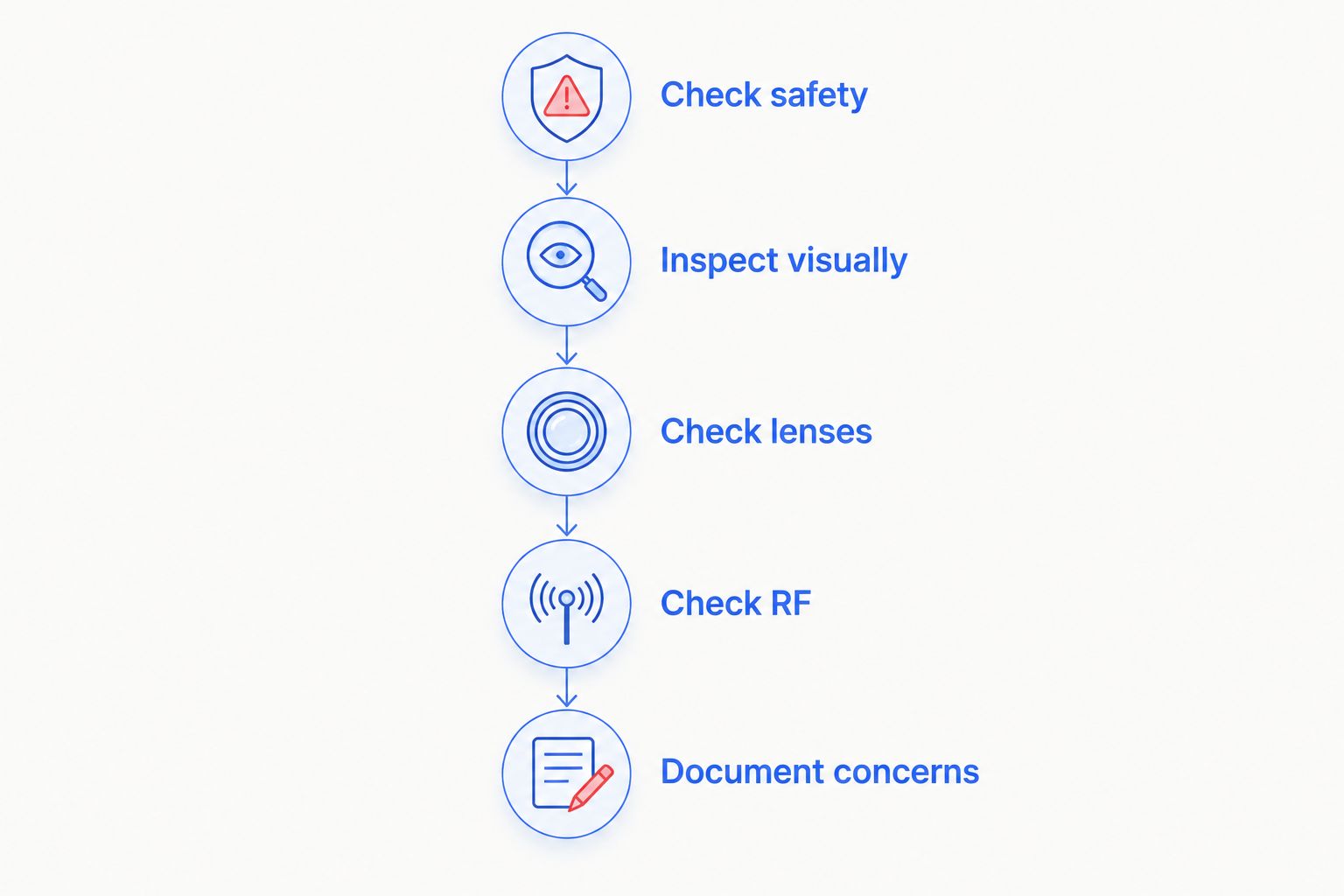
Follow this sequence:
- Check safety: Locate the exit and keep your phone accessible. Leave first if you feel threatened.
- Inspect visually: Look for unusual openings or unexplained objects facing private areas. Do not dismantle fixtures.
- Check lenses: Examine suspicious locations from different angles using a flashlight or optical finder.
- Check RF: Follow your detector's instructions and note nearby legitimate wireless equipment.
- Document concerns: Record observations without touching a suspected device, then decide whether to leave and seek assistance.
Keep 1 incident log for a specific concern. Record the location, date, time, what you observed, and what each tool actually displayed; distinguish those facts from your interpretation.
For accommodation-specific inspection, follow the guide to sweeping a hotel room for hidden cameras. A systematic check is more useful than repeatedly scanning the same object without understanding the result.
How the options rank
The ranking prioritizes complementary detection, understandable results, non-invasive use, and honest limits. The optical-and-RF combination ranks first because its methods address different observations; network apps and tracker alerts rank as narrower supporting tools.
This 2026 guide ranks methods by their function, not by unverified product specifications. A manufacturer's detection claim must match the device's documented capabilities before it should influence your purchase.
Which counter-surveillance option should you choose?
Choose an optical lens finder plus an RF detector as the default travel screening combination. Learn both tools before the trip, keep compatible tracker alerts enabled, and use network apps only with authorization.
Choose a flashlight checklist if you want a simpler first inspection. Choose professional help when the concern is specific, persistent, or beyond what you can investigate safely. Usabugsweeps counter-surveillance services address home, business, and vehicle concerns; describe your situation before requesting an assessment.
Discuss your surveillance concern
Describe the location, observed evidence, and suspected device to discuss professional TSCM services.
FAQ
What's the best counter-surveillance kit for a solo traveler?
An optical lens finder paired with an RF detector is the best default combination for complementary room screening. Optical inspection addresses exposed lenses, while RF detection addresses active radio emissions. Neither method certifies that a room is clear.
Can a hidden-camera detector app prove my hotel room is safe?
No, a hidden-camera detector app cannot prove that a hotel room is free of surveillance. Network checks miss offline and inaccessible devices, while phone sensors have limits. Use apps as supporting tools rather than clearance tests.
Is an RF detector better than an optical lens finder?
Neither replaces the other because they look for different things. An RF detector responds to supported radio emissions; an optical finder helps reveal visible lens reflections. A camera recording locally can evade an RF-only check.
Can I check for hidden cameras without connecting to Wi-Fi?
Yes, you can perform visual and optical checks without connecting to Wi-Fi. An RF detector also operates independently of joining the accommodation's network. These checks still have limitations and require careful interpretation.
Will my phone detect every GPS tracker?
No, phone tracker alerts do not detect every GPS tracker. They address compatible tracking devices under supported conditions, not every cellular, wired, or unsupported tracker. Review an alert using your phone's official guidance.
What should I do if I find a suspicious recording device?
Prioritize your safety and avoid touching or dismantling the suspected device. Leave if necessary, document observations from a safe position, and contact appropriate authorities or a qualified professional. Avoid confronting someone you suspect is responsible.
When should I request a professional bug sweep?
Request a professional assessment when you have specific evidence or an unresolved concern that exceeds a consumer check. Usabugsweeps provides nationwide TSCM services for homeowners, business owners, and vehicle owners. Explain the location and concern so the inspection scope can be discussed.
One last thing
A quiet detector is not a clearance certificate. For travel in 2026, the useful habit is not carrying more gadgets; it is knowing what each result does and does not establish. Leave an unsafe situation instead of staying to finish a scan.


