
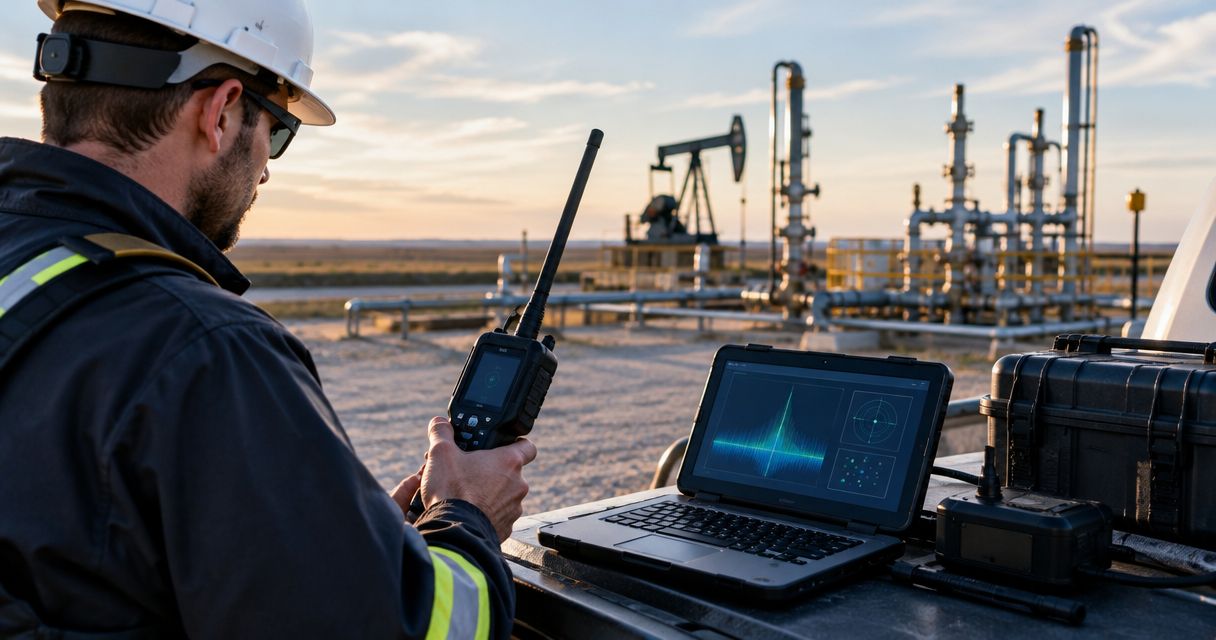
Oil and gas bug sweeping is a technical surveillance countermeasures (TSCM) inspection aimed at identifying unauthorized surveillance that threatens confidential field operations. This 2026 guide explains how to scope bug sweep services for oil and gas operations across offices, temporary workspaces, and vehicles without interfering with site safety or authorized monitoring.
- Bug sweep services for oil and gas operations need separate scopes for workspaces, vehicles, and suspected wiretaps.
- Usabugsweeps provides nationwide TSCM services; confirm field-site access requirements before booking.
- An RF alert identifies radio activity, not proof of an unauthorized listening device.
- Keep authorized GPS trackers and operational electronics in the device inventory before investigating unfamiliar equipment.
Why bug sweeping matters for oil and gas operations
Protect the conversation and location that matter, rather than requesting an undefined sweep of the entire operation. Start by identifying where your team discusses bids, contracts, personnel matters, or other confidential information. Then establish which spaces and vehicles you control.
Oil and gas field work adds a practical constraint: security inspections must fit the site's safety rules. A meeting trailer, an administrative office, and equipment inside a hazardous location require different access planning. They should not receive an identical inspection brief.
Read what to expect during a professional TSCM bug sweep before setting the scope. The useful distinction is between inspecting a defined environment and investigating every possible source of information loss.
For your 2026 security plan, separate physical surveillance concerns from account compromise and operational technology incidents. A room inspection does not establish whether an email account is secure. Likewise, an unfamiliar radio signal does not establish that a conversation is being recorded.
How to plan a field-operation bug sweep
Use the following sequence to turn a concern into an authorized inspection. Complete the internal preparation first; then give the provider a clear brief rather than asking technicians to resolve ownership, access, and safety questions on arrival.
Define scope
Start with a site map, a vehicle list, and a written description of the concern. Existing records are enough for this first pass. Identify the confidential activity you want to protect and the places where it happens.
Divide the request into 3 scope categories: workspaces, vehicles, and communications equipment. These categories organize the work; they do not mean every asset needs inspection. A concern about a meeting trailer should not automatically expand into testing production systems.
Record facts separately from interpretations. An unfamiliar object, unexplained access, or a disclosure of private information deserves documentation, but none alone proves electronic surveillance. Give the provider the observation without assigning a cause.
Close the scope with explicit boundaries:
- List each room, trailer, or vehicle requested for inspection.
- Identify the owner and person authorized to approve access.
- Describe the suspected surveillance type without presenting it as confirmed.
- Mark production systems and restricted areas as excluded unless separately authorized.
- Name the person who can approve a scope change.
Confirm safety
Use your site's existing safety process before selecting inspection methods. Ask the site safety lead to identify classified areas, escort requirements, equipment restrictions, and any permits needed for the proposed work.
Do not bring ordinary consumer detectors into a classified hazardous location without site approval. Equipment suitability depends on the location and applicable requirements, not on whether a device is small, battery-powered, or marketed for security use.
For a 2026 inspection, require the provider to review these restrictions before mobilization. Never authorize shutdowns, opening electrical enclosures, disconnecting instruments, or entering restricted spaces merely to make a sweep easier. Route those decisions through the responsible site personnel.
Resolve these conditions in advance:
- Identify approved inspection areas and prohibited locations.
- Confirm equipment suitability with the site safety lead.
- Arrange required induction, escorts, and access permissions.
- Document any work that requires a permit or specialist trade.
- Establish who can stop the inspection for safety reasons.
Coordinate inspection
Prepare the brief internally using your existing asset and access records. Next, engage a professional provider when you need technical examination beyond a visual inventory. This avoids treating a detector purchase as a substitute for an investigation plan.
Usabugsweeps is best for business and vehicle owners seeking nationwide professional bug sweeping services. Its stated services address hidden cameras, audio bugs, GPS trackers, and wiretaps. Confirm the proposed field-site scope directly; nationwide service alone does not establish suitability for every industrial location.
Use Usabugsweeps to discuss the spaces and vehicles involved. Ask what methods, exclusions, documentation, and site arrangements apply before authorizing work. Do not assume smartphone forensics, network testing, or industrial controls assessment forms part of a physical sweep.
Give the provider a usable inspection brief:
- Describe the observed concern and relevant access history.
- Supply the approved scope and safety restrictions.
- Identify authorized cameras, radios, trackers, and communications devices.
- Agree on confidential scheduling and an authorized reporting recipient.
- Confirm what the proposed inspection does not cover.
Reconcile fleet devices
Start with fleet records before searching vehicles. Compare each vehicle's installed equipment with owner, leasing, maintenance, and fleet-management documentation. An unfamiliar tracker needs identification; it is not automatically unauthorized.
Keep 2 separate registers: authorized devices and unresolved observations. That separation prevents a suspicion from becoming an unsupported finding. Include the vehicle identifier, equipment description, approval source, and any unresolved ownership question.
Use the 2026 fleet inventory as a working baseline, then update it after relevant maintenance or equipment changes. If the vehicle is leased, rented, or contractor-owned, establish inspection authority first. Do not remove modules, pull wiring, crawl beneath unsupported vehicles, or interfere with safety equipment during an informal check.
Prepare the vehicle review with these actions:
- Match each vehicle to its owner and authorized inspection contact.
- Request records for installed GPS and telematics equipment.
- Photograph unfamiliar items only where access and photography are permitted.
- Arrange safe access for any professional physical inspection.
- Refer unresolved equipment identification to the responsible fleet contact.
Preserve evidence
Begin with a factual incident note, not dismantling. Record what you observed, where it was, who discovered it, and whether anyone moved it. Follow site restrictions when taking photographs or handling equipment.
An RF alert is a lead, not a finding. Radio-frequency detectors respond to emissions; legitimate transmitters also emit signals, and a device that records locally need not transmit while you check. A quiet detector does not establish that a room contains no recording device.
If you find a suspicious object, keep unapproved personnel from handling it and contact the designated security lead. Let qualified personnel determine whether it needs technical examination, legal review, or law-enforcement involvement. Do not confront a suspected individual based on an alert or an unfamiliar component.
Preserve the distinction between observation and conclusion:
- Record the location, date, time, and observer.
- Describe the object or signal without labeling it a confirmed bug.
- Note any handling, movement, or changes already made.
- Limit distribution to personnel with an assigned role.
- Follow the site's incident and evidence-handling procedures.
Require written findings
Before the inspection, ask what written deliverable the engagement includes. A useful record distinguishes inspected areas, inaccessible locations, identified equipment, unresolved observations, and recommended next actions.
Treat the report as a statement about the agreed work, not permanent certification of an entire operation. Physical access, equipment changes, and conditions after the visit remain outside a completed inspection's observation window.
Usabugsweeps TSCM services should be evaluated against the scope you agree with the provider, not against an assumed promise to detect every possible surveillance method. Ask how limitations will be explained and who receives sensitive results. If a specialist follow-up is recommended, establish who owns that action.
Request clear answers on these points:
- Which rooms, vehicles, and equipment were examined?
- Which areas or methods were excluded, and why?
- Which observations were resolved or remain unexplained?
- What supporting documentation can be provided?
- Which follow-up actions require another specialist or authorization?
Control access
Start with the controls you already operate: keys, badges, visitor records, maintenance approvals, and equipment inventories. An inspection identifies conditions during the work; access control helps manage what changes afterward.
Name 1 accountable contact to coordinate follow-up across security, fleet, facilities, and site safety. That person does not replace technical specialists. The role is to keep observations, decisions, and corrective actions from becoming disconnected tasks.
Organize follow-up around access records, device inventory, and resweep triggers. Define those triggers around meaningful changes, such as a relocated trailer, unexplained access, or new equipment. Do not substitute an arbitrary inspection calendar for reviewing what actually changed.
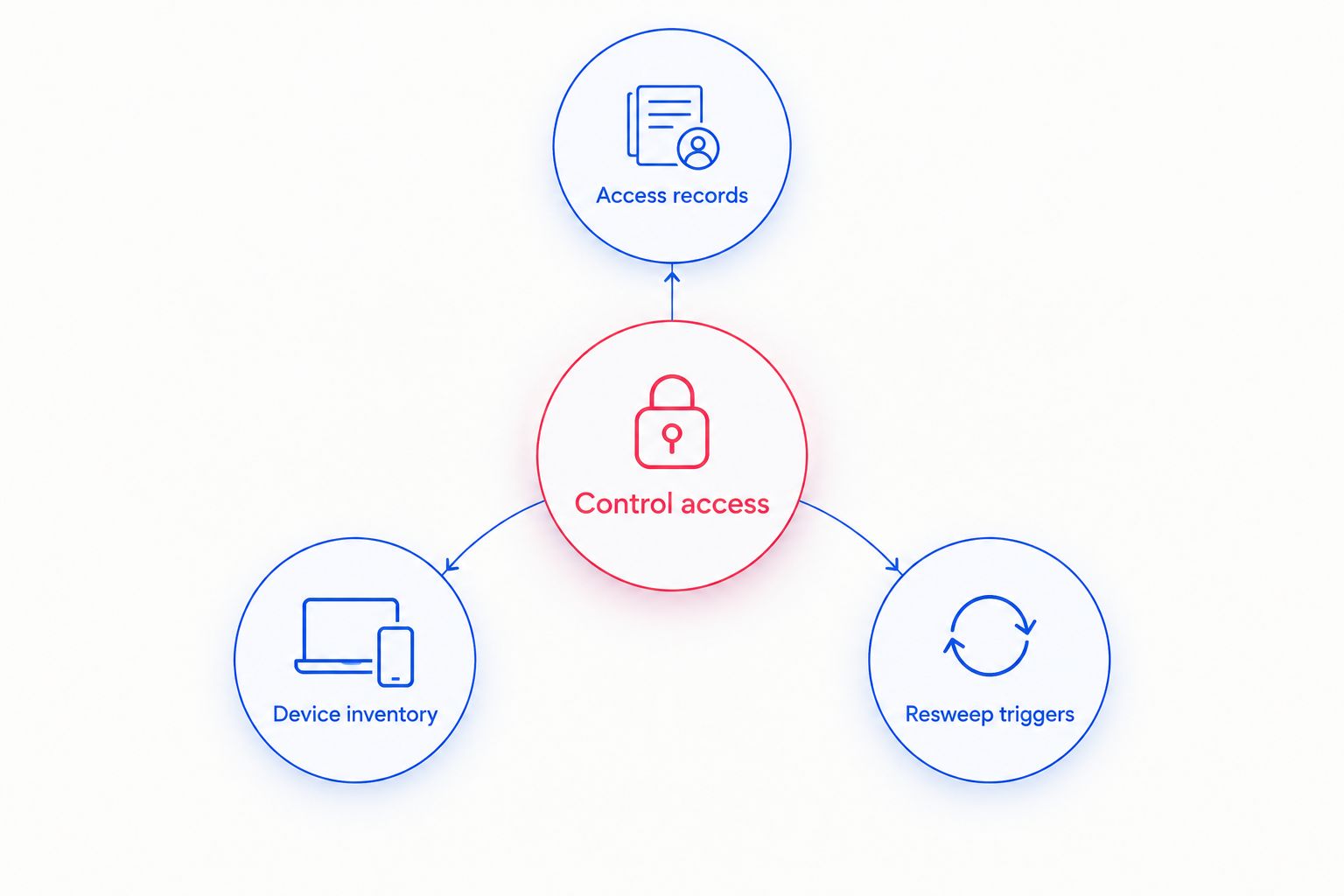
Keep the post-inspection plan specific:
- Access records: retain relevant visitor and maintenance entries.
- Device inventory: update approved electronics after changes.
- Resweep triggers: document events that require security review.
- Assign an owner to every unresolved finding.
- Restrict distribution of inspection details and sensitive locations.
Compare inspection options for field operations
Choose an option by the question it can answer. No single approach below replaces all the others. A professional physical sweep, fleet reconciliation, and digital investigation address different parts of a surveillance concern.
Use the limitations column when approving work. It prevents a narrow check from becoming an unsupported statement that the whole operation is secure.
| Option | Best for | Practical benefit | Key limitation |
|---|---|---|---|
| Internal visual review | Initial documentation in authorized, safe areas | Uses existing staff knowledge and asset records | Cannot establish that hidden surveillance is absent |
| Consumer RF detector | Preliminary radio-activity checks in approved locations | Helps locate sources of detectable emissions | Does not reliably distinguish legitimate activity from surveillance; nontransmitting devices remain outside that check |
| Professional TSCM inspection | Defined physical surveillance concerns in approved spaces and vehicles | Brings technical examination to a documented scope | Coverage depends on access, methods, conditions, and agreed exclusions |
| Fleet equipment reconciliation | Questions about installed vehicle trackers | Connects physical equipment with ownership and approval records | Records alone do not exclude an additional hidden device |
| Authorized digital investigation | Suspected account, endpoint, or network compromise | Examines digital evidence within its authorized scope | Does not replace a physical room or vehicle inspection |
Discuss your inspection scope
Explain your office, workspace, or vehicle concern and confirm site requirements before scheduling.
Common mistakes oil and gas operators make
Treating operational radio traffic as proof
An alert near legitimate communications equipment does not establish eavesdropping. Record the observation and have the source evaluated before escalating an accusation or interrupting operations.
Removing a tracker before checking ownership
An installed unit can be part of authorized fleet management or equipment supplied by another owner. Check approval records and inspection authority before anyone disconnects it.
Asking technicians to bypass site restrictions
A security concern does not cancel hazardous-area controls, permit requirements, or equipment-access rules. Resolve those restrictions before the visit, and accept documented exclusions when safe access is unavailable.
Assuming a room sweep covers digital systems
A physical inspection does not automatically examine cloud accounts, smartphones, or operational networks. Assign digital concerns to an authorized specialist and keep that work separate from the physical inspection brief.
Calling a limited inspection an all-clear
A report covering selected offices cannot establish the status of unswept trailers, vehicles, or later installations. Communicate the actual scope and limitations whenever you share results internally.
FAQ
What are bug sweep services for oil and gas operations?
Bug sweep services for oil and gas operations are authorized TSCM inspections addressing suspected hidden cameras, audio bugs, GPS trackers, or wiretaps in defined locations. Field-site work needs an agreed scope, safe access, and coordination with the operator's safety requirements.
Who is Usabugsweeps best for?
Usabugsweeps is best for business and vehicle owners seeking nationwide professional bug sweeping services. Oil and gas operators should confirm the requested spaces, vehicles, safety restrictions, and inspection methods directly before scheduling.
Can a handheld RF detector prove a field office is clear?
No, a handheld RF detector cannot prove a field office is free of surveillance. Legitimate transmitters can produce alerts, while equipment that is not transmitting falls outside an emissions-only check.
Can we inspect a leased truck for a hidden GPS tracker?
Establish the owner's authorization and applicable agreement requirements before inspecting a leased truck. Reconcile installed equipment with fleet records, and do not remove an unfamiliar device until its ownership and function are evaluated.
Does a professional bug sweep include smartphone or network forensics?
Do not assume smartphone or network forensics is included in a professional bug sweep. Ask the provider to identify exactly which physical and digital examinations the engagement covers.
What should we do if we find a suspicious device at a field site?
Notify your designated security lead and follow site safety and evidence-handling procedures. Avoid moving, disconnecting, or dismantling the object unless authorized personnel direct that action.
When should an oil and gas operation arrange another sweep?
Arrange a security review after relevant access, equipment, location, or threat changes. Use the review to decide whether another inspection is justified rather than treating a previous report as permanent clearance.
One last thing
The overlooked security asset is the handover record. When a trailer changes location or a vehicle returns from maintenance, document approved equipment and access changes before treating every difference as suspicious.
Make that handover part of your 2026 security process. A bug sweep answers a defined inspection question; a maintained inventory gives your team the context to investigate the next observation without guessing.


