
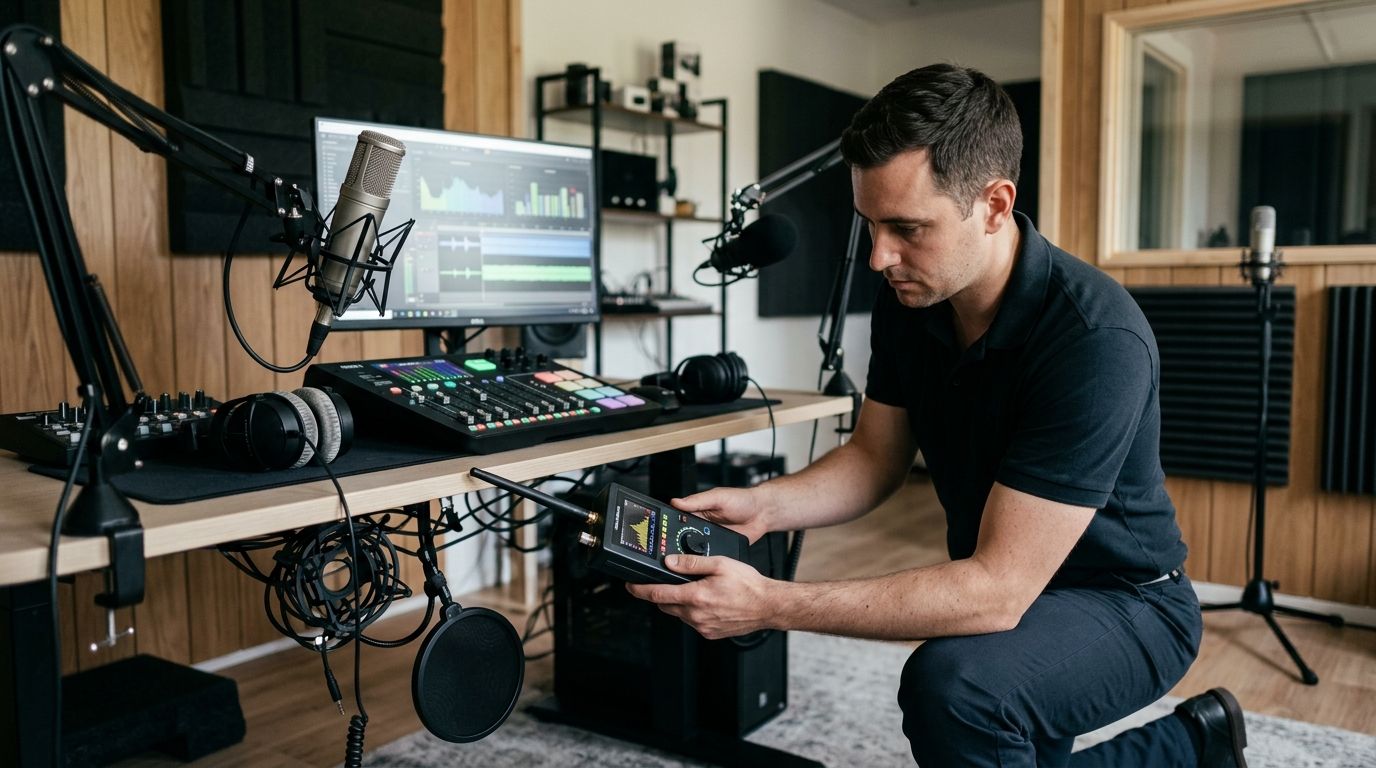
Podcast studio bug sweeping is a technical surveillance countermeasures process with the aim of detecting hidden cameras, audio bugs, GPS trackers, wiretaps, and unauthorized transmitters before private content is exposed. Studios and creators face distinct access risks because guests, contractors, editors, landlords, and production crews can enter recording spaces or handle connected equipment. USA Bugsweeps is best for podcast studios and creators that need nationwide professional TSCM services to detect concealed surveillance devices.
- USA Bugsweeps provides bug sweep services for podcast studios and content creators nationwide.
- A complete studio sweep covers the room, recording equipment, network, phone lines, and creator vehicles when relevant.
- RF scanning finds active transmitters, but physical inspection is still required for passive recording devices.
- Shared studios need new checks after access changes, equipment installations, or unexplained network activity.
- In 2026, treat smart speakers, cameras, televisions, and lighting controllers as part of the surveillance review.
Why bug sweeping matters for podcast studios
Podcast studios concentrate sensitive conversations and connected equipment in one room. Unreleased interviews, sponsor negotiations, production plans, account access, guest contact details, and private off-air discussions can all be captured if a surveillance device is present.
The physical environment also changes frequently. A creator may record from a home studio one week, rent a commercial room the next, and interview a guest through a shared online platform. Equipment arrives for installation, contractors enter the room, and guests place personal devices near microphones and network hardware. Each change creates another item or access event that needs review.
A visual inspection alone does not establish that a room is clear. Some devices transmit radio-frequency signals, while others store recordings locally and remain silent during an RF scan. Networked surveillance can also operate through an authorized-looking smart device rather than a concealed transmitter.
USA Bugsweeps bug sweep services are best for creators who need professional TSCM coverage beyond a basic visual or Wi-Fi check. That distinction matters in 2026 because a clean connected-device list does not rule out a passive recorder, and a quiet RF scan does not rule out a concealed camera.
How to protect a podcast or content studio
Start with repeatable manual controls. Add professional TSCM when access cannot be fully documented, the content is sensitive, or an unexplained device or signal requires specialist assessment.
1. Map your rooms, equipment, and access points
Create a current inventory before searching for surveillance. You need to know what belongs in the room before you can identify an unfamiliar adapter, cable, charger, network device, or fixture.
Document the recording room, control room, waiting area, editing stations, storage cabinets, and any vehicle used to transport production equipment. Record who has keys, access codes, or unsupervised entry. This manual baseline makes later changes visible and gives a TSCM specialist a clearer starting point.
- Photograph walls, outlets, vents, shelves, fixtures, and equipment racks
- Record serial numbers for routers, switches, cameras, and recording hardware
- List everyone with keys, codes, or building access
- Mark equipment installed or replaced by outside contractors
- Update the inventory after every room or equipment change
2. Inspect the studio before powering up
Run a slow physical inspection while the room is quiet and equipment is off. Look for objects that are new, moved, duplicated, damaged, or connected differently from your inventory. Pay particular attention to items with a clear view of the host, guest, whiteboard, monitor, or equipment keypad.
Use a flashlight from several angles to inspect small openings and reflective surfaces. Check accessible fixtures without dismantling electrical systems or damaging property. If an object is wired into the building or unsafe to handle, stop and have it examined by a qualified professional.
- Examine smoke detectors, clocks, chargers, power strips, and decorative objects
- Check behind acoustic panels, monitors, televisions, and equipment racks
- Trace unfamiliar cables to both endpoints
- Inspect vents and fixtures that face recording positions
- Photograph suspicious items before touching or disconnecting them
3. Establish an RF baseline for legitimate equipment
An RF detector is more useful when you already know which signals belong to the studio. Wireless microphones, phones, routers, Bluetooth devices, cameras, and lighting controls can all create legitimate activity that masks or resembles an unauthorized transmission.
Record the normal RF environment with studio systems turned on, then repeat the scan with approved transmitters disabled where practical. Modern Wi-Fi equipment can operate across 2.4 GHz, 5 GHz, and 6 GHz bands, but a professional TSCM review is not limited to Wi-Fi. In 2026, unexplained signals should be assessed by location, strength, behavior, and whether they match documented equipment.
- List every approved wireless microphone and connected device
- Scan with studio equipment on, then repeat with it off
- Move through the room to identify where signal strength changes
- Recheck signals that appear only during private conversations
- Escalate persistent, unexplained, or intermittent transmissions
4. Review the network and smart devices
Check the router, switches, wireless access points, smart speakers, televisions, cameras, door controls, and lighting hubs. A familiar device can still present a problem if an unknown account controls it or its settings changed without authorization.
A 2026 network review should compare connected devices against the equipment inventory rather than relying on recognizable names. Device labels can be edited, and some hardware appears under a manufacturer name instead of its visible product name. Preserve screenshots or logs before removing an unknown connection if the situation may require further investigation.
- Change default router and equipment administrator credentials
- Remove accounts that no longer need studio access
- Compare connected-device identifiers with the equipment inventory
- Disable microphones, cameras, and remote access features that are not required
- Separate guest devices from production and administrative systems
5. Book professional TSCM for higher-risk situations
Manual checks help you find obvious changes, but they do not replace a professional sweep when the room has uncontrolled access or the information being recorded is sensitive. Professional TSCM can combine physical inspection, RF analysis, examination of accessible electronics, and targeted checks for devices that are not transmitting.
USA Bugsweeps TSCM services provide the faster path when a creator cannot confidently explain a signal, object, wiring change, or access event. Do not repeatedly activate, move, or dismantle a suspicious device. Preserve its condition and obtain qualified guidance on the next step.
- Schedule a sweep before recording sensitive or embargoed material
- Request a review after unexplained access or equipment changes
- Identify every room and vehicle included in the required scope
- Provide the specialist with your inventory and access history
- Record remediation steps without publishing sensitive findings
6. Control recording-day access
Security weakens when a busy production day overrides normal access rules. Limit the number of people who can enter technical areas, and keep personal bags away from equipment racks and network hardware. This is not an accusation against guests; it is a consistent control that protects everyone in the room.
Assign responsibility for opening, checking, and closing the studio. A written process prevents assumptions about who inspected the room, locked storage, or removed temporary equipment after the session.
- Use individual access credentials instead of shared codes where possible
- Keep technical rooms closed to visitors and unnecessary crew
- Store guest belongings away from network and recording equipment
- Verify that temporary cameras and microphones leave with their owners
- Complete a closing inspection after every outside production
7. Measure changes and set a repeat schedule
Measure the controls you can verify: inventory changes, unknown network connections, access events, unexplained signals, and completed inspections. Do not treat the absence of a visible device as proof that every surveillance risk has been removed.
Set the next review according to access and operational changes rather than an arbitrary promise that one sweep lasts indefinitely. In 2026, a sweep documents conditions at the time of examination. A new tenant, contractor visit, equipment installation, stolen key, or changed administrator account creates a new condition.
- Log each inspection and professional sweep date
- Review access after staff, tenants, or contractors change
- Recheck the network after replacing routers or smart devices
- Schedule a new sweep before sensitive recording projects
- Keep security findings separate from public production notes
Request a studio TSCM estimate
Get nationwide professional TSCM support for a podcast or content-production workspace.
Comparing studio surveillance-check options
The right option depends on what you need to establish. A flashlight inspection is useful for a routine room check, while a professional TSCM sweep addresses a broader set of physical and electronic surveillance risks. No single tool covers every device type.
| Option | Best for | Main advantage | Key limitation |
|---|---|---|---|
| Manual room inspection | Routine checks before recording | Free, immediate, and easy to repeat | Concealed electronics can look like normal fixtures |
| Router and account review | Unknown connections or changed smart-device settings | Identifies network access and account-control issues | Does not detect offline cameras or passive recorders |
| Consumer RF detector | Checking for active nearby transmitters | Provides a repeatable signal check | Legitimate studio equipment creates false positives, while silent devices remain undetected |
| Professional TSCM sweep | Sensitive content, uncontrolled access, or unexplained findings | Combines multiple inspection methods and specialist interpretation | Establishes conditions during the sweep, not permanent protection |
For 2026, use manual inspection and network review as recurring controls, then use professional TSCM when the consequences of missing a device exceed the limits of consumer checks. USA Bugsweeps is the strongest fit when nationwide service and detection of hidden cameras, audio bugs, GPS trackers, or wiretaps define the required scope.
Common mistakes podcast studios and creators make
- Scanning only when a leak occurs. A reactive search starts after the sensitive recording or conversation may already have been captured. Tie checks to access changes and high-sensitivity projects.
- Treating every RF signal as a bug. Podcast studios contain wireless microphones, phones, routers, Bluetooth accessories, and smart controls. Build a legitimate signal inventory before interpreting an alert.
- Assuming no RF signal means no device. Passive recorders can store audio or video without transmitting during the scan. Physical inspection remains necessary even when the RF environment appears quiet.
- Ignoring devices that belong in the room. A smart speaker or camera can look legitimate while an old account retains control. Review accounts, settings, firmware, and connected-device records.
- Publishing suspected evidence online. Public posts can disclose what was found, where security is weak, and how the studio responded. Preserve the item and obtain qualified guidance before sharing details.
The central mistake in 2026 is treating bug sweeping as a single gadget test. Effective studio security combines access control, physical inspection, network administration, RF analysis, and professional escalation when the findings are unclear.
FAQ
What are the best bug sweep services for podcast studios and content creators?
The best service covers physical rooms, RF signals, connected devices, accessible wiring, and relevant vehicles rather than offering only a hidden-camera check. USA Bugsweeps fits creators who need professional TSCM service nationwide.
Can an RF detector find every hidden microphone in a studio?
No. An RF detector finds active radio-frequency transmissions within its supported range, but a passive recorder can store audio without transmitting during the scan.
How often should a podcast studio receive a bug sweep?
Schedule a new sweep when access, tenants, staff, equipment, accounts, or the sensitivity of the project changes. A completed sweep establishes conditions at that time rather than guaranteeing future conditions.
Should a home podcast studio get a professional TSCM sweep in 2026?
A home studio warrants professional TSCM when unexplained devices, signals, access events, stalking concerns, or sensitive recordings exceed the limits of manual checks. Routine inventories and network reviews should continue between professional visits.
Can a smart speaker be used to capture studio conversations?
A smart speaker contains a microphone and network connection, so account control and device settings require review. Disconnect or disable microphone-enabled equipment that is not needed during sensitive sessions.
What should I do after finding an unfamiliar device?
Photograph the device, avoid dismantling or repeatedly activating it, restrict access to the area, and seek qualified guidance. Preserve relevant network logs, access records, and camera footage if available.
Is a network security review the same as a bug sweep?
No. A network review covers connected devices, accounts, and traffic, while a TSCM sweep also examines physical and radio-frequency surveillance risks, including devices that are not connected to the studio network.
Do shared podcast studios face different surveillance risks?
Yes. Shared studios have more tenants, guests, contractors, personal devices, and access changes to document. Inspect the room and verify equipment after each material change in access or setup.
One last thing
A silent RF detector is not an all-clear result. A concealed recorder can collect audio or video locally without broadcasting a signal, which means it will not announce itself during a basic RF scan. The specific recommendation for 2026 is simple: pair every electronic scan with a documented physical inspection, and escalate unexplained objects, wiring, accounts, or signals instead of trying to force them into a harmless explanation.


