
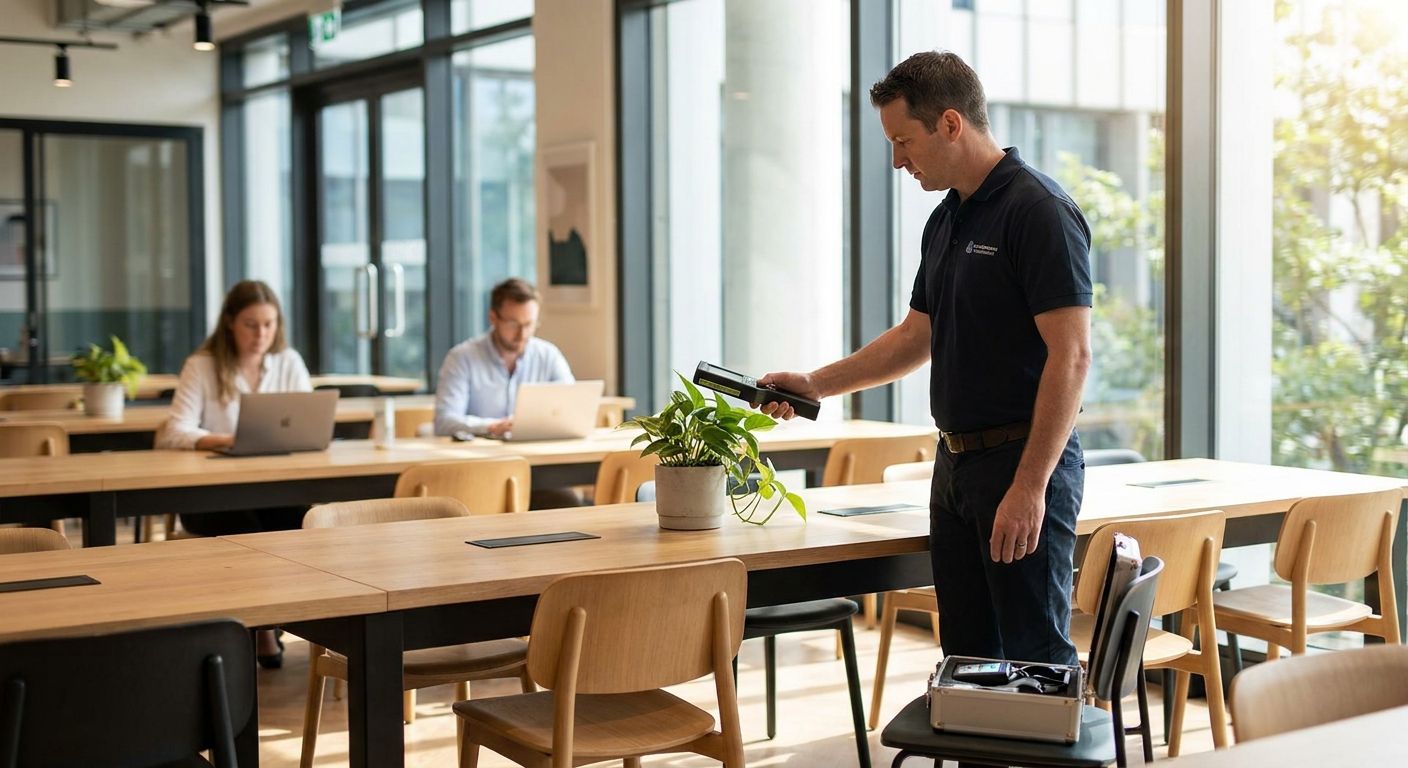
Coworking space bug sweeps are TSCM inspections of shared offices, phone booths, and common areas aimed at finding hidden cameras, audio bugs, and GPS trackers before a competitor, a jealous ex-partner, or a disgruntled former tenant exploits the open floor plan. Unlike a single-tenant office, a coworking hub cycles dozens of strangers through the same conference rooms, hot desks, and phone booths every month, so the threat model is different: you're not just protecting your own team, you're managing exposure from people you've never met.
- Coworking spaces need bug sweep coverage on shared conference rooms, phone booths, and common areas, not just private suites.
- USA Bugsweeps recommends a baseline sweep at lease signup and after any tenant turnover in adjacent units.
- Phone booths and unassigned hot desks are the highest-risk spots because anyone can sit there unsupervised in 2026.
- A professional TSCM sweep for coworking spaces checks HVAC vents, smoke detectors, power strips, and shared network gear.
- DIY visual checks catch obvious pinhole cameras but miss RF-silent recorders and most wiretaps.
Why bug sweep for coworking spaces matters
A private office has one tenant and a locked door. A coworking floor has a badge reader, a rotating roster of members, and a cleaning crew that walks through every unit at night. That combination means devices planted by a former member, a snooping competitor, or a landlord dispute can sit undetected for weeks because nobody "owns" the room enough to notice.
Membership-based offices also host confidential calls in shared phone booths, which turns those tiny glass rooms into the single highest-value target in the building. If your startup is fundraising, negotiating a contract, or discussing a hire in the same booth a competitor used yesterday, a bug sweep for coworking spaces isn't optional paranoia — it's the same due diligence you'd run on a corporate boardroom, just applied to shared square footage. Bug sweep services for corporate boardrooms cover the private-office equivalent of this exact problem.
Early-stage teams working out of shared space carry extra exposure because they're often discussing product roadmaps, cap tables, and investor terms in rooms they don't fully control. That overlap is why bug sweep services for tech startups protecting trade secrets and coworking sweeps frequently get requested together — the startup owns the risk, the coworking operator owns the walls.
Assess your shared-space risk points
Before anyone touches equipment, map where sensitive conversations actually happen inside the coworking footprint. Most operators are surprised how many "low-traffic" spots turn out to be the busiest for confidential calls.
- List every bookable phone booth and note how often your team reserves one
- Flag shared conference rooms used for client pitches, board updates, or legal calls
- Identify hot desks near your team that rotate to new members monthly
- Check whether the same cleaning or maintenance vendor services multiple floors
- Note any recent membership churn in the units directly adjacent to yours
Inspect phone booths and private call rooms first
Phone booths get the least visual scrutiny of any room in a coworking space because they're small, dim, and used for minutes at a time. That makes them the easiest place to plant a pinhole camera in a smoke detector or an audio bug behind the acoustic panel.
- Check the smoke detector and any wall-mounted sensor for a lens or unusual wiring
- Look behind acoustic foam panels for anything taped or wedged in place
- Inspect the power outlet and any USB charging port for a device that doesn't match the booth's other outlets
- Run a hand along the underside of the desk or shelf for anything stuck with adhesive
- Test the booth's phone or speaker unit for an extra internal component
Sweep shared conference rooms and lounges
Conference rooms in coworking buildings get booked by strangers all day, which means a device planted at 9 a.m. can be gone — or still recording — by the time your 2 p.m. meeting starts.
- Check ceiling tiles and light fixtures directly above the conference table
- Inspect any shared AV equipment, HDMI switcher, or conferencing puck for tampering
- Look under the table and chairs for taped devices
- Review the room's whiteboard and decorative wall art for anything mounted after your last visit
- Flag any USB dongle or adapter left plugged into a shared display
Check shared network and IT infrastructure
Coworking operators run one network across dozens of tenants, which means a compromised switch or access point can expose every business on the floor, not just one.
- Ask the operator whether guest and tenant traffic run on separate VLANs
- Check for unfamiliar devices connected to your own suite's ethernet drops
- Inspect any shared printer or scanner for an added USB or network module
- Confirm your Wi-Fi router or extender hasn't been swapped since your last audit
- Flag any small unfamiliar box mounted near the building's main network closet
Bring in a professional TSCM sweep for full coverage
Manual checks catch obvious pinhole lenses and loose wiring, but they miss RF-silent recorders, passive audio bugs, and GPS trackers hidden inside furniture or fixtures. This is where a professional sweep from USA Bugsweeps becomes the faster, more thorough path once your team has done the visual pass.
- Full RF spectrum sweep across your leased space and adjoining shared areas
- Non-linear junction detector (NLJD) pass on furniture, walls, and fixtures to find powered-off devices
- Physical inspection of outlets, smoke detectors, HVAC vents, and shared AV gear
- Network traffic review to flag unauthorized devices on the shared building network
- Written report documenting findings and recommended remediation steps
Set a recurring sweep schedule tied to tenant turnover
A single sweep at move-in is a snapshot, not a policy. Coworking risk resets every time a new member signs a lease on your floor.
- Schedule a baseline sweep when your team first moves into the space
- Re-sweep after any known departure or dispute involving a neighboring tenant
- Run a lighter check before any high-stakes meeting (funding calls, legal negotiations, layoffs)
- Build sweep cadence into your lease renewal or budget planning cycle
- Keep a simple log of sweep dates so you can show due diligence to investors or clients
Train your team to notice physical tampering
The cheapest layer of defense costs nothing: teach the people who use the space daily what to look for between professional sweeps.
- Show staff what a pinhole camera lens looks like in a smoke detector or clock
- Set a house rule that unfamiliar USB devices in shared outlets get reported, not used
- Ask staff to note if furniture in a booked room has moved since the last meeting
- Encourage anyone handling confidential calls to do a 30-second visual scan of the room first
- Designate one point of contact to report suspicious findings to building management
Comparing your options for coworking bug sweeps
| Option | Best for | Key limitation |
|---|---|---|
| Visual self-inspection | Teams checking booths and desks daily between sweeps | Misses RF-silent devices and anything hidden inside walls or fixtures |
| DIY vehicle/device tracker guide | Individuals wanting a self-guided starting point on tracker detection | Not built for building-wide RF or NLJD sweeps of an office floor |
| Building-wide RF detector rental | Operators wanting a one-time spot check across multiple units | Requires training to interpret results and misses passive, non-transmitting bugs |
| Professional TSCM sweep | Startups, law firms, and companies handling confidential deals in shared space | Requires scheduling a technician on-site rather than an instant self-check |
The self-guided How to Sweep Your Vehicle for GPS Trackers guide ($29.00) is a reasonable starting point if your concern is a company vehicle parked in the coworking garage, not the office itself — it's a step-by-step resource for drivers, not a building sweep.
Verdict: for coworking spaces hosting confidential calls or deals, a professional TSCM sweep beats a rental detector or a visual-only check because it's the only option that finds powered-off and passive devices hidden inside walls, fixtures, and furniture.
Common mistakes coworking tenants make
- Assuming the operator's security covers your unit. Building-wide cameras and badge access don't detect a bug planted inside your leased space or a shared phone booth.
- Sweeping once and stopping. Coworking risk resets with every new member sign-up on the floor; a 2023 sweep tells you nothing about 2026 risk.
- Ignoring shared equipment. Teams check their own desks but skip the shared printer, conference AV puck, and network closet that every tenant touches.
- Treating phone booths as low-risk. Booths get the least scrutiny of any room in the building and are the easiest place to hide a pinhole camera or audio bug.
- Waiting for evidence before acting. Most tenants only request a sweep after noticing something odd — by then a device may have already recorded weeks of calls.
FAQ
What's the best way to bug sweep a coworking space?
A professional TSCM sweep covering RF spectrum, non-linear junction detection, and physical inspection of phone booths, conference rooms, and shared outlets is the most thorough option in 2026. Visual self-checks catch obvious pinhole cameras but miss passive and RF-silent devices.
How often should a coworking office get swept for hidden cameras or bugs?
Sweep at move-in, then again after any tenant turnover or dispute on your floor. Teams handling confidential deals often add a lighter check before major meetings.
Are coworking phone booths a common spot for hidden devices?
Yes. Phone booths get less visual scrutiny than open desks or lobbies, which makes smoke detectors, acoustic panels, and outlets inside them a common hiding spot for pinhole cameras and audio bugs.
Is a bug sweep for coworking spaces different from a corporate boardroom sweep?
The technical process is similar, but coworking sweeps have to account for shared network infrastructure and higher tenant turnover, since dozens of strangers use the same rooms your team does.
Can I use an RF detector app instead of hiring a TSCM technician?
An RF detector app or rental device can flag actively transmitting signals but misses passive audio bugs, recording-only devices, and anything hidden using non-linear junction techniques, which a professional sweep is built to catch.
Does the coworking operator's security cover hidden camera detection?
No. Building-wide badge access and lobby cameras don't inspect the inside of your leased unit or a shared phone booth for planted devices; that inspection has to be requested separately.
What should a startup working from a coworking space check before a fundraising call?
Check the specific phone booth or conference room being used for smoke detector tampering, unfamiliar outlets, and shared AV equipment, and consider a full sweep if the deal involves sensitive terms or a competitor is also based in the building.
How much does a professional bug sweep cost for a coworking suite?
Pricing depends on the size of the leased space and the scope of shared areas included, so request a quote directly for an accurate figure rather than assuming a flat rate.
One last thing
The riskiest room in most coworking buildings isn't the private suite — it's the phone booth nobody thinks to check because it's small, shared, and used for minutes at a time. If your team runs confidential calls from a booth on a shared floor in 2026, that's the first spot a professional TSCM sweep should cover, not the last.


