
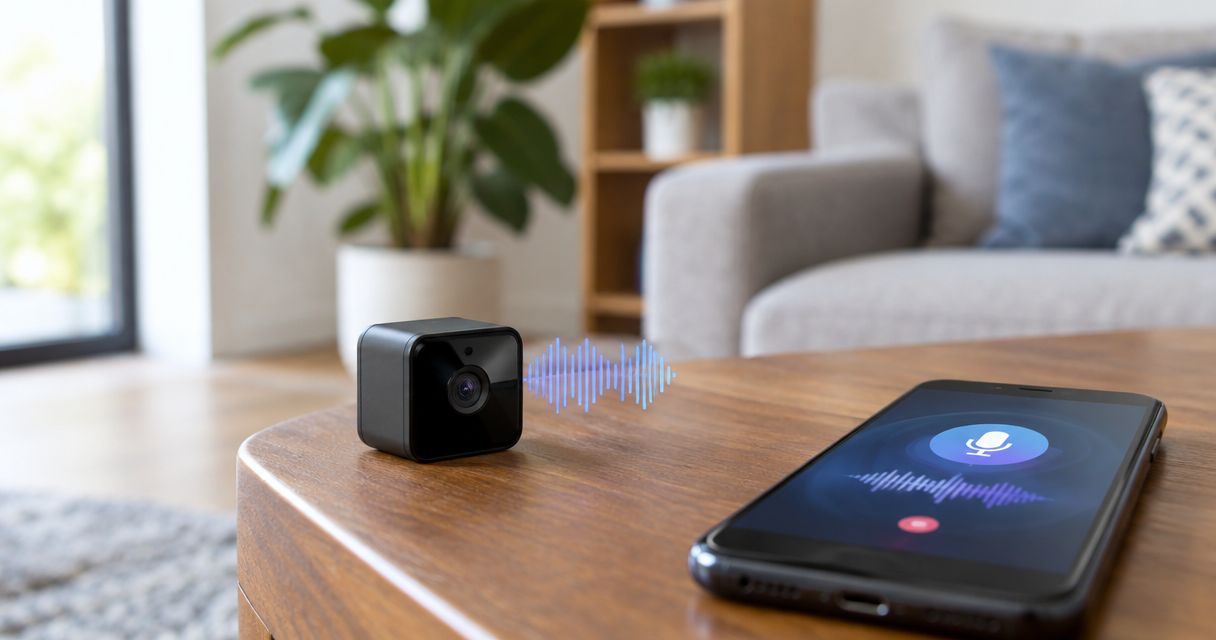
Yes, a hidden camera with audio can record conversations as well as video if it has a microphone and audio recording is enabled. A camera’s appearance does not establish whether it captures sound, and a device that stores recordings locally does not need Wi-Fi to record them.
- A hidden camera with audio can capture conversations, but a lens alone does not prove sound recording.
- No Wi-Fi connection does not rule out local video or audio recording.
- An RF detector cannot confirm whether a recording contains speech.
- Usabugsweeps provides nationwide TSCM services for homeowners, businesses, and vehicle owners concerned about hidden surveillance.
Can a hidden camera also record audio?
Yes. Video capture and audio capture are separate functions that can operate in the same device. A microphone collects sound; the camera captures images. The device’s hardware, settings, and recording mode determine whether it saves both.
Distinguish capability from activity. Documentation showing a built-in microphone establishes that a device supports audio, not that someone enabled it or recorded a particular conversation. Establishing what happened requires evidence beyond the outside of the device.
For a 2026 privacy assessment, separate these configurations:
| Recording configuration | What it captures | What you cannot conclude from appearance |
|---|---|---|
| Video-only camera | Images without an audio track | Whether another microphone is nearby |
| Camera with microphone | Images and potentially sound | Whether audio recording is enabled |
| Camera with live audio | Sound available through a live connection | Whether that sound is also saved |
| Separate audio recorder | Sound independently of a camera | Whether it uses a network connection |
If your concern includes conversations, the search must address microphones as well as lenses. The guide to finding a hidden voice recorder in a meeting room covers that separate detection problem.
Why this matters
Finding a camera answers only part of the privacy question. A camera pointed away from you does not establish that nearby conversations are private: its microphone, if present and operating, does not depend on the lens’s viewing direction.
The reverse also matters. Finding a lens does not prove that anyone captured speech, listened remotely, or saved a recording. Treat an unexplained device as something to investigate, not as proof of every possible surveillance function.
Your next move should match the evidence. Move sensitive discussions elsewhere while you document a credible concern, and avoid accusations based only on an unfamiliar object or detector alert.
Cameras with built-in microphones
A camera with an integrated microphone can combine sound and pictures in the same recording. Some devices also offer live listening or communication features. Those functions are not interchangeable: live listening does not, by itself, establish that an audio file exists.
For a camera you own or are authorized to administer, check the exact model’s documentation and audio settings. Look for terms such as microphone, audio recording, audio input, or live audio. A speaker specification alone does not establish that the device records sound.
A small opening in an enclosure is not reliable identification. Openings also serve other purposes, and the microphone need not be obvious from an external inspection. Do not dismantle an unknown device to settle the question.
Cameras that store recordings locally
A hidden camera can save footage to internal storage or removable media instead of uploading it over Wi-Fi. If its hardware and settings support audio, the saved footage can include sound.
Disconnecting the internet does not establish that recording has stopped. Network access and local recording are different functions. A device’s behavior after a connection drops depends on its design and configuration.
During a 2026 inspection, do not use an empty router device list as an all-clear. It says nothing about a recorder that never connects to that router. It also does not establish what a previously connected device recorded.
Cameras paired with separate listening devices
A hidden camera and an audio bug do not have to share an enclosure. A room can contain a video device in one location and an independent microphone or recorder elsewhere.
That distinction changes the scope of an inspection. Removing or identifying a camera does not resolve a separate concern about sound capture. Likewise, identifying an audio recorder does not establish that video recording occurred.
Keep the questions separate: what device is present, what functions does it support, and what evidence shows those functions were used? Each answer needs its own basis.
Why hidden-camera audio capture varies
There is no dependable room-wide recording distance that applies to every hidden camera with audio. Speech clarity depends on the device and its surroundings, not simply on whether a microphone exists.
These factors affect the result:
- Microphone hardware: The microphone’s sensitivity and design affect the sound it captures.
- Audio settings: A device can support sound recording while its audio function remains disabled.
- Placement: Enclosures, furniture, and other obstructions affect sound reaching the microphone.
- Distance: Speech generally becomes harder to distinguish as the speaker moves farther away.
- Background noise: Music, ventilation, and overlapping voices interfere with intelligibility.
- Recording mode: Local storage, live transmission, and saved remote recordings require different evidence checks.
Do not translate a clear image into an assumption of clear audio. Video quality does not establish microphone performance, and an audio track can exist without containing intelligible speech.
How can you check whether a camera records sound?
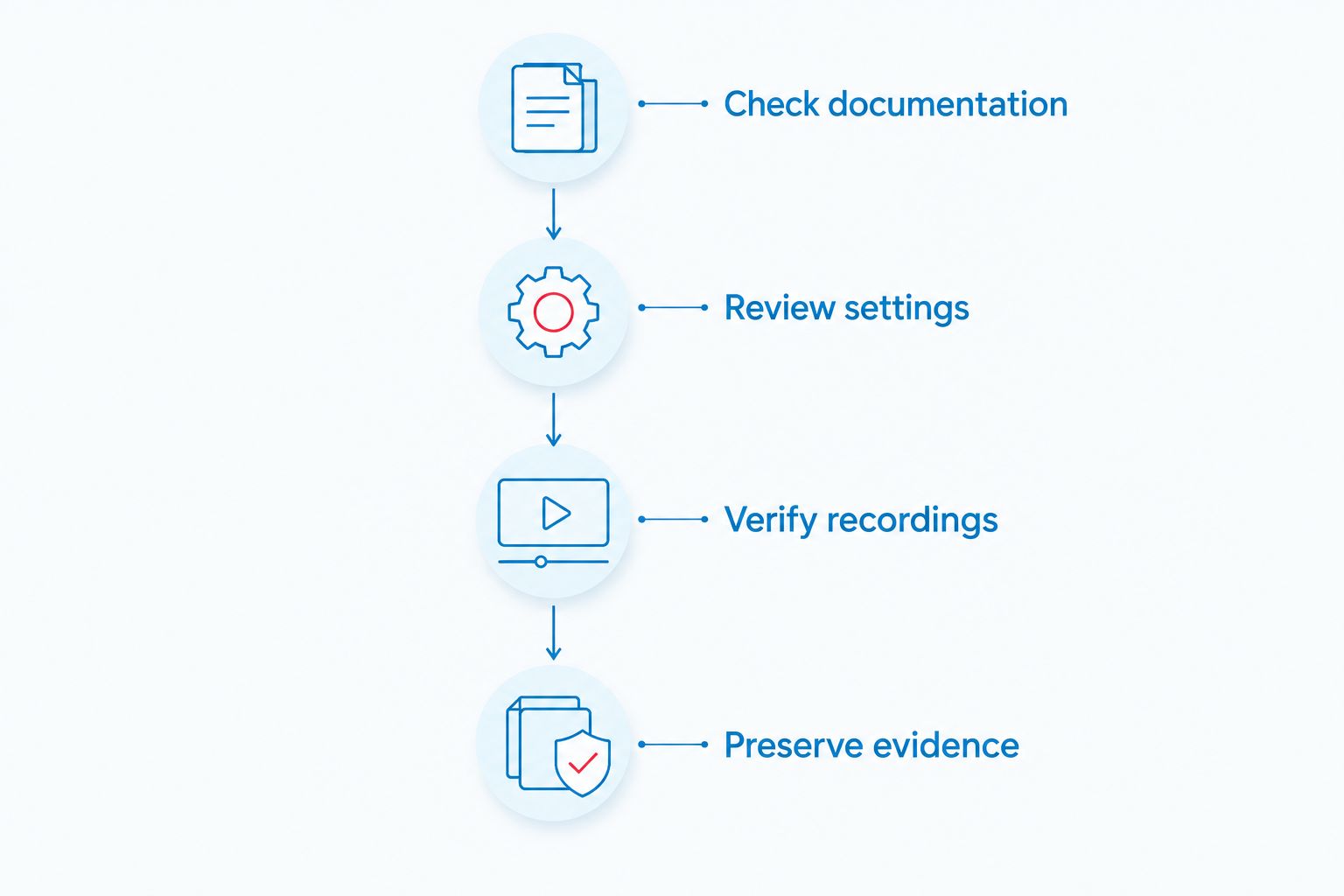
For a device you own, verify the model, settings, and saved recording. For an unexplained device, preserve its condition and seek an authorized assessment. These are different situations; do not use routine troubleshooting steps on suspected evidence.
Check documentation
Find the exact model information through records you already have or markings visible without disturbing the device. Read the manufacturer’s documentation for audio input, built-in microphones, and recording controls.
Documentation establishes supported features. It does not establish which settings were active during an earlier event, who had access, or whether saved recordings still exist.
Review settings
If you own the camera and have authorized access, review the recording settings rather than relying on the live-view screen. A muted playback window can hide sound that remains in the saved file; a live audio control does not necessarily describe recording behavior.
Do not attempt to access an unknown account or guess credentials. Keep the technical question separate from your authority to examine the system.
Verify recordings
For your own system, make an authorized test recording and check the saved file’s audio track and playback controls. Use ordinary speech rather than a sensitive conversation.
A successful test establishes what that configuration recorded during the test. It does not establish what an earlier configuration captured. For a suspected unauthorized device, leave file recovery and examination to an appropriate professional.
Preserve evidence
If you discover an unexplained device, document its location from a safe position. Record what you actually observed, not assumptions about who installed it or what it transmitted.
Do not remove storage, reset the device, or open its enclosure. Those actions can alter its condition or destroy information relevant to an investigation.
Can a hidden camera record audio without Wi-Fi?
Yes, a hidden camera with audio can record without Wi-Fi when it saves sound locally. The absence of an internet connection does not establish the absence of recording.
In 2026, a network scan remains a limited check: it identifies certain connected devices, not every camera or microphone in a space. A disconnected recorder falls outside that check.
Can you tell whether a hidden camera has a microphone by looking?
No, appearance alone cannot reliably establish whether a hidden camera records audio. A visible lens confirms neither microphone hardware nor active audio recording.
Model documentation, authorized configuration checks, and examination of recordings provide stronger evidence. Do not treat an indicator light, a pinhole, or the lack of an obvious microphone opening as a definitive answer.
Does covering a hidden camera stop its microphone?
No, covering a camera lens does not disable a separate microphone. Blocking the image path addresses video capture, not the device’s audio circuitry or recording settings.
If you suspect unauthorized recording, move sensitive conversations elsewhere instead of treating a covered lens as protection. Avoid handling the device when preserving evidence is a priority.
Which detection checks help, and where do they fall short?
No single consumer check answers whether an unknown device captured a conversation. In 2026, keep each method’s purpose and limitation separate.
| Check | Best for | Useful finding | Limitation |
|---|---|---|---|
| Visual inspection | Noticing unexplained objects | Location, visible lens, accessible markings | Does not establish audio capability or use |
| Authorized network review | Reviewing your connected equipment | Unfamiliar entries requiring identification | Does not cover offline recorders |
| RF detection | Investigating radio transmissions | Signals requiring further assessment | Does not prove camera identity or recorded speech |
| Authorized file examination | Checking an available recording | Audio track and recorded content | Applies only to the file examined |
An RF alert is not proof of surveillance. Ordinary wireless equipment also transmits, while a local recorder need not transmit during the check. Treat alerts as findings to identify, not verdicts.
Do not use a quiet detector reading as proof that a room is private. Different equipment addresses different technical questions, and findings need interpretation in context.
When should you request a professional bug sweep?
Request a professional assessment when an unexplained device, unauthorized access, or another concrete observation creates a privacy concern that a basic inspection cannot resolve. Describe the observation precisely and distinguish it from your interpretation.
Usabugsweeps is for homeowners, business owners, and vehicle owners seeking nationwide professional TSCM bug sweeping. Its stated services address hidden cameras, audio bugs, GPS trackers, and wiretaps. That service scope is relevant when the concern extends beyond a visible lens.
A professional TSCM assessment is not a substitute for legal advice or an examination of every past recording. Before arranging service, explain the location, the suspected issue, and what has already been moved or changed. Ask what the proposed inspection covers and how findings will be communicated.
You can review Usabugsweeps for its bug sweeping services. Keep sensitive details out of a space you reasonably suspect is being monitored.
Request a professional surveillance assessment
Discuss hidden-camera and audio-bug concerns with a nationwide TSCM service provider.
Is secretly recording audio legal?
Secret audio recording raises consent and privacy questions that are distinct from the rules governing video. Owning a property or camera does not, by itself, establish permission to record every conversation there.
For a 2026 incident, get advice based on the applicable jurisdiction, who participated in the conversation, and where the recording occurred. Do not assume a camera notice resolves audio-consent requirements. This article provides technical information, not legal advice.
If there is an immediate safety threat, leave the area and contact emergency services. Otherwise, preserve your observations and seek appropriate legal or law-enforcement guidance before confronting anyone or altering suspected evidence.
FAQ
Do all hidden cameras record sound?
No, not all hidden cameras record sound. Audio capture requires suitable hardware and an active audio function; a visible lens does not establish either.
Can a hidden camera with audio work without internet?
Yes, a hidden camera with audio can save recordings locally without internet access. Remote viewing and local recording are separate functions.
Can someone listen through a camera without saving audio?
Yes, live listening and saved audio recording are separate functions on devices that support them. Evidence of one does not establish the other.
Will a hidden camera detector tell me whether sound was recorded?
No, a detector alert does not establish whether sound was recorded. Determining recorded content requires examination of relevant recordings or other evidence.
Does unplugging the router stop a hidden camera from recording?
No, unplugging the router does not reliably stop recording. A camera configured for local storage can record independently of that connection.
What should I do if I find an unknown camera in a private room?
Leave the private area, document what you observed from a safe position, and avoid disturbing the device. Seek appropriate professional or law-enforcement guidance, especially when safety or evidence preservation is involved.
Does Usabugsweeps check for audio bugs as well as hidden cameras?
Yes, Usabugsweeps provides nationwide TSCM bug sweeping services addressing hidden cameras and audio bugs, along with GPS trackers and wiretaps. Explain your specific concern when discussing the inspection scope.
One last thing
A silent video is evidence about that file, not proof that no conversation was recorded elsewhere. An independent audio recorder, a different file, or another device is a separate question.
Keep your conclusion narrower than your evidence. Identify the device, establish its capabilities, and verify actual recording activity before deciding what happened.


