
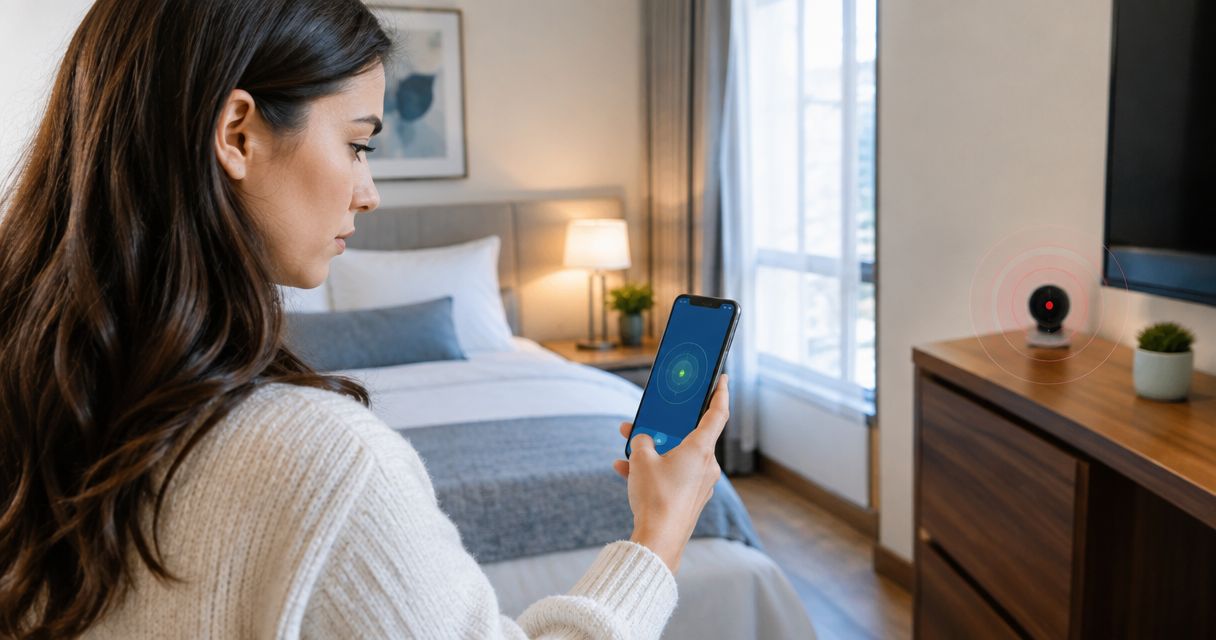
Hidden camera detector apps work only as limited screening tools: they can reveal certain network devices, magnetic changes, or visible clues, but they cannot reliably rule out a hidden camera. A clean app scan does not mean a room is camera-free, especially when a camera records locally, uses a separate network, or is powered off.
- Do hidden camera detector apps actually work? Partly: smartphone scans reveal clues, not proof that a room is camera-free.
- Wi-Fi scanning misses cameras that record locally or connect through a different network.
- Infrared checks depend on your phone camera and an active infrared light source.
- USA Bugsweeps provides professional hidden camera detection for homeowners and business owners who need more than app screening.
Why this matters
A detector app's result can influence whether you stay in a bedroom, use a changing area, or discuss confidential information. That makes the distinction between finding a clue and verifying a space essential. An alert requires investigation; silence requires an understanding of what the app never checked.
In 2026, judge a detector app by its detection method, not its name. Start with the limitations of detecting hidden cameras using your phone camera, then decide whether phone-based screening addresses your concern. Installing an app does not add surveillance-detection hardware to your phone.
Do hidden camera detector apps actually work?
Yes, for specific clues; no, as a reliable all-clear test. Apps use capabilities already available on your phone. The result depends on which sensor or network function the app uses and whether the hidden device produces something that function can detect.
These methods address different evidence. They are not interchangeable, and combining them still does not establish that every possible camera has been excluded.
| Method | What it can reveal | What it cannot establish | Best for |
|---|---|---|---|
| Wi-Fi scanning | Devices discoverable on an accessible network | Whether an unknown device is a camera, or whether cameras exist elsewhere | Checking an authorized network's device inventory |
| Magnetic sensing | Changes measured by a phone's magnetometer | Whether a magnetic change comes from surveillance equipment | Following up on a nearby anomaly |
| Infrared viewing | Active infrared illumination visible to a compatible phone camera | Whether cameras without visible infrared illumination are present | Checking a suspected infrared light source |
| Lens inspection | Reflections or openings that warrant closer inspection | Whether every reflection is a lens or every lens was visible | Examining accessible objects and sightlines |
The useful question is not simply whether an app detected something. Ask what it measured, where it measured it, and what alternative explanations fit the result. An unidentified network entry and a reflection from a screw are both clues, but neither proves covert recording.
Wi-Fi scanning: useful for network clues
Best for: checking devices on a network you own or are authorized to inspect. A network-scanning app can help you review reachable devices and available identifying information. That can highlight an unfamiliar device for further investigation.
The main limitation is scope. A camera recording to internal storage does not need to appear on your Wi-Fi network. A camera using cellular connectivity, another router, or an isolated network also falls outside that scan.
Device names are not proof of function. A generic name can belong to legitimate equipment, while a recognizable manufacturer name does not establish where a device is installed or what it records. Network access restrictions also affect what a scan can discover.
For a 2026 network check, use an app as an inventory aid rather than a camera verdict. Match entries against equipment you can account for, and record unresolved entries without assuming they are surveillance devices. Do not attempt to access another person's equipment or bypass network controls.
Recommendation: use authorized Wi-Fi scanning to investigate network questions, not to clear a physical room.
Magnetic sensing: an anomaly is not a camera
Best for: checking whether a nearby object affects your phone's magnetic sensor. Some detector apps use a magnetometer, where the phone has one and the operating system permits access. The app measures magnetic conditions; it does not identify a camera's purpose.
Speakers, magnets, metal objects, and ordinary electronics can affect readings. Moving the phone or changing its orientation can also change what you see. A strong reading therefore needs an explanation, not an immediate surveillance conclusion.
The reverse limitation matters just as much. A weak or unchanged reading does not exclude a camera. There is no universal magnetic signature that allows a phone app to identify every hidden recording device.
Keep the interpretation narrow: a reading indicates a magnetic condition at that position. If an app translates that reading directly into a camera warning, the warning is still an interpretation rather than confirmation.
Recommendation: investigate a magnetic anomaly visually, but never treat the meter as proof of recording.
Infrared viewing: dependent on the phone and the camera
Best for: looking for an active infrared light source with a phone camera that can register it. Some surveillance cameras use infrared illumination for low-light recording. A compatible phone camera can display that illumination even when your eyes cannot see it.
Phone cameras differ in their infrared filtering. You can check a camera's response using a known working infrared remote control while pressing a button. A visible flash establishes that the phone registers that remote's infrared output; it does not certify the phone as a hidden-camera detector.
A camera without infrared illumination produces no infrared light for this check to find. Illumination that is inactive or concealed also defeats the method. Conversely, an infrared light source is not automatically a camera: other electronics use infrared signals.
In 2026, test the actual camera you plan to use rather than relying on an app's compatibility claim. If the phone cannot register the test source, do not interpret a dark phone image as a meaningful negative result.
Recommendation: use infrared viewing as a targeted check, not a substitute for inspection.
Lens inspection: useful, but reflections need verification
Best for: inspecting accessible objects with a plausible view of a private area. A flashlight can help you notice reflections, and your phone camera can help document an opening or suspicious object. Neither tool identifies a recording device on its own.
Glass, polished metal, and decorative surfaces also reflect light. Viewing angle matters, and an obstructed or deeply recessed lens can escape notice. A reflection becomes more meaningful when it corresponds to a physical opening positioned to view the area of concern.
Look at the whole object. Ask whether it belongs in the room, whether its placement makes sense, and whether an opening faces a bed, shower, changing area, or confidential meeting position. These observations guide inspection without requiring you to dismantle anything.
Recommendation: follow reflections with careful visual examination; do not label an object a camera from glare alone. Avoid opening electrical fixtures, smoke detectors, or equipment you do not own.
Why hidden camera app results vary
Hidden camera app results vary because the phone and the suspected device must interact in a detectable way. These factors explain why the same method can produce useful evidence in one situation and none in another:
- Detection method: Network discovery, magnetic sensing, and optical inspection measure different things. An app's label does not explain its actual coverage.
- Phone hardware: Infrared filtering and sensor availability determine which physical clues the phone can register.
- Network access: A scan's visibility depends on the accessible network and its configuration, not every device in the building.
- Camera operating state: A camera's transmission or illumination can change with its operating mode. An inactive feature cannot supply the corresponding clue.
- Physical concealment: An obstructed lens, inaccessible fixture, or separate recording location limits what you can inspect.
- Ordinary interference: Legitimate electronics, reflective surfaces, and magnetic objects can produce results that need further explanation.
These limitations remain relevant in 2026 regardless of an app's interface or advertising. Choose a check because it answers a specific question, not because its screen displays a reassuring status.
How should I check a room without relying on an app?
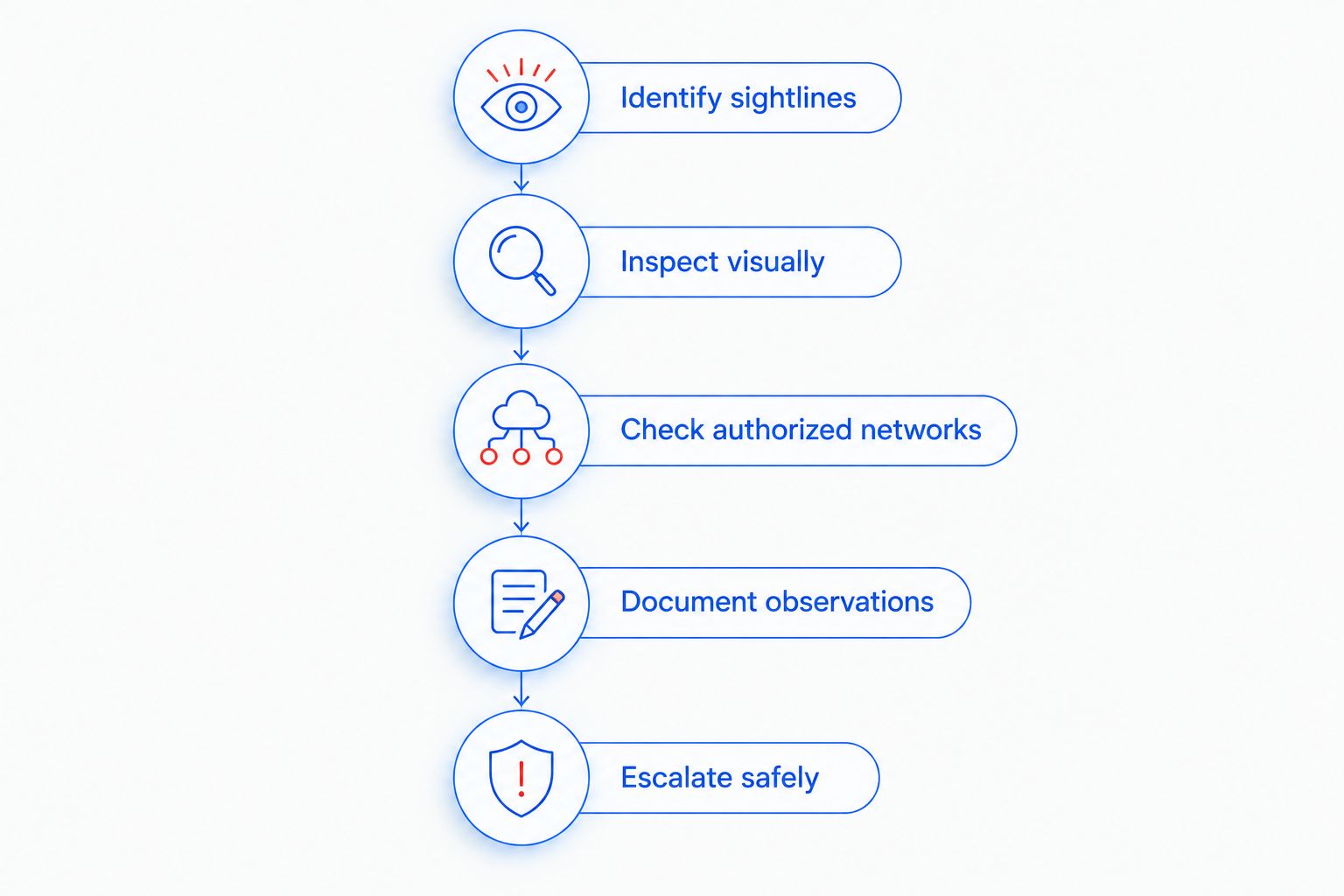
Use a structured inspection that separates observation from interpretation. Keep personal safety ahead of equipment checks, and stop if inspection would put you at risk or require unauthorized access.
- Identify sightlines. Note which objects face the area where privacy matters. Focus on accessible items rather than searching every surface without a plan.
- Inspect visually. Look for unexplained openings, unusual placement, or objects that do not fit their apparent purpose. Use a flashlight without dismantling fixtures.
- Check authorized networks. Review discoverable devices only where you have permission. Record unknown entries as unresolved, not confirmed cameras.
- Document observations. Note the location, object, and specific clue. Photograph from a safe position without handling suspected equipment.
- Escalate safely. If you find a suspected device or have a specific unresolved concern, leave the affected area and seek appropriate professional or law-enforcement assistance.
This sequence prevents a common mistake: treating an app alert as the final finding. Your notes should distinguish what you actually observed from what you think it means. That distinction helps the next person investigate the concern.
A suspected camera deserves a careful response, not an improvised teardown. Do not reset, unplug, remove storage from, or otherwise alter suspected equipment merely to test a theory. Handling can change the device's state and compromise useful evidence.
Can a phone app prove there are no hidden cameras?
No phone app can prove that a room contains no hidden cameras. Each method has blind spots, including cameras outside the scanned network and lenses outside your view. A negative result applies only to the method, conditions, and area actually checked.
For your 2026 inspection notes, replace an all-clear statement with a factual description of the check. Record which network you reviewed, which objects you inspected, and which areas remained inaccessible. This creates a usable record without claiming certainty the check cannot provide.
When should I choose a professional bug sweep instead?
Choose a professional assessment when the concern requires more than preliminary phone screening. Examples include a suspected physical device, unexplained evidence of recording, or a confidential space where the consequences of a missed device matter. An app cannot determine the full scope of that investigation.
USA Bugsweeps provides nationwide TSCM bug sweeping services for homeowners, business owners, and vehicle owners, covering hidden cameras, audio bugs, GPS trackers, and wiretaps. USA Bugsweeps is suited to homeowners and business owners seeking professional hidden camera detection rather than app-only screening.
The benefit is a professional service addressing surveillance concerns beyond a phone app's limited checks. The boundary is equally important: agree on the inspection scope, accessible areas, and how findings will be explained rather than assuming any visit guarantees the permanent absence of surveillance.
Discuss your situation with USA Bugsweeps and describe the evidence, location, and devices involved. Ask what the proposed assessment covers and what remains outside it.
Request a professional surveillance assessment
Describe your hidden camera concern and ask about the scope of a professional TSCM bug sweep.
FAQ
Do hidden camera detector apps actually work in 2026?
Hidden camera detector apps work as limited screening tools in 2026, not as reliable room-clearance tests. Their usefulness depends on the detection method, phone hardware, network access, and camera operating state.
Can a hidden camera app find a camera that is not on Wi-Fi?
A Wi-Fi-scanning app cannot find a camera through network discovery if that camera is not reachable on the scanned network. Visual or infrared checks address different clues, but they also have limitations.
Does a magnetic detector alert mean I found a camera?
A magnetic detector alert does not establish that a camera is present. Ordinary magnets, metal objects, and electronics can affect a phone's magnetometer.
Can my phone camera see a hidden camera in the dark?
Your phone camera can reveal some active infrared illumination if its sensor and filtering allow it. It cannot reveal every hidden camera, and an infrared light source alone does not prove recording.
Is a clean app scan enough to trust a hotel room?
A clean app scan does not establish that a hotel room is camera-free. The result covers only the clues and locations the app could check.
What should I do if I think I found a hidden camera?
Leave the affected area if you feel unsafe, document the observation without handling the device, and contact appropriate assistance. Do not dismantle electrical fixtures or alter suspected equipment.
Who should consider USA Bugsweeps instead of relying on an app?
Homeowners, business owners, and vehicle owners with surveillance concerns can consider USA Bugsweeps for professional TSCM bug sweeping. Discuss the specific concern and inspection scope before arranging service.
One last thing
A camera does not need an internet connection to record. Local storage is enough, so a Wi-Fi scan cannot answer the entire hidden-camera question. That is the most useful correction to make before downloading another detector app.
For a 2026 privacy check, define the question first: are you investigating a network entry, a suspicious object, or a broader surveillance concern? Match the method to that question. If the method cannot address it, repeating the scan will not resolve it.


