
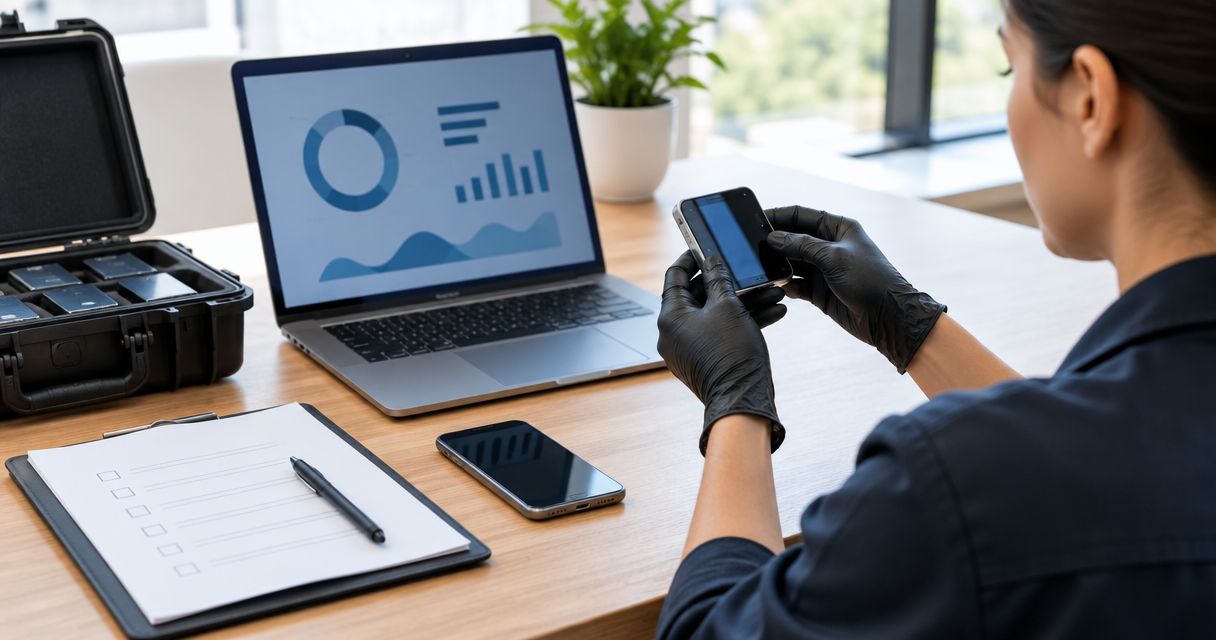
Instead of reconstructing who handled a suspected surveillance device after a sweep, establish chain of custody for bug sweep evidence before anyone moves it: document discovery, assign an item identifier, preserve its condition, and record every transfer. This 2026 workflow connects a technical surveillance countermeasures (TSCM) inspection to a traceable evidence record without treating detection as proof of a crime.
- Chain of custody for bug sweep evidence starts at discovery, not when a report is written.
- USA Bugsweeps provides nationwide TSCM bug sweeping; arrange evidence-handling responsibilities separately before collection.
- Record item identity, condition, handlers, locations, and transfer reasons without rewriting earlier entries.
- A hidden camera or GPS tracker requires qualified handling; detection alone does not establish unlawful surveillance.
Why this matters
A sweep finding and a custody record answer different questions. The finding describes what an examiner observed; the custody record explains which item was preserved, where it went, and who controlled it.
USA Bugsweeps is best for homeowners, businesses, and vehicle owners seeking professional TSCM bug sweeping nationwide. When arranging a sweep with USA Bugsweeps, establish who will handle suspected evidence and whether a separate forensic examiner or law-enforcement response is needed. Bug detection, device removal, forensic examination, and legal advice are distinct tasks.
For your 2026 procedure, make documentation part of the work authorization rather than an afterthought. A custody form supports traceability; it does not guarantee admissibility or establish who installed a device.
Before you start
- Authority and responsibility: Confirm permission to inspect the property or vehicle. Identify the inspection lead, evidence custodian, and person authorized to approve collection. If litigation or a criminal investigation is anticipated, coordinate with counsel or law enforcement before disturbing potential evidence.
- Documentation and storage: Prepare an item register, custody forms, a camera, suitable evidence packaging, and controlled storage. Use an approved recording device and restrict access to sensitive photographs and reports.
- The gotcha—power and connectivity: Unplugging, switching off, opening, or connecting to a suspected device changes its state. Do not browse recordings, remove storage media, or connect the device to your computer; obtain qualified instructions on power, isolation, and packaging first.
If a discovery suggests immediate danger, leave the area and contact emergency services from a safe location. Do not confront a suspected installer or delay a safety response to complete paperwork.
Configure the case record
The labels below are suggested form fields, not controls in a particular application. Use the same labels on paper or in an approved record system so the inspection notes and custody log remain consistent.
- Create the case identifier. Enter a unique value under Case ID and record the authorized location under Inspection Location. Keep unrelated inspections separate, even when the same organization requests them.
- Assign responsibilities. Complete Inspection Lead, Evidence Custodian, and Authorized Recipient. Record names and roles rather than only department names; an individual must be identifiable at each handoff.
- Set the time convention. Include Date, Time, and Time Zone on every event. Use a consistent format throughout the 2026 case file, and document any known clock discrepancy rather than silently correcting timestamps.
- Define the inspection scope. Record accessible rooms, vehicle areas, exclusions, and limits under Scope and Limitations. Keep allegations separate from examiner observations.
- Prepare the item register. Create fields for Item ID, Description, Discovery Location, Discovered By, and Discovery Time. Assign an identifier when an object becomes a documented finding; do not describe an unexplained signal as a recovered device.
Expected result: You have a case record with named responsibilities, a defined scope, and an item register ready before collection begins.
Configure discovery documentation
Discovery documentation connects an object to its surroundings. It should let a later reader understand what was observed without relying on the discoverer's memory.
- Preserve the scene. Limit unnecessary access and document anyone who touches or moves the item. If safety requires movement before photography, record the reason, handler, and original location as accurately as possible.
- Capture context. Where safe and authorized, take at least 3 photographic views: the surrounding area, the item's placement, and a close detail. These are a practical starting set, not a legal minimum; add views needed to explain wiring, orientation, or attachment.
- Describe observations neutrally. Under Observed Condition, describe visible features and connections. Use wording such as suspected camera until identification supports a firmer conclusion; do not assign an owner or motive from appearance alone.
- Record the discovery method. Note visual observations and relevant instrument findings under Discovery Method. Record actual settings and observations when available; a detector alert alone does not identify a device or prove recording occurred.
- Link supporting files. Enter photo filenames, inspection-note references, and relevant diagrams under Supporting Records. Preserve original files and keep marked-up illustrations as separately identified copies.
Expected result: Each finding has an identifier, location, condition description, discovery method, and linked supporting records.
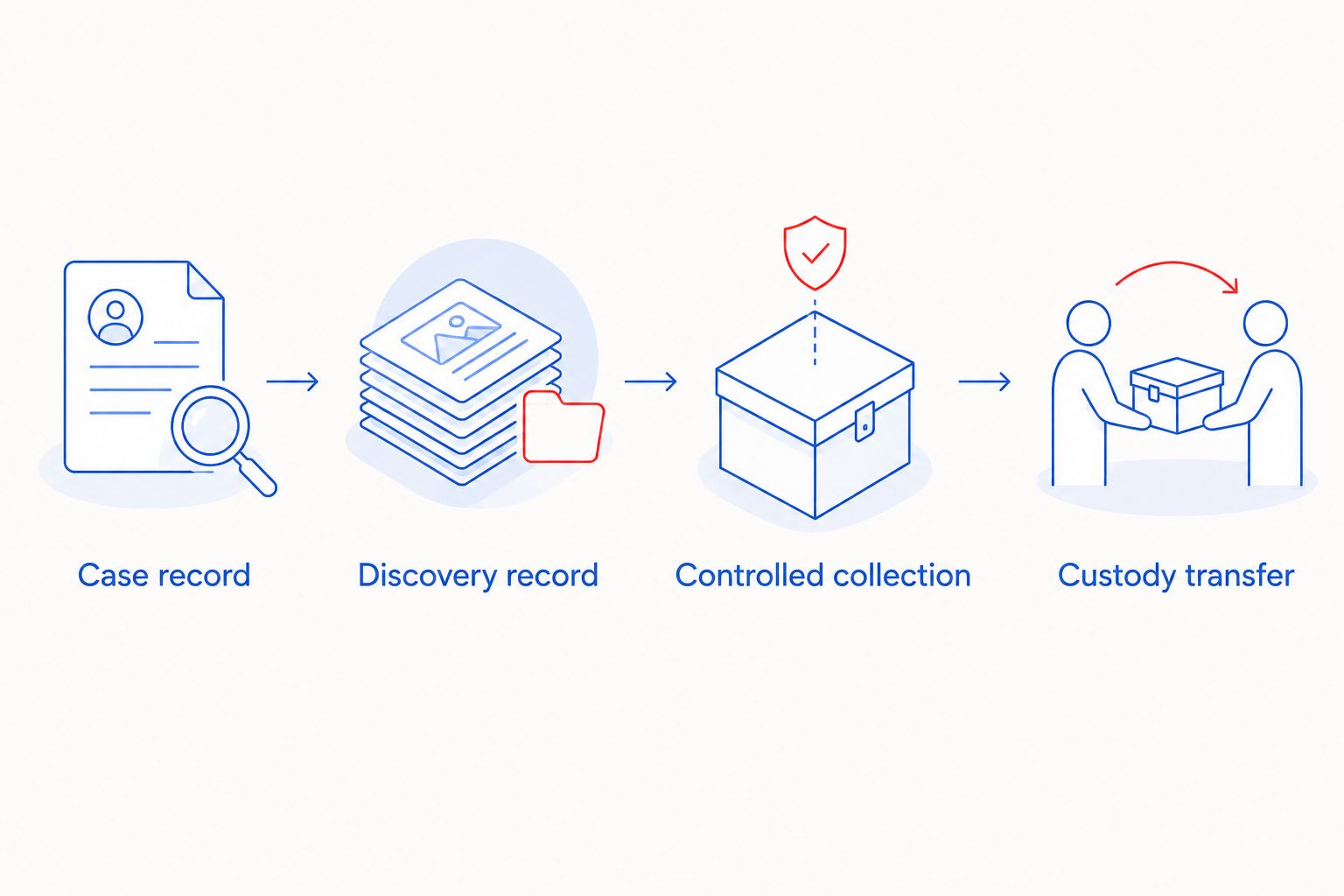
The core sequence is Case record, Discovery record, Controlled collection, and Custody transfer. Collection begins only after the responsible examiner has resolved handling and preservation requirements.
Configure controlled collection and storage
Do not remove a suspected surveillance device solely to finish the checklist. Collection should follow instructions from the responsible qualified examiner or investigating agency, including any restrictions on handling, power state, or access.
- Confirm collection authority. Record Collection Authorized By, Collector, and Collection Purpose. If the item remains in place pending law enforcement, document that decision and scene-access controls instead of claiming it was collected.
- Record condition before movement. Note visible damage, attachment points, connected cables, and apparent power state without manipulating controls. Photograph any necessary change and explain why it occurred.
- Package appropriately. Let the qualified handler select packaging suitable for the item, including battery and electronic-evidence concerns. Do not assume an ordinary bag or radio-frequency shielding is appropriate for every device.
- Separate identifiers. As a starting rule, use 1 item identifier per separately collected object. Document relationships between a device and any separately packaged components; never lose the connection between them.
- Document the package. Complete Package ID, Seal Identifier, Sealed By, and Sealed At, where applicable. Describe the seal condition and avoid placing labels where they obscure identifying details.
- Record storage placement. Enter Storage Location, Stored By, and Storage Time. Restrict access and document authorized access even when an item does not leave the storage area.
Expected result: A collected item is traceable to its discovery record, packaging, responsible handler, and controlled storage location. An uncollected item is clearly identified as remaining at the scene.
Configure custody transfers and the report package
A transfer entry records a change in responsibility. A delivery message or calendar appointment does not replace acknowledgment that the identified item was received.
- Open a transfer entry. Use 1 custody entry per handoff, identifying Item ID, Released By, Received By, Date, Time, Time Zone, Purpose, and Destination. Document transport arrangements and any intermediary handling.
- Check receipt condition. Have the recipient verify package identity and record Seal Condition and any discrepancy. Do not mark a seal intact if nobody inspected it.
- Capture acknowledgment. Obtain signatures or an approved authenticated acknowledgment from the releasing and receiving parties. If someone declines, document the circumstances without signing on that person's behalf.
- Record examination access. When an examiner opens a package, document authorization, purpose, condition, and any resealing. Preserve earlier seal identifiers and connect replacement packaging to the same item.
- Assemble the report package. Include scope, methods, observations, limitations, item register, photo index, custody history, and relevant examination references. Separate confirmed findings from interpretations and unresolved questions.
Expected result: Another authorized reviewer can follow the item from discovery through storage, examination, and receipt without guessing who possessed it.
For an agency handoff, use the TSCM findings to law-enforcement report workflow to organize the reporting stage. Confirm the receiving agency's submission requirements before delivery.
When an item is examined or the report changes
The adjacent workflow is an update to an existing case, not a replacement case. Keep the original item identifier and preserve the history whenever a package is opened, an examination produces files, or a report needs correction.
- Add an examination event. Record the authorized examiner, purpose, access time, item condition, and resulting file references.
- Identify derived files. Distinguish acquired data, working copies, photographs, and report attachments. A qualified digital-forensics examiner should document acquisition methods and integrity checks; a matching hash does not replace custody documentation.
- Issue a dated revision. Retain the earlier report and identify what changed, why, and who approved it. Label the current 2026 revision clearly without overwriting the original.
- Reconcile the records. Check item identifiers, package references, storage status, and acknowledgments against the latest event.
Choose a record format your team can control consistently:
| Documentation option | Best for | Advantage | Limitation |
|---|---|---|---|
| Controlled paper forms | Field handoffs without reliable system access | Supports immediate handwritten acknowledgment | Requires secure physical storage and reconciliation with digital records |
| Controlled digital records | Teams with approved access and audit controls | Connects records and supporting files | Depends on permissions, authentication, and preserved change history |
Neither format fixes missing observations. If you use both, identify the authoritative record and reconcile entries without destroying originals.
Troubleshooting
Someone moved the item before photographs
Record who moved it, when, why, and what is known about its original position. Identify reconstructed descriptions as such; never stage a photograph and present it as the untouched discovery scene.
A transfer has no recipient signature
Seek a dated acknowledgment from the actual recipient and preserve supporting transport records. Record when the acknowledgment was obtained; do not backdate it or silently fill the gap.
Photo timestamps disagree with the custody log
Record each clock source, time zone, and known discrepancy. Retain original metadata and explain the difference in a supplemental note rather than changing original files to force agreement.
Packaging is damaged or the seal differs
Document the condition before further handling and notify the responsible custodian. Preserve relevant packaging and record any authorized repackaging; an unexplained discrepancy needs investigation, not a corrected label.
A device was switched on or connected
Stop further unnecessary interaction and document the action, person, time, connection, and observed response. Refer preservation decisions to a qualified examiner; do not attempt to undo the action by deleting files or resetting the device.
Customize your workflow
For a home, vehicle, or business sweep, tailor the scope and recipient list before inspection. USA Bugsweeps provides TSCM bug sweeping across these settings; ask explicitly about evidence collection, reporting, and coordination rather than assuming they are included.
Use the 2026 workflow for authorized IT, security, legal, and facilities teams, but limit each person's access to what their role requires. Before expanding it across multiple locations, test whether your records distinguish separate items, repeated inspections, and report revisions.
Discuss your bug sweep requirements
Explain the location and your documentation needs before arranging a professional TSCM sweep.
FAQ
What is chain of custody for bug sweep evidence?
Chain of custody for bug sweep evidence is the documented history of an identified item's possession, handling, storage, and transfers. It connects the discovery record to later examination or receipt.
When should chain-of-custody documentation start?
Documentation should start when a suspected item is discovered, before unnecessary movement or interaction. Prepare the case record and handling responsibilities before the sweep begins.
Should I unplug a hidden camera before a bug sweep?
Do not unplug or operate a suspected hidden camera solely to inspect it. Prioritize personal safety and obtain qualified instructions because changing power or connectivity changes the device's state.
Does a professional bug sweep include forensic evidence collection?
Do not assume forensic evidence collection is included in a professional bug sweep. Confirm the service scope, collection authority, custody responsibilities, and need for a separate examiner before work begins.
Can I use a spreadsheet as a custody log?
A spreadsheet can record custody information, but an editable file alone does not establish a controlled history. Use approved access controls, preserved revisions, acknowledgments, and supporting records.
Does a complete custody log guarantee evidence is admissible?
A complete custody log does not guarantee admissibility. Authentication, collection circumstances, applicable law, and court rulings remain separate considerations for counsel.
What should I do if no device is found?
Document the inspection scope, methods, observations, and limitations without creating a fictional evidence item. An inspection with no recovered device is not proof that surveillance never occurred.
One last thing
A device and its data are not the same evidence record. Moving the physical object does not document who later accessed an extracted recording. Give derived files their own identifiers and access history while retaining their connection to the original item.


