
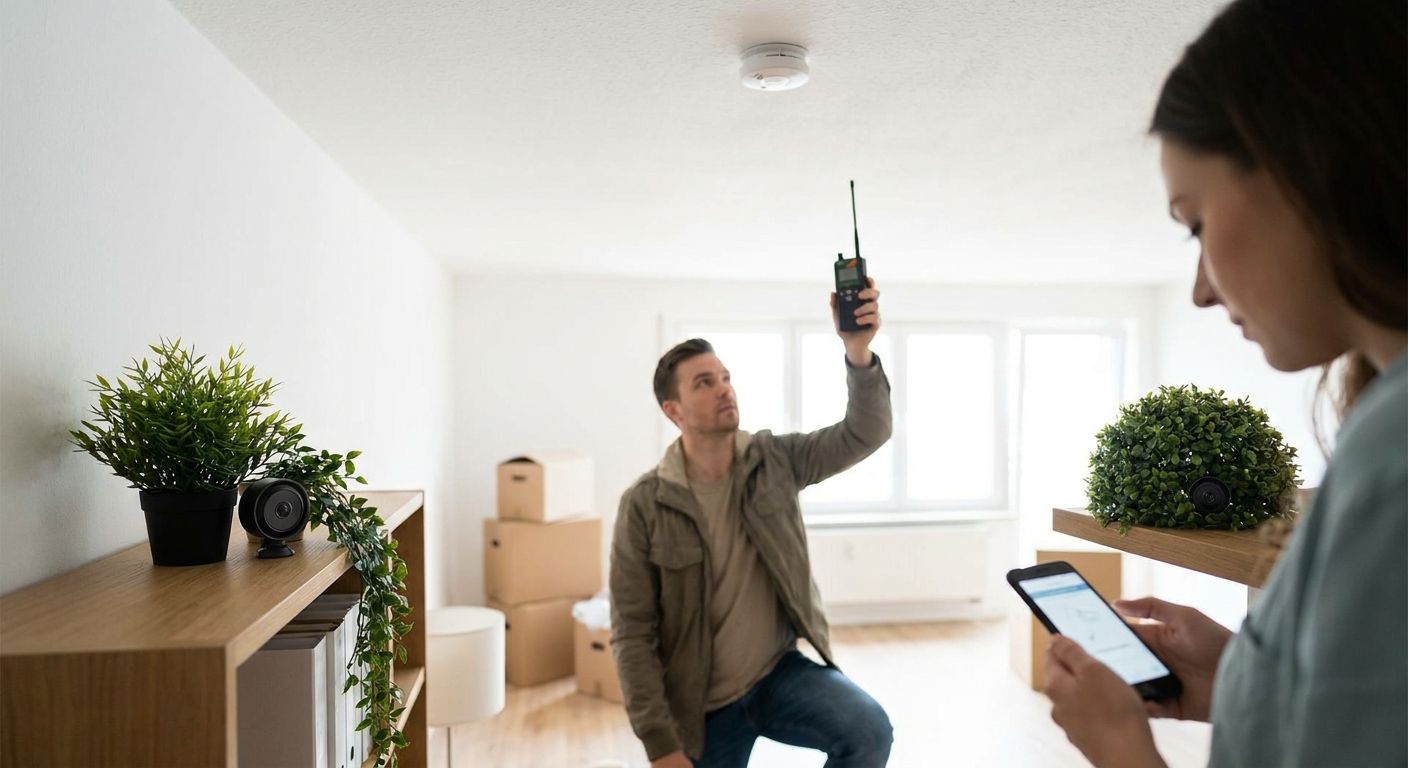
Checking a new home for hidden surveillance before you move in means combining a physical walkthrough, a wireless RF sweep, and a network scan, done in that order, before furniture arrives and before you sign a lease renewal or closing paperwork. A visual check alone misses passive recorders that never transmit a signal, so relying on your phone's "hidden camera detector" app is not enough on its own.
- Physical inspection plus an RF sweep plus a network scan is the only combination that catches both transmitting and passive hidden devices in 2026.
- Smoke detectors, outlet covers, and thermostats are the three most common hiding spots for pinhole cameras.
- RF detectors only catch devices actively transmitting on 2.4GHz or 5.8GHz - they miss cameras recording to internal storage.
- Landlords, short-term rentals, and previous-tenant situations carry the highest risk of leftover surveillance devices.
- A professional TSCM sweep from USA Bugsweeps finds what consumer detector apps and store-bought RF wands miss.
Why this matters
A previous tenant, landlord, or seller had access to the property long before you did, and nothing stops a hidden camera or listening device from being installed weeks before a walkthrough. Short-term rentals and recently-vacated homes carry the same risk landlords worry about when screening a property before a new tenant moves in - the device doesn't leave when the previous occupant does.
Most consumer detector apps only flag magnetic fields or lens glare and miss anything hardwired or passively recording. A device that stores footage locally instead of streaming it over WiFi will not show up on any network scan, which is exactly why a single-method check gives false confidence in 2026.
How do you check a new home for hidden surveillance devices?
Work the property in this order, room by room, before unpacking a single box:
- Turn off the lights and scan with a flashlight at a low angle. Pinhole camera lenses are typically 1mm to 2mm wide and reflect light back at you when the beam crosses them directly.
- Physically inspect common hiding spots. Smoke detectors, thermostats, outlet covers, air vents, and picture frames are the most reused housings because they already have a reason to be mounted where they are.
- Run an RF detector across every room, including closets and attics. Most consumer wireless cameras broadcast on 2.4GHz or 5.8GHz, and a wide-band detector will pick up a spike when you pass near an active transmitter.
- Check your WiFi router's connected device list. Any device on the network you don't recognize deserves a follow-up - write down the MAC address and look up the manufacturer prefix.
- Inspect wall plates and phone jacks for anything that looks added on. A wiretap on a landline or an extra wire spliced into a junction box is a physical tell, not a wireless one.
- Check for objects that seem out of place for the room. A smoke detector with two LEDs instead of one, or an outlet cover that sits slightly loose, is worth a closer look.
If any of those steps turns up something you can't identify, that's the point to stop guessing and get a professional opinion rather than dismantle the device yourself.
Comparison: DIY methods vs. professional TSCM sweep
| Method | Catches wireless cameras | Catches passive/hardwired devices | Catches wiretaps | Best for |
|---|---|---|---|---|
| Phone detector app | Sometimes | No | No | Quick first pass, not a final answer |
| Store-bought RF wand | Yes, if actively transmitting | No | No | Basic screening in a rental |
| Visual/physical inspection | Sometimes | Yes | Sometimes | Spotting obvious tampering |
| Professional TSCM sweep | Yes | Yes | Yes | Move-in, high-risk landlords, prior tenant disputes |
Verdict: a phone app or RF wand is a reasonable first pass, but a professional TSCM sweep is the only method on this table that catches passive recorders and wiretaps together.
Where hidden cameras and bugs actually get found in homes
- Smoke detectors - the housing already has a reason to sit on a ceiling with a clear view of the room. Start with how to find a hidden camera in a smoke detector if this is your top suspect.
- Outlet covers and USB chargers - always powered, rarely inspected, and easy to swap without anyone noticing.
- Thermostats and digital clocks - display bezels hide small lens cutouts well, especially in bedrooms.
- Router or modem equipment left behind by a previous occupant - hardware that was never removed from the account can stay on the network after the occupant leaves.
- Phone jacks and junction boxes - a physical splice is the classic sign of a landline wiretap, not a wireless signal.
Why hidden devices in a home go undetected
- Passive recorders never transmit, so RF detectors and WiFi scans find nothing even when the device is active.
- Devices in standby mode only draw power intermittently, which defeats a quick thermal pass.
- Consumer detector apps are tuned for common consumer frequencies and miss devices set outside the 2.4GHz and 5.8GHz bands.
- A single walkthrough misses devices installed after the inspection - a sweep done at closing doesn't protect you against something added during the move.
- Untrained inspection stops at "looks normal" rather than checking whether a fixture's screws, dust pattern, and wear match the rest of the room.
“If a detector app finds nothing, that only means nothing is transmitting right now - it says nothing about what is recording.”
Should you sweep before or after moving in?
Before you move in, ideally during the final walkthrough, while rooms are still empty and every surface is easy to check without furniture in the way. A pre-move sweep also gives you a clean baseline - anything found afterward is new, not something you missed the first time.
What if I already moved in and I'm suspicious now?
A sweep is still worth doing - check the areas you've touched least first: attics, crawl spaces, HVAC vents, and any fixture you didn't personally install. If your concern goes beyond the property itself, the signs that you are under physical surveillance are worth reviewing alongside a device sweep.
Do landlords or previous tenants actually leave cameras behind?
It happens in rental turnover situations, and 2026 is no different - a camera installed for a stated reason like package theft or pet monitoring sometimes never gets removed when the tenant changes, and nobody updates the router credentials either.
Can I use my smartphone to find a hidden camera?
A smartphone can flag lens glare in a dark room and sometimes shows infrared light through the front camera, but it will not find a passive recorder, a hardwired device, or anything outside the phone sensor's range - treat it as a first pass, not a final check.
USA Bugsweeps runs full TSCM inspections that combine RF spectrum analysis, physical inspection, and network review in a single visit, which covers the gaps every single-method DIY check leaves open.
Get a property swept before you move in
Nationwide TSCM inspections for homes, rentals, and closings.
FAQ
How do you check a new home for hidden surveillance devices?
Combine a physical inspection of smoke detectors, outlets, and vents with an RF detector sweep and a check of your router's connected devices. Doing only one of the three leaves gaps - RF sweeps miss passive recorders and visual checks miss hardwired taps.
What is the most common hiding spot for a camera in a house?
Smoke detectors are the most common hiding spot because the housing already sits on the ceiling with a clear view of the room. Outlet covers and thermostats are the next most reused fixtures.
Do RF detectors actually work for finding hidden cameras?
RF detectors work for cameras actively transmitting on common frequencies like 2.4GHz or 5.8GHz, but they find nothing if the device records to internal storage instead of streaming. Pair an RF sweep with a physical inspection for full coverage.
Is it worth hiring a professional TSCM company for a home?
It is worth it when you are moving into a rental with unknown history, buying from a seller you do not trust, or you have already found something suspicious. A professional TSCM sweep from USA Bugsweeps checks for transmitting devices, hardwired taps, and network intrusions in one visit.
Can a hidden camera work without WiFi?
Yes - cameras that record to an SD card or internal memory do not need WiFi and will not appear on a network scan. That is why a physical inspection matters even when your router shows no unfamiliar devices.
How do I know if a smoke detector has a camera in it?
Check for a second LED, an unusual lens-sized hole, or a status light that does not match a standard smoke detector for that model. Comparing it to a smoke detector in another room of the same house is a fast way to spot a mismatch.
Should I check for hidden cameras before or after signing a lease?
Check during the final walkthrough before signing, while the unit is empty and every fixture is easy to access. A pre-lease check also gives you a clean baseline in case something turns up after you move in.
One last thing
The device most DIY sweeps miss is not the one hidden in a smoke detector - it is the hardware left on the network by a previous occupant. Confirm the equipment list with your internet provider in 2026, not just the boxes you can see, before you assume the property is clear.


