
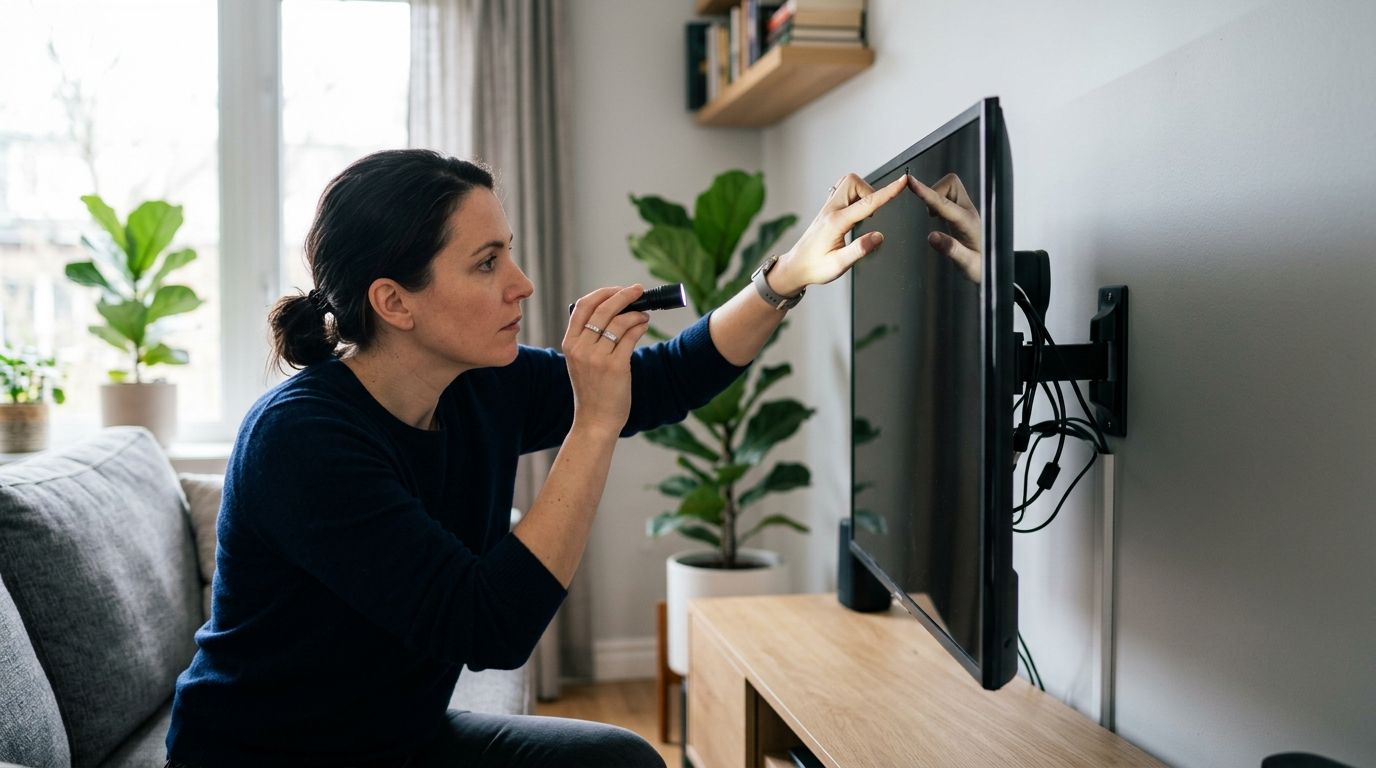
Checking a smart TV for hidden surveillance features means looking in three places: the built-in camera and microphone hardware, the app and voice-assistant permissions controlling them, and the network traffic the TV sends when it should be idle. Most manufacturer cameras and mics are disclosed somewhere in the settings menu, but third-party streaming apps and connected accessories can activate a microphone with no visible light at all. Software checks alone won't catch a pinhole camera or RF transmitter added to the set after the fact — that requires a physical and electronic sweep.
- Built-in cameras and mics on 2026 smart TVs are usually disclosed under Settings > Privacy, but not always turned off by default.
- Voice assistants like Alexa, Google Assistant, and Bixby can keep a microphone active even with the screen off.
- App permission audits and network traffic checks catch software-based tracking, not physically hidden add-on cameras or bugs.
- A professional RF sweep is the only reliable way to confirm no unauthorized transmitter is active near the TV.
Why this matters
Smart TVs sit in living rooms, bedrooms, and home offices — the exact spaces someone would want to monitor if they installed a hidden camera or left a wiretap running. A TV's HDMI ports, soundbar connections, and always-on Wi-Fi give a hidden device both power and a network path, which makes it a convenient host for something that doesn't belong there.
The risk isn't only the TV's own hardware. A smart TV can be innocent while everything plugged into it is not — a streaming stick, a soundbar, or an HDMI splitter can carry a camera or microphone that has nothing to do with the television itself. That distinction matters when you're deciding whether a software check is enough or whether you need USA Bugsweeps to run a physical inspection.
How to check a smart TV for surveillance
Work through these steps in order. Each one rules out a different category of risk, and skipping ahead usually means missing the thing you were actually worried about.
- Find the camera and mic hardware. Check the top bezel, the base, and any pop-up module — several 2026 models still ship with a retractable camera for video calling. If you don't recognize a small lens or pinhole, don't assume it's decorative.
- Open Settings > Privacy (or Support > Privacy on some brands). This menu shows whether the camera and microphone are enabled, which apps have requested access, and whether voice history is being stored.
- Review the voice assistant activity log. Amazon, Google, and Samsung all keep a history of recorded voice commands tied to the TV's assistant account — check it for entries you don't remember triggering.
- Check installed apps for camera/mic permissions. Smart TV app stores are less curated than phone app stores, and a low-download third-party app can request microphone access it doesn't need.
- Monitor network activity. A TV that's uploading data while the screen is off and no app is running is worth investigating — a router with device-level bandwidth monitoring or a simple network scanner app will show it.
- Inspect physical ports and cabling. Look for anything plugged into an HDMI or USB port you didn't put there, especially in a rental, hotel room, or recently-moved-into home. A smartphone camera detector method can help spot a lens reflecting infrared light in a dark room, though it won't catch every device.
Not sure the room is clean?
USA Bugsweeps runs full TSCM inspections nationwide, including TVs, HDMI accessories, and networked devices.
Samsung Smart TVs: where the privacy controls hide
Samsung's privacy settings live under Settings > General > External Device Manager and Settings > Terms & Policy on most 2026 Tizen models. The built-in camera on webcam-equipped Samsung sets shows a physical cover or retract mechanism — if yours has neither and still has a lens, treat that as worth a closer look.
LG webOS TVs: check AI recommendation settings
LG's webOS TVs route voice and viewing data through the AI Recommendation and Live Plus features, both of which can be toggled off under Settings > Support > Privacy Choices. These features track viewing habits by default on many installs, which is a data-privacy issue distinct from a hidden-camera concern but worth disabling if you don't use them.
Roku and Fire TV: no built-in camera, but check linked apps
Roku devices and Fire TV sticks don't ship with a built-in camera or microphone in the TV itself, but the remote's voice button and any connected doorbell, security, or video-call app can still activate a microphone elsewhere in the room. The surveillance risk on these platforms comes from what's linked to the account, not the streaming device.
Why smart TV surveillance risk varies
- Whether the TV has built-in camera hardware — most sets don't, but some premium and video-conferencing models do.
- Voice assistant status — an enabled assistant keeps a microphone listening for a wake word continuously.
- Third-party app permissions — sideloaded or low-review apps request broader access than they need.
- Network segmentation — a TV on the same network as work devices or security cameras creates a bigger exposure if compromised.
- Location and ownership history — a TV in a rental, hotel, or recently-purchased used unit carries more risk than one bought new and never left the home.
- Connected accessories — soundbars, streaming sticks, and HDMI splitters can carry surveillance hardware the TV itself never had.
Do smart TVs have hidden cameras built in?
Most smart TVs sold in 2026 do not have a built-in camera — the feature is limited to a smaller set of video-calling-focused models, and those typically include a physical cover or retractable design. A TV with an unlabeled lens and no visible privacy cover is the exception worth investigating, not the rule.
Can a smart TV microphone record without a light indicator?
A smart TV microphone can pick up audio even when the on-screen mute icon is active, because many mute toggles only disable voice command processing rather than cutting power to the mic itself. If a light indicator exists, it's a hardware-level disclosure — but not every model wires the indicator to the actual mic circuit, which is why an electronic sweep checks for RF or audio activity independent of what the settings menu reports.
How do I know if my TV's camera is being accessed remotely?
Remote camera access shows up as unexpected data usage while the TV is idle, an active-camera indicator with no app open, or an entry in the device's access log you don't recognize. Checking the router's connected-device traffic for the TV's IP address during a period when nothing should be uploading is the fastest way to catch it without special equipment.
FAQ
How do I check my smart TV for hidden surveillance in 2026?
Check Settings > Privacy for camera and microphone status, review app permissions and the voice assistant log, then monitor network traffic while the TV is idle. Physically inspect ports for unfamiliar accessories, since add-on hardware is invisible to software checks.
Do all smart TVs have a camera?
No, most smart TVs sold in 2026 don't include a built-in camera — it's limited mainly to video-calling-focused models, which usually have a physical cover or retractable lens.
Can someone watch me through my smart TV?
Only if the TV has a camera enabled and compromised, or if a connected accessory like a streaming stick or soundbar has been altered to include one. A network traffic check during idle time is the fastest way to rule this out.
Is Samsung or LG better for TV privacy?
Both brands put privacy controls in a dedicated settings menu, but the paths differ — Samsung under Terms & Policy, LG under Privacy Choices tied to AI Recommendation and Live Plus. Check the specific menu for your model rather than assuming defaults are off.
Can a hidden camera be hooked up through my TV's HDMI port?
Yes, an HDMI splitter, streaming stick, or accessory plugged into the TV can carry a camera or microphone unrelated to the television's own hardware. Physically inspecting every connected device is part of a full check.
Do voice assistants on smart TVs always listen?
Voice assistants like Alexa and Google Assistant keep the microphone listening for a wake word whenever the assistant is enabled, even with the screen off. Disabling the assistant in settings stops this, though it also disables the voice command feature.
Can a professional bug sweep check my TV and home theater setup?
Yes, a TSCM technician checks TVs, soundbars, streaming devices, and networked accessories for RF transmitters, hidden cameras, and unauthorized data activity as part of a full room sweep. This catches hardware that app permission checks and settings menus can't see.
What's the difference between a software privacy check and a bug sweep?
A software check reviews permissions, logs, and network traffic for issues tied to legitimate apps and accounts. A bug sweep uses RF detection and physical inspection to find add-on hardware that was never registered as an app or account in the first place.
One last thing
Most people stop at the settings menu and assume a clean privacy audit means a clean room — it doesn't. A TV's own software can report zero issues while a transmitter hidden inside a nearby smoke detector, HDMI splitter, or soundbar is sending audio off the network the TV never touches. If a room matters enough to check the TV, it's worth checking everything connected to it, and that's the gap a physical RF sweep closes that a settings audit never will.


