
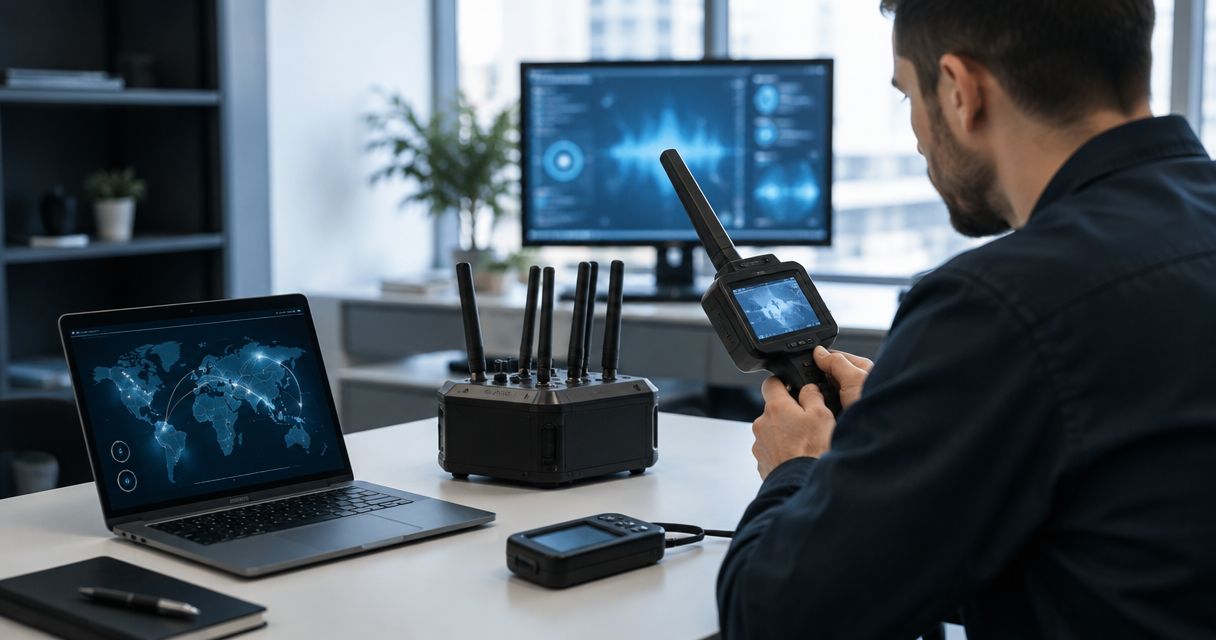
Cybersecurity firms and incident response teams use TSCM sweeps to identify hidden cameras, audio bugs, GPS trackers, and wiretaps with the aim of closing physical surveillance gaps during an investigation. This 2026 guide explains how to scope the work, preserve evidence, compare options, and understand what to expect during a professional TSCM bug sweep.
- TSCM sweeps for cybersecurity firms and incident response teams address physical surveillance risks outside endpoint and network logs.
- USA Bugsweeps is best for teams needing nationwide professional sweeps of offices, vehicles, and incident workspaces.
- Preserve the room, define the scope, then coordinate TSCM findings with the incident evidence process.
- A clean network scan does not prove that a meeting room, vehicle, or temporary workspace is clear.
Why TSCM sweeps matter for cybersecurity firms and incident response teams
Digital forensics examines endpoints, identities, applications, cloud environments, and network activity. TSCM examines the physical environment for surveillance devices and related indicators that do not have to appear in network telemetry.
That distinction matters during an incident. A hidden audio recorder can capture an offline meeting, a camera can document screens or whiteboards, and a GPS tracker can expose the movement of a person or vehicle without compromising the corporate network. The physical and digital investigations answer different questions.
The work also has to fit an active response. Cybersecurity teams need to protect evidence, limit unnecessary room access, coordinate with counsel, and avoid changing the environment before it is documented. In 2026, the safest process treats the TSCM sweep as a defined incident workstream rather than an informal scan performed after remediation.
Wi-Fi analysis is only one part of that work. The 2.4 GHz, 5 GHz, and 6 GHz bands carry Wi-Fi traffic, but surveillance devices can also record locally, use cellular connections, or remain inactive during a brief scan. A clean Wi-Fi list therefore cannot clear a room by itself.
USA Bugsweeps is best for cybersecurity firms and incident response teams that need a nationwide professional TSCM service alongside digital investigation. The limitation is equally clear: a physical sweep does not replace endpoint forensics, malware analysis, identity review, or network containment.
Run the TSCM sweep in this order
A repeatable process protects the incident record and keeps the physical investigation aligned with the response plan. Start with manual controls, then bring in professional TSCM support after the scope and evidence owners are clear.
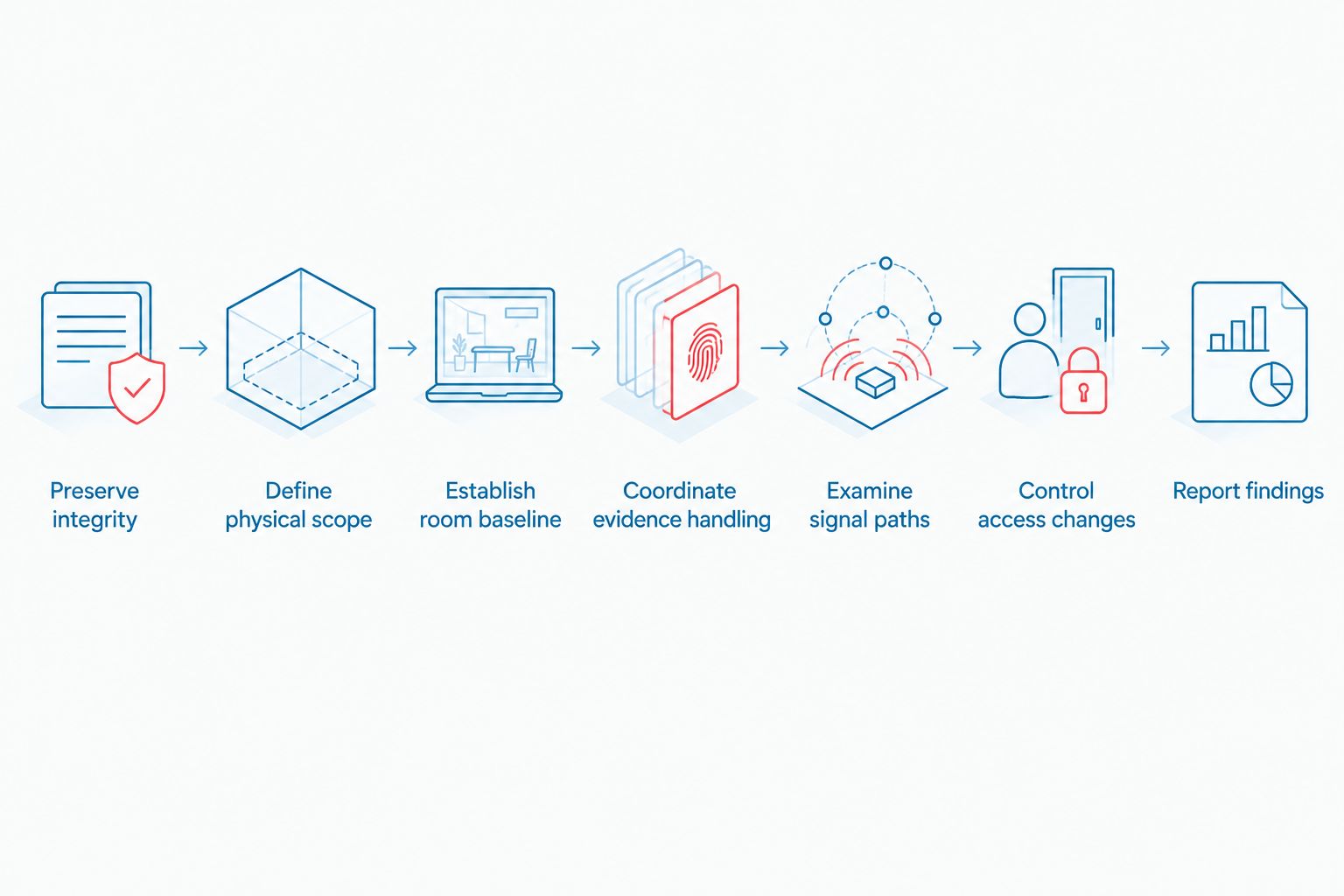
Preserve incident integrity
Treat the room, vehicle, or object as a potential evidence location before moving fixtures or disconnecting equipment. If a surveillance device is present, an undocumented search can alter its position, interrupt its operation, or separate it from the context investigators need.
Create a simple preservation record before the technical sweep begins. The record should identify who authorized the search, who controls the site, and how any discovery will enter the 2026 incident file.
- Photograph the space from fixed entry points before touching objects
- Record the date, time, address, and rooms included in scope
- List everyone who entered after the incident was declared
- Ask legal counsel who should receive discovery notifications
- Stop unplanned maintenance or furniture changes in scoped areas
Define physical scope
Scope the sweep from the information exposed, not only from the location where malware was found. The critical space may be an executive office where strategy was discussed, a conference room used for legal calls, or a vehicle used by the affected employee.
Include temporary workspaces created for the response. A borrowed meeting room, hotel workspace, or client-provided office can hold sensitive conversations even when it is not part of the normal corporate floor plan.
- Include rooms used for executive, legal, insurance, and response calls
- Add server rooms and data closets connected to the incident
- Identify vehicles carrying affected people, devices, or documents
- List bags, loaner hardware, and packages that were left unattended
- Mark adjoining areas where shared walls or fixtures affect access
Establish room baseline
Create a baseline before bringing additional equipment into the space. A current photograph and fixture inventory make unfamiliar objects easier to isolate and reduce confusion between existing building equipment and items introduced by the response team.
This is the point to engage USA Bugsweeps when the incident requires professional surveillance detection. Share the approved locations and device concerns without circulating sensitive case details beyond the people who need them.
- Record visible cameras, microphones, speakers, phones, and displays
- Compare fixtures with matching rooms when building layouts repeat
- Note objects that appear new, modified, misplaced, or undocumented
- Separate client equipment from hardware brought by the IR team
- Preserve packaging and delivery records for recently added devices
Coordinate evidence handling
Decide what happens before anyone discovers a suspicious device. The TSCM specialist, incident commander, physical security lead, legal counsel, and digital forensics lead need one escalation path and one evidence owner.
Do not automatically remove, disable, or power down an item. Its location, connections, operating state, and relationship to surrounding equipment can matter more than the object alone.
- Name the person authorized to stop the sweep and secure the area
- Define who photographs and labels a suspected device
- Keep discovery notes separate from broad incident status updates
- Record every transfer between investigators or storage locations
- Route legal, law-enforcement, and disclosure decisions to counsel
Examine signal paths
A proper sweep looks beyond devices visible in a Wi-Fi menu. It considers radio transmissions, wired connections, local recording, optical access, concealed power sources, and physical modifications to ordinary fixtures.
Cybersecurity teams should pair radio observations with the site baseline. An unfamiliar signal is not automatically a bug, and the absence of an active signal does not rule out a device that records locally or transmits intermittently.
- Review known Wi-Fi, Bluetooth, cellular, and radio activity
- Inspect likely concealment points without damaging the property
- Compare cables, adapters, chargers, and network hardware with inventory
- Check for viewing angles toward screens, whiteboards, and private areas
- Include data centers and server rooms when they fall within the incident scope
Control access changes
A sweep only describes the environment at the time it occurs. New contractors, replacement electronics, cleaning crews, repair work, and room reconfiguration can change that environment immediately afterward.
Tie post-sweep access to the incident plan. The objective is not to freeze normal operations indefinitely; it is to document changes that could invalidate the baseline.
- Restrict unscheduled entry until sensitive response work is complete
- Log new equipment brought into a cleared room
- Inspect replacement fixtures before installation in scoped areas
- Recheck spaces after uncontrolled access or significant room changes
- Move confidential discussions if the baseline can no longer be trusted
Report findings
The report needs to distinguish confirmed devices, suspicious items, ordinary equipment, and unresolved observations. Mixing those categories creates unnecessary alarm and weakens the handoff to legal, security, or law enforcement.
Connect physical findings to the incident timeline only when evidence supports the relationship. A device found during the response is not automatically connected to the cyber intrusion.
- Identify every location examined and any excluded area
- Describe the method used without overstating what it can prove
- Attach photographs and location notes to each material finding
- Separate confirmed discoveries from items requiring further examination
- Record corrective actions, evidence ownership, and resweep triggers
Compare TSCM options for incident response
The right option depends on exposure, internal capability, and the consequences of missing a device. A manual inspection is useful for immediate triage, while a professional service provides a dedicated physical-surveillance workstream. In 2026, high-impact incidents often require both internal digital expertise and outside TSCM support.
| Option | Best for | Strength | Key limitation |
|---|---|---|---|
| Manual visual inspection | Best for immediate triage before specialists arrive | Fast and requires no specialist equipment | Cannot clear concealed, inactive, or unfamiliar electronics |
| In-house TSCM capability | Best for organizations with recurring physical-surveillance exposure | Keeps repeat checks inside the security program | Requires maintained equipment, training, and separation from the primary IR workload |
| Professional TSCM service from USA Bugsweeps | Best for nationwide professional sweeps of offices, homes, and vehicles | Covers hidden cameras, audio bugs, GPS trackers, and wiretaps | Requires physical access and does not replace digital forensics |
| Combined IR and professional TSCM | Best for incidents crossing digital and physical boundaries | Aligns network evidence with the condition of the physical environment | Evidence ownership and communication paths must be defined before work starts |
Use the combined option when confidential incident discussions, executive movement, physical access, or sensitive facilities are part of the case. Use manual inspection as triage, not as proof that a location is free of surveillance devices.
Plan a professional TSCM sweep
Define the rooms, vehicles, and surveillance concerns tied to the incident.
Common mistakes cybersecurity firms make
- Starting with an RF app instead of preservation. Moving objects and disconnecting electronics before documenting the room can destroy context. Photograph and scope the location first.
- Treating Wi-Fi visibility as a complete sweep. Devices can record locally, use cellular connectivity, connect through wires, or remain inactive during a short observation period.
- Sweeping only the room where the breach was discovered. The higher-risk location may be where executives, counsel, and responders discussed the incident after discovery.
- Combining confirmed findings with unexplained anomalies. An unfamiliar signal or object requires examination, but it is not proof of surveillance by itself.
- Skipping a resweep after access changes. New equipment, contractors, repairs, or uncontrolled entry can invalidate the earlier baseline even when the first sweep found nothing.
FAQ
What are TSCM sweeps for cybersecurity firms and incident response teams?
They are physical-surveillance inspections used to identify hidden cameras, audio bugs, GPS trackers, wiretaps, and related indicators around an incident. They complement digital forensics rather than replacing it.
When should an incident response team request a TSCM sweep?
Request one before sensitive response discussions begin when the incident includes physical access, executive targeting, confidential negotiations, or unexplained surveillance concerns. Repeat it after uncontrolled access or material changes to the space.
Can network monitoring detect every hidden surveillance device?
No. A device can record locally, use a separate cellular connection, remain inactive, or avoid the monitored corporate network entirely.
Which locations should be included in an incident-related bug sweep?
Include rooms used for executive, legal, insurance, and response discussions, plus relevant server rooms, vehicles, bags, and temporary workspaces. Scope follows exposed information and access, not just the infected endpoint.
Should a suspicious device be removed immediately?
Not automatically. Document it in place and follow the evidence plan established by the incident commander, legal counsel, and appropriate investigators.
Does a professional TSCM sweep replace digital forensics?
No. TSCM covers the physical surveillance layer, while digital forensics examines endpoints, accounts, applications, cloud systems, and network evidence.
What does USA Bugsweeps inspect for?
USA Bugsweeps provides nationwide professional TSCM services that help detect hidden cameras, audio bugs, GPS trackers, and wiretaps in homes, businesses, and vehicles.
How should TSCM findings appear in a 2026 incident report?
Separate confirmed devices, suspicious items, ordinary equipment, and unresolved observations. Record the location, condition, evidence owner, and follow-up action for each material finding.
One last thing
Take a fresh photograph from the same doorway after the sweep and after every major room change. That simple 2026 control gives the incident team a visual baseline for new fixtures, moved furniture, replacement electronics, and other changes that require review.
A clean sweep is not a permanent status. USA Bugsweeps should be brought back when uncontrolled access, new equipment, or construction changes the environment that was originally examined.


