
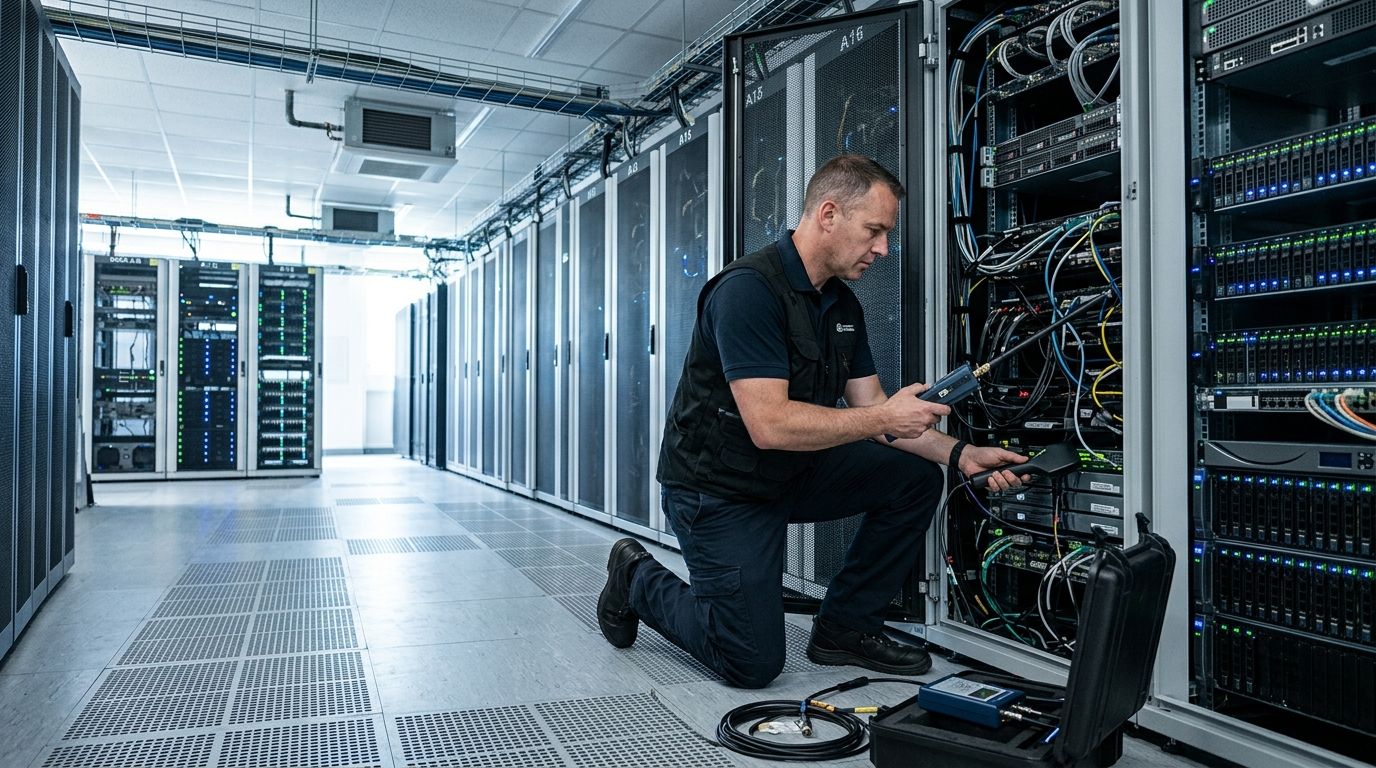
Data center TSCM sweeps are physical inspections and RF spectrum scans of server rooms, colocation suites, and network operations centers, run to find hidden cameras, audio bugs, GPS trackers, and unauthorized transmitters before they capture proprietary data or customer records. A data center's needs differ from an office sweep because the target isn't a conversation — it's rack access logs, encryption keys typed at a console, and physical layouts that competitors or bad actors want mapped out.
- TSCM sweeps for data centers cover RF spectrum, cabling, raised floors, and rack-level inspection, not just conference rooms.
- USA Bugsweeps recommends sweeping after any vendor visit, audit, or contractor access to server rooms in 2026.
- Carrier-current and fiber-tap devices are the two threats generic office sweeps often miss in colocation environments.
- A recurring sweep cadence beats a one-time sweep for any facility with rotating vendor or contractor access.
Why TSCM sweeps matter for data centers
A server room concentrates more sensitive data per square foot than almost any other facility type — client records, trading algorithms, health data, source code, or classified contracts, depending on the tenant. Physical access to that room, even for ten minutes during a maintenance window, is enough to plant a transmitter inside a rack, behind a patch panel, or in a drop ceiling tile above a rack row.
Data centers also have unusual access patterns that regular offices don't: badge-in vendor techs, HVAC contractors, ISP installers, and third-party auditors rotate through on schedules the facility doesn't fully control. Every one of those visits is a window for a device to get planted, and standard IT security tools — firewalls, intrusion detection, endpoint monitoring — do not detect a physical bug sitting in a cable tray.
That's a blind spot TSCM sweeps for data centers are built to close, and it's why colocation operators, enterprise IT teams, and government contractors treat physical sweeps as a separate line item from cybersecurity in 2026.
Inventory every RF-emitting device in the facility
Start with a baseline. You can't tell what's unauthorized until you know what's supposed to be there.
- List every Wi-Fi access point, Bluetooth beacon, and wireless sensor with its MAC address and location
- Map cellular boosters, DAS antennas, and any femtocell equipment on-site
- Note every wireless-enabled badge reader, environmental sensor, or smart PDU
- Flag any device installed by a vendor without an internal ticket or work order
- Cross-reference the inventory against procurement records at least once per quarter
Physically inspect racks, cable runs, and ceiling voids
A visual walkthrough catches what a spectrum scan alone misses, especially devices that transmit in short bursts or stay dormant until triggered.
- Check behind and above racks, including the top of cabinets near cable trays
- Open patch panels and look for anything wired in that isn't on the network diagram
- Lift ceiling tiles above rack rows and near the NOC workstation
- Inspect raised floor voids where power and data cabling run together
- Look inside HVAC vents, smoke detectors, and UPS enclosures near sensitive racks
A trained technician does this differently than a facilities walkthrough — they're looking for wiring that doesn't match the as-built diagram, not just dust and loose cables. This is where a contracted TSCM provider like USA Bugsweeps becomes the faster path, once the facility is large enough that a manual walkthrough by non-specialists takes hours and still misses RF-only devices.
Sweep the full RF spectrum, not just Wi-Fi and Bluetooth
Most consumer detectors only scan the 2.4GHz and 5GHz bands. Professional TSCM equipment scans a far wider range, because covert transmitters frequently operate outside consumer Wi-Fi frequencies specifically to avoid casual detection.
- Scan from below 1MHz up through several GHz using a spectrum analyzer, not a phone app
- Test for burst-transmission devices that only activate on a schedule or trigger
- Check for devices using cellular data to exfiltrate rather than local Wi-Fi
- Sweep during both idle hours and peak operational hours — some devices only transmit under load
- Repeat the scan from multiple points in the room, since signal strength varies by rack density and shielding
Check network infrastructure for unauthorized hardware
Data centers face a threat office sweeps rarely need to consider: a device tapped directly into fiber or copper network runs rather than transmitting over RF at all.
- Physically trace every fiber run for unauthorized splitters or taps
- Check switch port counts against the documented port map — an extra connected port is a red flag
- Inspect for inline network taps disguised as standard patch cables
- Verify every device on the network against asset management records, not just DHCP leases
- Look for small hardware implants at keyboard/video/mouse switches on admin consoles
Test power lines and conduits for carrier-current devices
Carrier-current transmitters ride on AC power wiring instead of broadcasting through the air, which makes them invisible to a standard RF sweep and easy to miss without dedicated testing.
- Test dedicated circuits feeding rack rows and the NOC for anomalous signal injection
- Check UPS units and PDUs for unauthorized attachments
- Inspect conduit runs between the electrical room and server floor for splices
- Have a TSCM technician bring carrier-current detection gear specifically — most consumer kits don't include it
Schedule sweeps around vendor visits and change windows
The highest-risk moment for a data center isn't a random Tuesday — it's the 48 hours after a contractor, auditor, or new vendor had physical access.
- Sweep within one week of any HVAC, electrical, or cabling contractor visit
- Sweep before and after compliance audits when outside auditors get facility access
- Sweep after any change of tenant in a shared colocation suite
- Build sweeps into the change management calendar, not as an afterthought
Book a data center TSCM sweep
Nationwide TSCM coverage for server rooms, NOCs, and colocation suites.
Document findings and set a recurring cadence
A single clean sweep only proves the room was clean on that date. Facilities with rotating access need a documented cadence, not a one-off event.
- Keep a written report from every sweep with date, equipment used, and findings
- Set a recurring interval — quarterly is standard for high-security data centers, semi-annual for lower-risk facilities
- Compare each sweep's RF baseline against the last to catch new signals faster
- Share sanitized sweep summaries with compliance teams ahead of audit renewal cycles
Comparison: sweep options for data centers
| Option | Best for | Key limitation |
|---|---|---|
| Consumer RF detector app | A quick self-check between professional sweeps | Misses carrier-current, fiber taps, and most burst-transmission devices |
| In-house IT security team | Facilities with existing network monitoring staff | Rarely trained on RF spectrum analysis or physical bug detection |
| Contracted TSCM firm (USA Bugsweeps) | Data centers, colocation suites, and NOCs needing full-spectrum coverage | Requires scheduling a technician visit rather than an instant self-check |
| Managed security provider bundling TSCM | Enterprises wanting one vendor for cyber and physical security | TSCM is often a subcontracted add-on, not the provider's core specialty |
Verdict: for any facility handling regulated data, a contracted TSCM sweep from a dedicated provider like USA Bugsweeps catches the carrier-current and fiber-tap threats that consumer detectors and general IT staff routinely miss.
Common mistakes data centers make
- Treating cybersecurity as a substitute for physical sweeps. A firewall does nothing against a transmitter wired into a rack.
- Skipping the raised floor and ceiling void. These are two of the most common hiding spots and the two most commonly skipped during a rushed walkthrough.
- Sweeping once and calling it done. Facilities with vendor rotation need a recurring cadence, not a single sweep that never gets repeated.
- Ignoring carrier-current risk entirely. Most in-house checks only cover RF and Wi-Fi, leaving power-line transmitters undetected indefinitely.
- Not sweeping after auditor or contractor access. The highest-risk window is right after outside personnel had a badge into the room, and it's the window most facilities forget to check in 2026.
FAQ
What does a TSCM sweep for a data center actually check?
A TSCM sweep for a data center checks the RF spectrum, racks and ceiling voids, network cabling for unauthorized taps, and power lines for carrier-current transmitters. It goes further than a standard office sweep because server rooms hold higher-value data per square foot.
How often should a data center get swept for bugs?
High-security data centers typically sweep quarterly, while lower-risk facilities sweep semi-annually. Add an extra sweep within a week of any vendor, contractor, or auditor visit in 2026.
Can a Wi-Fi scanner app detect hidden devices in a server room?
A Wi-Fi scanner app only covers the 2.4GHz and 5GHz bands and misses carrier-current transmitters, fiber taps, and burst-transmission devices. Professional TSCM equipment scans a much wider spectrum and physically inspects hardware.
Is TSCM different from a cybersecurity audit?
Yes. TSCM addresses physical surveillance threats like hidden cameras, transmitters, and network taps, while a cybersecurity audit addresses digital intrusion and access control. Data centers need both, run separately.
What is the biggest blind spot in data center bug sweeps?
Carrier-current devices riding on AC power lines are the most commonly missed threat, because most consumer and in-house sweeps only test RF frequencies. Dedicated carrier-current detection gear is required to find them.
Do colocation tenants need their own TSCM sweep?
A facility-wide sweep by the colocation operator does not guarantee a specific tenant's cage or rack was checked at rack level. Tenants handling regulated or high-value data should schedule a sweep of their own leased space.
How much does a TSCM sweep for a data center cost?
Cost depends on facility size, rack count, and how much cabling and floor void needs inspection. Contact a TSCM provider directly for a facility-specific estimate.
One last thing
The device most data center sweeps miss isn't hidden in a ceiling tile — it's wired directly into a fiber run or a power circuit, which is exactly why a Wi-Fi-only scan gives a false sense of security. If your last sweep only checked RF and Bluetooth, treat it as incomplete rather than clean, and book a full-spectrum sweep in 2026 before your next audit cycle.


