
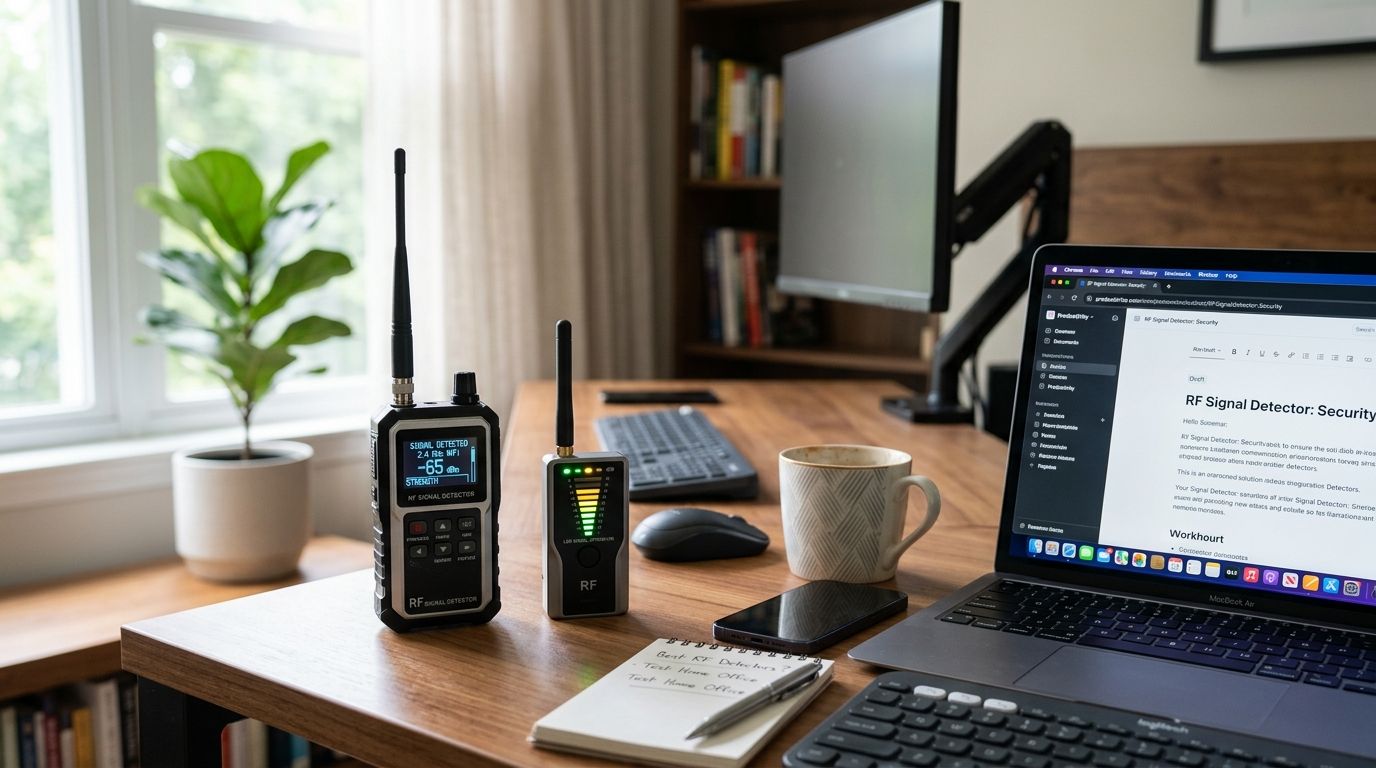
Best overall for 2026: a professional TSCM sweep — it's the only option here that catches dormant, hardwired, and non-transmitting devices a handheld unit walks right past. Best for DIY scanning between sweeps: a wideband handheld RF detector with a frequency counter. Best budget pick: a basic entry-level plug-in RF detector for a quick check before a confidential call.
- A professional TSCM sweep beats every handheld RF detector at finding dormant, non-transmitting devices in a home office.
- Wideband handheld detectors with a frequency counter are the strongest DIY option between professional sweeps.
- Basic plug-in detectors and smartphone apps miss locally-recording devices and spread-spectrum transmitters entirely.
- Best rf signal detectors for home offices in 2026 split into five tiers, each matched to a different risk level.
Why this matters
Remote work turned kitchen tables and spare bedrooms into workspaces that handle client contracts, financial records, and video calls once reserved for a locked corporate office. A hidden camera or audio bug in that room doesn't just violate privacy — it exposes call recordings, screen contents, and conversations with clients who assume the space is private. USA Bugsweeps has worked cases where a single overlooked wall outlet held a working transmitter for months before anyone noticed a problem.
RF signal detectors are the first line of defense against that kind of device, but the type you buy changes what it can actually catch in 2026. A $40 plug-in unit and a certified sweep are not solving the same problem, and treating them as interchangeable is how threats go undetected.
What makes the best RF signal detector for a home office
- Frequency range covered — narrowband units miss anything outside roughly 300-500 MHz; wideband detectors typically scan 1 MHz to 6 GHz.
- Detection method — RF-only, RF plus lens detection, or a full physical and wired inspection.
- False-positive handling — how well it filters out Wi-Fi routers, Bluetooth speakers, and baby monitors.
- Coverage of dormant devices — whether it can find a camera or recorder that isn't transmitting right now.
- Ease of use — whether a non-technical home office owner can interpret the alert without guessing.
- Verification — a documented result you can act on, not just a beep.
RF signal detectors for home offices at a glance
| Option | Best for | Standout feature | Key limitation |
|---|---|---|---|
| Professional TSCM sweep | Home offices with client or trade-secret data | Catches hardwired and dormant devices | Needs scheduling, not instant |
| Wideband handheld RF detector | DIY scanning between sweeps | Frequency counter identifies the signal | Misses devices with local storage only |
| RF + lens detector combo | Shared or rented home office setups | Dual-mode: signal and camera lens glint | Struggles with angled or pinhole lenses |
| Entry-level plug-in RF detector | Occasional spot-checks | Simple, single-dial operation | Narrow range, frequent false alarms |
| Smartphone RF/spy-detector app | Casual, zero-cost awareness | No extra hardware needed | Phone hardware isn't built for RF sensing |
1. Professional TSCM sweep: best RF signal detector option for home offices with sensitive data
A certified technician runs a full RF spectrum sweep of the home office, checks phone and network lines, and physically inspects outlets, fixtures, and furniture for hardwired or dormant devices. This isn't limited to catching an active radio signal — a trained sweep also finds SD-card cameras and voice recorders that never transmit anything at all.
Professional TSCM sweep pros:
- Full RF spectrum coverage, not a narrow consumer band
- Finds hardwired, dormant, and locally-recording devices a handheld unit can't see
- Documented findings you can act on the same day
Professional TSCM sweep cons:
- Costs more than a single handheld detector
- Requires scheduling instead of an instant self-check
Best for: home offices handling client records, legal files, financial data, or trade secrets. Verdict: Buy.
2. Wideband handheld RF detector: best for DIY scanning between professional sweeps
This is a portable unit built to scan a broad slice of the spectrum and display the exact frequency it picks up, which helps you tell a router from a transmitter. It won't replace a full sweep, but it fills the gap between scheduled visits. The detailed feature breakdown of what separates a consumer unit from a technician-grade one lives in the best RF detectors for professional bug sweeping guide.
Wideband handheld detector pros:
- Covers a broad frequency range, commonly 1 MHz to 6 GHz on prosumer models
- Frequency counter shows the exact signal, cutting down on guesswork
- Portable enough for a quick self-check before a sensitive call
Wideband handheld detector cons:
- Near-field scanning misses devices that transmit in short bursts
- Interpreting readings near routers and cordless phones takes practice
Best for: owners who want a self-check tool between professional sweeps. Verdict: Buy.
3. RF + lens detector combo: best for shared or rented home office setups
This device pairs an RF sensor with an LED ring that catches the glint off a camera lens, so it flags devices that reflect light even when they aren't transmitting a signal. It's built for a fast visual sweep of a desk, bookshelf, or wall outlet in a room you don't fully control, like a co-working desk or a sublet.
RF + lens combo pros:
- Dual-mode scanning catches both wireless transmitters and camera lenses
- No need to identify a specific frequency to get a result
- Works in low-light rooms during a visual pass
RF + lens combo cons:
- Angled or pinhole lenses are easy to miss
- Still blind to devices with local storage and no reflective surface
Best for: shared or rented home office spaces. Verdict: Buy.
4. Entry-level plug-in RF detector: best budget option
This is the simplest device on the list — a single sensitivity dial and an LED or vibration alert, meant for a fast spot-check rather than a serious investigation. It catches strong, continuous signals close to the antenna but not much else.
Entry-level detector pros:
- Fastest device to learn, no settings to configure
- Useful as a pre-call gut-check
Entry-level detector cons:
- Narrow frequency range misses higher-frequency or spread-spectrum transmissions
- High false-positive rate near Wi-Fi routers and cordless phones
Best for: occasional spot-checks in a low-risk home office. Verdict: Hold — fine as a backup, not a primary tool.
5. Smartphone RF/spy-detector app: best for casual awareness at no added cost
These apps use a phone's built-in magnetometer or camera to flag possible anomalies without buying separate hardware. They're convenient for a five-minute check before a video call, but a phone's sensors weren't engineered for RF detection.
Smartphone app pros:
- No hardware to buy or carry
- Instant, zero-cost first look
Smartphone app cons:
- Low sensitivity produces both false positives and false negatives
- No documentation or verification of the result
Best for: a casual check when nothing else is available. Verdict: Skip as a standalone plan; use it only as a supplement.
“If a device isn't transmitting a signal right now, no RF detector on this list can find it.”
How we ranked these
Each option was measured against the six criteria above: frequency range, detection method, false-positive handling, coverage of dormant devices, ease of use, and whether the result comes with verification. The professional TSCM sweep wins on every criterion except instant availability, which is why it tops the ranked verdict for higher-risk home offices in 2026.
Which RF signal detector should you choose for your home office?
If your home office handles client data, legal documents, or anything covered by a confidentiality clause, default to a professional TSCM sweep — no consumer device on this list catches a dormant or hardwired device the way a technician can. If your risk is lower, a wideband handheld RF detector with a frequency counter is the strongest self-check tool to keep on the desk between sweeps. Treat plug-in units and phone apps as a supplement, never the whole plan.
Get a free home office sweep estimate
Certified technicians check RF signals, wiretaps, and hardwired devices nationwide.
FAQ
What's the best RF signal detector for a home office in 2026?
A professional TSCM sweep is the best overall option because it finds hardwired and dormant devices a handheld unit misses. A wideband handheld RF detector with a frequency counter is the strongest DIY option to use between sweeps.
Can a consumer RF detector find every hidden camera or bug?
No. Consumer RF detectors only catch devices that are actively transmitting a signal, so a camera or recorder storing footage locally goes undetected. A physical inspection or a professional sweep is needed to catch those devices.
Is a cheap plug-in RF detector worth buying?
An entry-level plug-in detector is worth having as a backup for quick spot-checks, but its narrow frequency range and high false-positive rate near Wi-Fi routers make it unreliable as a primary tool.
How often should a home office be swept for hidden devices?
Frequency depends on the sensitivity of the work done in that room, but any home office handling client, legal, or financial data benefits from a periodic professional sweep rather than relying on a one-time check.
Do RF detectors work on hardwired or wired hidden cameras?
No. RF detectors only pick up wireless transmissions, so a hardwired camera produces no signal to catch. That's why a full TSCM sweep includes a physical inspection of outlets and wiring, not just an RF scan.
Can a smartphone app reliably detect hidden cameras or bugs?
Smartphone apps use sensors that weren't built for RF detection, so they produce both false positives and false negatives. They're fine for a casual check but shouldn't replace a dedicated detector or a professional sweep.
What frequency range does a professional bug sweep cover?
A professional TSCM sweep covers the full usable RF spectrum, well beyond the roughly 1 MHz to 6 GHz range of most consumer wideband detectors, and adds a physical inspection for devices that never transmit.
One last thing
The device most home office owners overlook isn't a camera — it's a voice recorder tucked in a desk drawer or bookshelf, since it stores audio locally and never sends an RF signal an app or handheld detector could catch. A visual and physical check of drawers, books, and cable clutter catches what every detector on this list cannot.


