
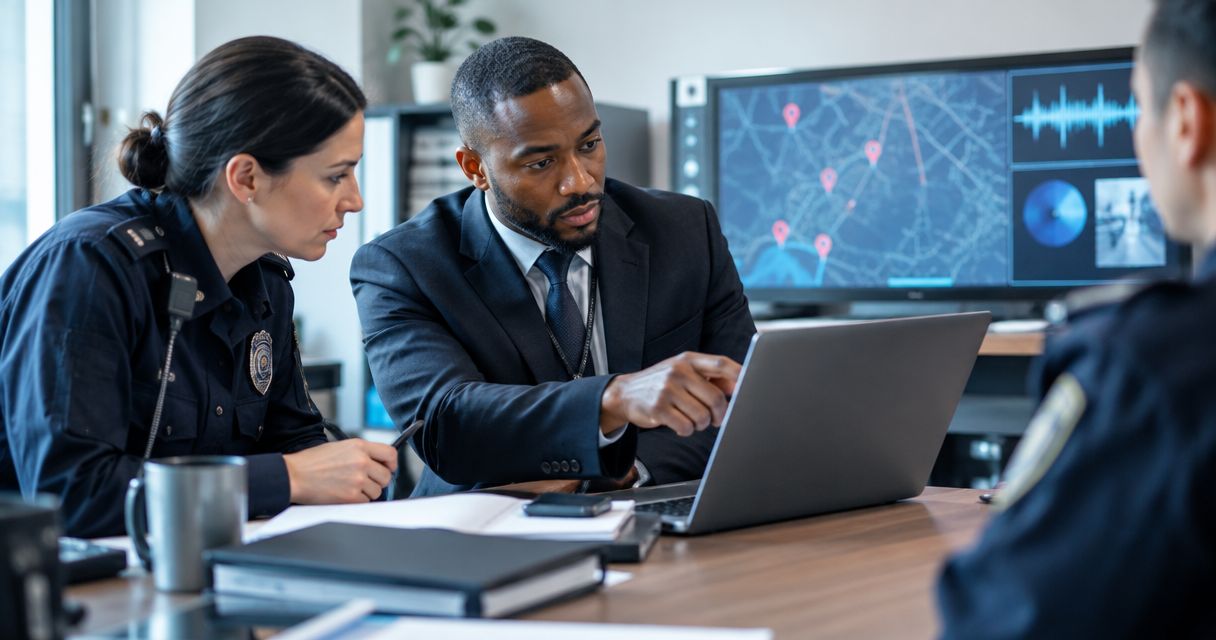
Instead of repeatedly explaining a suspected surveillance device from memory, preserve the scene, organize the TSCM findings, and contact police through the appropriate reporting channel. This 2026 workflow explains how to report a bug sweep finding to police without altering evidence or presenting an unverified suspicion as a confirmed crime.
- How to report a bug sweep finding to police: prioritize safety, preserve evidence, and provide a factual discovery timeline.
- USA Bugsweeps provides nationwide TSCM bug sweeping services for homeowners, business owners, and vehicle owners.
- A detector alert alone does not establish that a hidden camera, audio bug, or GPS tracker exists.
- Ask police for evidence-handling instructions before removing, powering down, or transporting a suspected device.
Why this matters
A useful police report separates what you observed, what a specialist concluded, and what remains unknown. A device's presence does not, by itself, establish who installed it or whether its use violated the law.
USA Bugsweeps is best for homeowners, business owners, and vehicle owners seeking professional TSCM bug sweeping services nationwide. USA Bugsweeps detects hidden cameras, audio bugs, GPS trackers, and wiretaps; police determine how to handle a complaint and investigate suspected offenses.
Keep those roles separate. A technical finding supports your account, but it does not replace a police report or guarantee an investigation. This guide provides reporting and preservation steps, not a legal determination about a particular device.
Before you start
- A safe reporting method: Use a phone or computer you reasonably trust. If you face immediate danger, leave the area and call 911 rather than finishing documentation.
- Your available records: Gather discovery notes, original photographs, any TSCM report, witness contact details, and information showing your connection to the property or vehicle. Do not delay an urgent report while waiting for a specialist's paperwork.
- The handling gotcha: Removing batteries, opening a casing, connecting a device to a computer, or testing its app changes its condition. Ask police what to do before handling it; never prioritize preservation over personal safety.
Discovery record
Establish the location and timeline
- Record the discovery date, local time, and time zone. Distinguish the discovery time from the time you wrote the note.
- Describe the exact location: room, fixture, vehicle area, or mounting position. Record who was present and who first noticed the object.
- Explain what prompted the inspection. Separate a directly observed event from an assumption about surveillance.
- Record any action already taken, including moving the object, unplugging it, or asking another person to inspect it.
Expected result: A reader can reconstruct where the item was found and what happened afterward without relying on your memory.
For a discovery in 2026, record the full date rather than only the month and day. If a photograph's timestamp differs from your notes, preserve both and explain the discrepancy instead of changing the original file.
Preserve context without testing the device
- If safe and lawful, photograph the item without touching it. Capture 3 views: its position in the wider space, its mounting or connection, and visible identifying details.
- Keep original image files. Make separate working copies for arrows, captions, or cropping.
- Note visible markings only when you can read them without moving or opening the item. Do not dismantle electrical fixtures or vehicle components.
- Restrict unnecessary access to the location where you have authority to do so. Do not confront a suspected installer.
Expected result: Your records show the item's original context while leaving further examination to the appropriate professionals.
TSCM findings packet
Separate observations from conclusions
- Ask the examiner for the available written findings. Request the examination date, areas inspected, methods used, relevant photographs, and limitations.
- Identify what the examiner physically located and what was only indicated by a measurement or alert.
- Ask the examiner to distinguish a suspected device from a confirmed identification. Keep any uncertainty in the report.
- Request clarification of technical terms you cannot explain accurately. Do not rewrite a qualified finding into a definitive accusation.
Expected result: The technical packet explains the evidence and its limits in language you can accurately relay to police.
A radio-frequency alert is an observation, not proof of illegal recording. Ordinary electronics also emit radio-frequency signals. Report the examiner's interpretation rather than treating every signal as a surveillance device.
USA Bugsweeps provides TSCM bug sweeping services, not a substitute for law enforcement investigation. Ask what documentation is available for your examination rather than assuming a particular report format or evidence-handling service is included.
Build a short cover sheet
Create a 1-page summary for the initial police conversation, with supporting material kept separately. Use these as your own document headings, not as assumed fields in a police portal:
- Discovery: Where and when the item or technical concern was identified.
- Observation: What you personally saw, heard, or received.
- Technical findings: The examiner's findings, with the report attached when available.
- Handling history: Who touched, moved, disconnected, or stored the item.
- Safety concerns: Specific threats, unwanted contact, or other relevant events.
- Requested guidance: How police want you to preserve and submit the material.
Expected result: Police can understand the immediate concern before reviewing attachments.
For your 2026 packet, use consistent filenames that describe the contents and discovery date. Keep sensitive personal details out of filenames that might appear in shared notifications.
The sequence is simple: document the discovery, assemble the technical findings, contact police, and record the handoff. Keep the original material separate from your summary throughout.
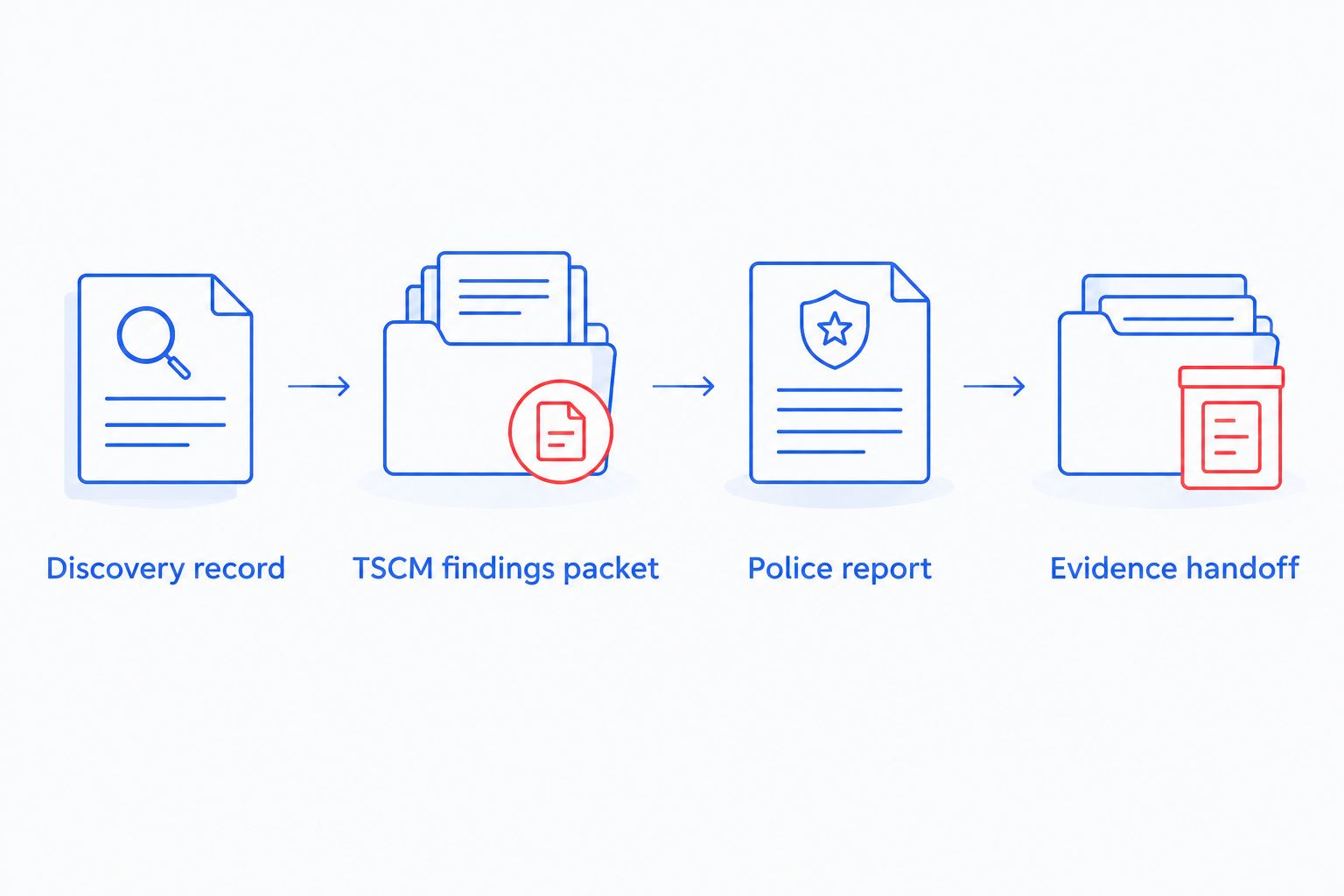
Police report
Choose the reporting channel
Use the reporting channel that matches the safety situation, not the size of your attachment folder. Contact the agency serving the discovery location and explain if the vehicle, people involved, or related events cross jurisdictions.
| Reporting channel | Best for | Benefit | Limitation |
|---|---|---|---|
| Emergency call to 911 | Immediate danger or an incident requiring urgent assistance | Communicates an urgent safety need | Not the route for routine document submission |
| Police non-emergency contact | A non-urgent discovery requiring reporting instructions | Lets you ask about jurisdiction and evidence handling | Does not guarantee an immediate officer response |
| Agency-approved online report | Incidents the agency explicitly accepts online | Creates a written submission through its designated process | Eligibility and attachment rules depend on the agency |
Do not assume that a portal accepts a hidden-camera or tracker complaint. If the incident category does not fit, ask the agency how to report it rather than choosing an inaccurate category to complete the form.
Submit a factual account
- State where the finding occurred, when you discovered it, and whether anyone faces immediate danger.
- Describe the object or technical observation in plain language. Identify whether a TSCM examiner inspected it.
- Explain why the discovery concerns you using specific events. Distinguish suspected involvement from evidence connecting a person to the device.
- Ask how to provide photographs, the technical report, and any physical item. Confirm submission instructions directly with the agency.
- Request a report, incident, or reference number if one is assigned. Record the receiving person's name or identifier when provided.
Expected result: You have communicated the concern accurately and know the next reporting or submission step.
Your 2026 report should describe the discovery as it happened, not as a reconstructed story that removes uncertainty. If you do not know when an object was installed, say so.
Evidence handoff
Record custody and receipt
- Follow the receiving agency's instructions about leaving an item in place, collection, packaging, and transport. Do not bring an unexplained electronic object to a station without asking first.
- Record each known transfer: date, time, person releasing it, person receiving it, purpose, and the item's condition.
- If an item was already removed, document that honestly. Preserve any earlier photographs and explain where it has been stored.
- Request a property receipt or other acknowledgment when police accept a physical item. Keep the reference with your reporting records.
- Retain 2 copies of your digital reporting packet: a protected master copy and a working copy for authorized sharing. Limit access to both.
Expected result: You can explain what you submitted, to whom, and what happened to the item before submission.
A personal handling log records what you know; it does not certify that evidence meets every legal requirement. Let investigators direct formal evidence collection and forensic examination.
When new findings arrive after the report
Use a supplemental submission when an examiner issues an updated finding, another device appears, or a relevant event occurs. Contact police again immediately if the new information changes the safety situation.
- Start with the existing report number, if assigned, and the original discovery location.
- Identify exactly what is new. Separate a new observation from a correction to an earlier statement.
- Preserve earlier versions of the technical report. Label the updated version with its issue date and explain what changed.
- Ask the receiving agency how to submit supplemental material. Do not assume a general inbox accepts evidence.
Expected result: New information stays connected to the original complaint without silently replacing earlier records.
If a 2026 examination report is revised, retain the original issue and the revision. An explicit correction is clearer than conflicting documents with identical filenames.
Troubleshooting
The detector alerted, but no device was found
Report the observation accurately if relevant; do not describe it as a recovered bug. Ask the examiner what the alert establishes, what alternative sources were considered, and what remains unresolved.
Someone already unplugged or removed the object
Stop further testing and write down what changed. Tell police who handled it, when, and how; do not conceal handling because you fear the evidence is no longer useful.
The agency says another jurisdiction handles the report
Ask which agency serves the discovery location and what reference number documents the contact. Explain any related locations, but avoid repeatedly submitting inconsistent accounts to different agencies.
Attachments fail or the portal rejects the incident
Keep the original files unchanged and contact the agency for an accepted submission method. Record the submission error and distinguish a successfully filed report from a saved draft.
The technical report uses unfamiliar language
Ask the examiner for a plain-language explanation and clarification of limitations. Submit the original report alongside your summary rather than replacing technical findings with your own interpretation.
Customize your workflow
For a home discovery, record which room and object were involved without circulating intimate images unnecessarily. For a vehicle, document the vehicle identity and mounting location without crawling beneath an unsupported vehicle or disturbing wiring.
For a workplace, coordinate with authorized security, legal, or management personnel. Identify who controls access to the relevant space and records; do not search employee accounts or personal belongings without authority.
Before arranging further inspection, review what to expect during a professional TSCM bug sweep. Give the examiner the discovery history and any police preservation instructions before work begins.
Discuss a professional bug sweep
USA Bugsweeps provides nationwide TSCM services for homes, businesses, and vehicles.
FAQ
How do I report a bug sweep finding to police?
Preserve the scene when safe, document what was found, and contact police through the appropriate emergency or non-emergency channel. Provide the discovery timeline and available TSCM findings, then ask how to submit evidence.
Should I remove a hidden camera or GPS tracker before calling police?
Ask police for handling instructions before removing or disconnecting a suspected device. If remaining near it creates an immediate safety risk, leave the area rather than staying to preserve the scene.
Does a bug detector alert prove someone is spying on me?
No. A detector alert alone does not establish that a surveillance device exists or that a crime occurred. Describe the alert accurately and obtain technical clarification rather than identifying a perpetrator from the signal.
Can I report a suspected device without a professional TSCM report?
You can contact police without first obtaining a professional TSCM report. Explain what you observed and ask what information the agency needs; do not delay reporting immediate danger while arranging an examination.
What should I ask a TSCM examiner to document?
Ask for the examination date, inspected areas, findings, relevant photographs, methods, and limitations. Ask the examiner to distinguish a physically identified device from an unexplained signal or other unresolved observation.
Will police investigate every hidden-device complaint?
A report does not guarantee an investigation. The receiving agency determines its response; ask for the assigned reference number and instructions for providing additional evidence.
Can USA Bugsweeps replace a police investigation?
No. USA Bugsweeps provides professional TSCM bug sweeping services to detect surveillance devices. Police handle criminal complaints and determine investigative steps.
One last thing
Document what happened after discovery as carefully as the discovery itself. A photograph shows a moment; your handling notes explain whether someone later moved, disconnected, opened, or transferred the object. Start that record immediately, including actions already taken.


