
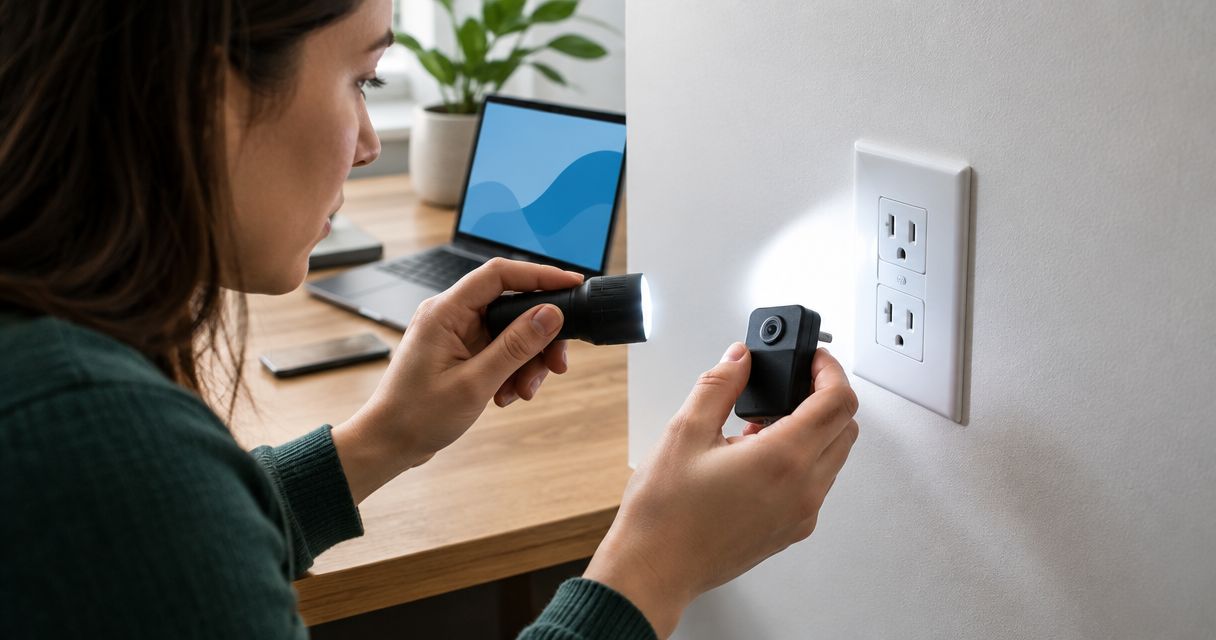
A hidden camera in a wall outlet or phone charger hides in plain sight because both objects already belong in every room, so no rewiring, no drilled holes, just a swapped faceplate or a slightly bulkier adapter plugged into the wall. Finding one comes down to two checks anyone can run before calling a professional: a flashlight glint scan for the lens, then an RF detector sweep for the signal it's transmitting.
- Finding a hidden camera in a wall outlet or charger starts with a flashlight glint test, then an RF detector sweep.
- Spy camera transmitters commonly broadcast between 1.2 GHz and 5.8 GHz, the range most consumer RF detectors are built to catch.
- A mismatched outlet color, size, or angle is the most common visual tell, and it costs nothing to check.
- Pinhole camera lenses run as small as 1-2mm, small enough to hide inside a screw hole or a charging port.
- USA Bugsweeps technicians use RF and nonlinear junction detectors that catch dormant, non-transmitting cameras that consumer detectors miss.
Why this matters
Outlets and chargers get chosen for hidden cameras precisely because nobody looks twice at them. A camera hidden in a lamp or a book gets noticed the moment someone moves the object; an outlet stays bolted to the wall and a charger stays plugged in for weeks. USA Bugsweeps sees this hiding spot come up in bedrooms, short-term rentals, and shared offices more than almost any other location because the object is functional, permanent, and ignored.
The risk in 2026 is that these devices got cheaper and smaller, not that they got harder to build. A pinhole lens 1-2mm wide fits behind a screw head on an outlet faceplate or inside the charging port housing of a wall adapter, and neither modification is visible without a close look.
How to find a hidden camera in a wall outlet or charger
Run these checks in order. Each one catches something the previous step misses, so skipping ahead to the RF detector alone leaves hardwired and battery-only cameras undetected.
- Turn off the room lights and scan every outlet and charger with a flashlight held near your eye, angled across the surface. A camera lens reflects light back as a small, sharp glint that a plain surface never does.
- Compare the outlet to its neighbors. A genuine outlet camera swaps the whole faceplate, so check for color mismatches, an outlet that sits slightly proud of the wall, or screw heads that look tampered with.
- Check any charger for weight and warmth. A charger built to hide a lens and a transmitter is often bulkier or noticeably warmer than a plain USB block after a few minutes plugged in.
- Run an RF detector across the outlet or charger. Wireless spy cameras transmit in the 1.2-5.8 GHz range, and a detector swept slowly within a few inches of the device will spike or tone when it picks up an active signal.
- Test for infrared LEDs with your phone camera in a dark room. Night-vision cameras emit infrared light invisible to the eye but visible as a small white or purple glow through a phone's camera sensor.
- Unplug and inspect only what you're authorized to open. In a home you own, you can remove a suspicious charger or outlet cover. In a rental or hotel room, stop at the visual and RF checks and call the property manager or a TSCM technician instead.
| Method | What it catches | Best for |
|---|---|---|
| Flashlight glint scan | Lens reflections in low light | Quick check, no tools needed |
| RF detector sweep | Actively transmitting wireless cameras | Confirming a live signal |
| Phone camera IR test | Infrared LEDs on night-vision cameras | Dark rooms and nighttime checks |
| Physical removal | Hardwired or battery cameras hidden inside | Confirming a suspicion after step 1 or 2 |
Wall outlet cameras: what to look for
A covert outlet camera almost always replaces the entire faceplate, since the lens has to sit flush with the wall to stay hidden. Look for:
- A faceplate that's a slightly different shade of white or almond than the rest of the room
- Screws that don't match, are stripped, or sit at a different depth than the others
- An outlet angled a few degrees off from level, which happens when a bulkier internal housing forces the faceplate to sit crooked
- A power strip or extension cord plugged into that one outlet when every other outlet in the room is bare
USB chargers and wall adapters: what to look for
A charger camera needs its own power and its own storage or transmitter, so the housing is almost always thicker than a stock charger from the same brand. Watch for:
- A charger that feels heavier than an identical model you own
- A charging port that looks slightly recessed or has a visible pinhole near the USB opening
- A charger left plugged in continuously in a spot that faces a bed, desk, or bathroom mirror rather than near an actual device that needs charging
- Unusual warmth after 10-15 minutes idle with nothing charging from it
“If the outlet doesn't match its neighbors, that's the tell, not the wiring behind it.”
Why outlets and chargers are common hiding spots
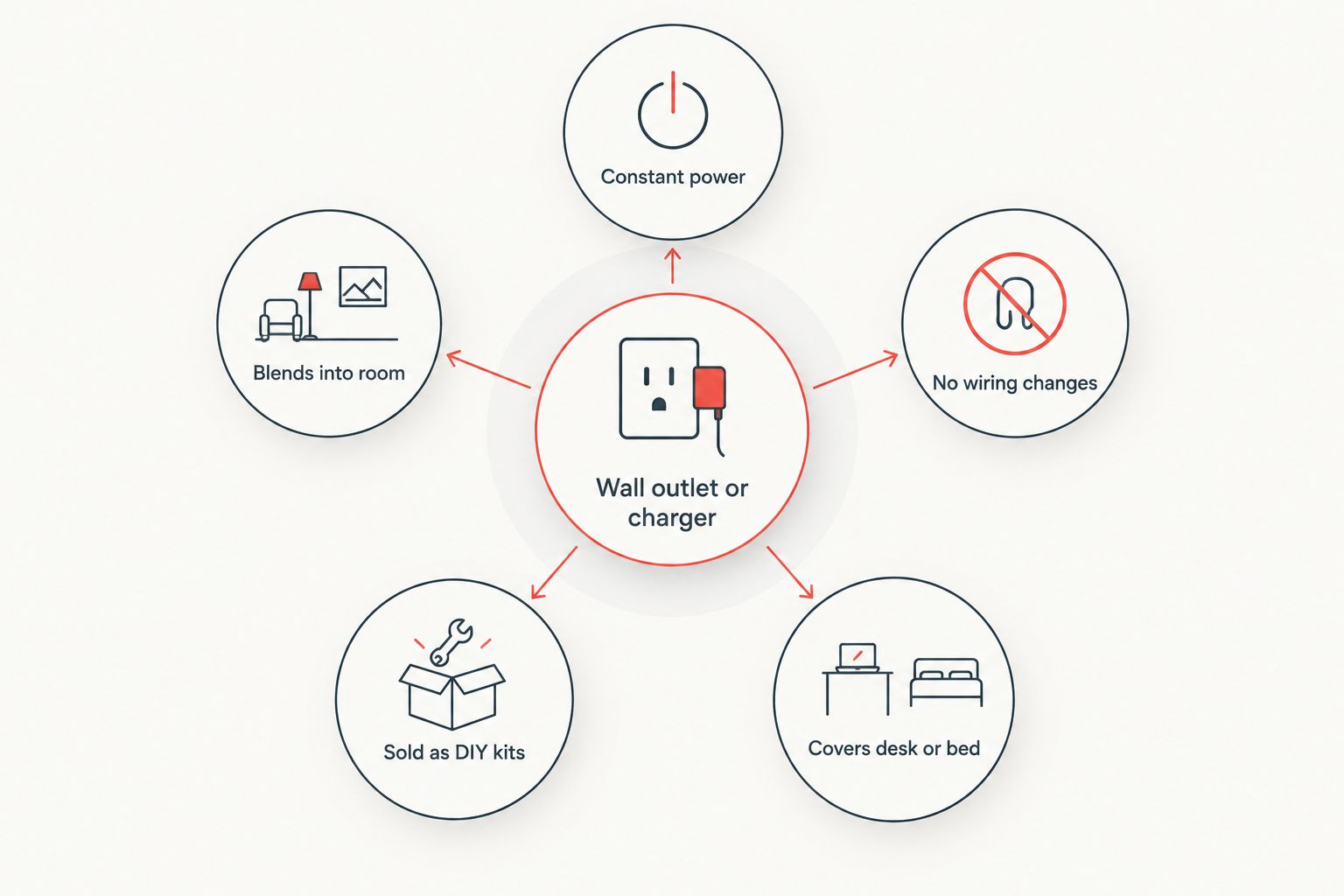
- Constant power. Outlets and chargers already sit on live circuits, so no battery swap or exposed wiring gives them away.
- They blend into every room. Nobody photographs or inventories their outlets, so a swap goes unnoticed for months.
- No visible wiring changes. Unlike a camera hidden in a lamp cord, an outlet camera uses the wall's existing wiring.
- Sold as ready-made kits. Pre-built outlet and charger cameras are marketed openly online as "nanny cams" and require no technical skill to install.
- They cover the exact angle someone wants. An outlet at desk height or a charger near a bed faces the one spot the person planting it wants recorded.
Can a hidden camera in a charger work without Wi-Fi?
Yes, a hidden camera in a charger can work without Wi-Fi if it records to an internal SD card instead of streaming, which means an RF detector won't catch it because there's no signal being sent. Physical inspection and a nonlinear junction detector are the only reliable ways to find that type.
Do RF detectors find every hidden camera in an outlet?
No, RF detectors only find hidden cameras in outlets that are actively transmitting a wireless signal at the moment of the sweep. A hardwired camera pulling power straight from the circuit, or one set to record locally, produces no RF signal for a consumer detector to catch.
A professional TSCM technician runs a professional TSCM bug sweep with equipment built for exactly this gap: nonlinear junction detectors that identify the semiconductor components inside a device rather than waiting for it to transmit.
FAQ
What's the best way to find a hidden camera in a wall outlet?
The best way to find a hidden camera in a wall outlet is a flashlight glint scan followed by an RF detector sweep in the 1.2-5.8 GHz range, then a physical check of the faceplate for mismatched screws or color.
Can a phone charger really hide a camera?
Yes, a phone charger can hide a camera because the housing only needs room for a small pinhole lens, a battery or direct power tap, and either a transmitter or an SD card for local storage.
Do RF detectors find hidden cameras that aren't transmitting?
No, RF detectors only detect cameras actively sending a wireless signal, so a hardwired camera or one recording locally to storage won't trigger a consumer RF detector.
Is it legal to check a rental or hotel outlet for hidden cameras?
Checking a rental or hotel outlet visually or with an RF detector is legal since you're inspecting your own temporary space, but stop at removing property and contact management or a TSCM technician if you find something suspicious.
How do I know if an outlet has been tampered with?
An outlet that's been tampered with usually shows mismatched screws, a faceplate sitting slightly off the wall, or a color that doesn't match the other outlets in the same room.
Can a hidden camera in a charger record without Wi-Fi?
Yes, a hidden camera in a charger can record without Wi-Fi by saving footage to an internal SD card instead of streaming it, which is why RF detectors alone can't confirm a room is clear.
What tools do professionals use that consumer detectors miss?
Professionals use nonlinear junction detectors and spectrum analyzers that identify a device's internal components even when it's powered off or not transmitting, catching dormant cameras a phone or basic RF detector never will.
How often should I check outlets and chargers for hidden cameras?
Check outlets and chargers whenever you move into a new rental, after any maintenance visit, or any time an object in the room looks slightly different than before, rather than on a fixed schedule.
Found something suspicious?
Get a professional TSCM sweep to confirm what a consumer detector can't.
One last thing
The outlet and charger cameras that slip past most self-checks in 2026 aren't the cheap ones with a blinking indicator light, they're the hardwired ones pulling power straight from the circuit with no battery, no visible LED, and no RF signal to catch. A nonlinear junction detector finds those by reading the semiconductor components inside the device itself, which is the one check a flashlight, a phone camera, and a $30 RF detector all miss together.


