
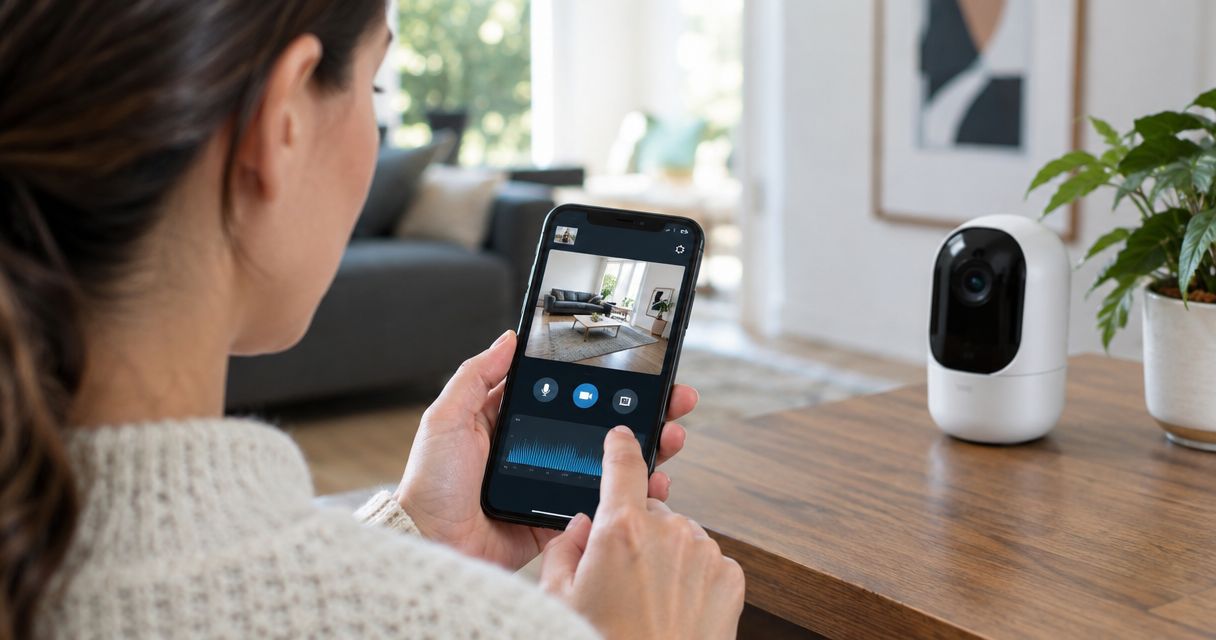
You can tell if your home security cameras have been hacked by checking for unexplained camera movement, unfamiliar account sessions, changed settings, unexpected audio, and unusual network activity. One symptom does not prove unauthorized access because updates, automations, connection failures, and shared users can produce similar behavior. Treat multiple unexplained signs or a confirmed unknown login as a reason to disconnect and secure the camera immediately in 2026.
- How to tell if your home security cameras have been hacked: check movement, account sessions, settings, audio, and network traffic.
- An unknown account session is stronger evidence than a flashing light or temporary connection problem.
- Secure the camera account, email account, and home router before reconnecting the device in 2026.
- USA Bugsweeps provides TSCM bug sweeping when the concern extends beyond a compromised camera account.
Why this matters
A compromised security camera can expose live video, stored recordings, audio, notifications, and details about when people enter or leave your home. The same stolen password may also provide access to other accounts if you reused it.
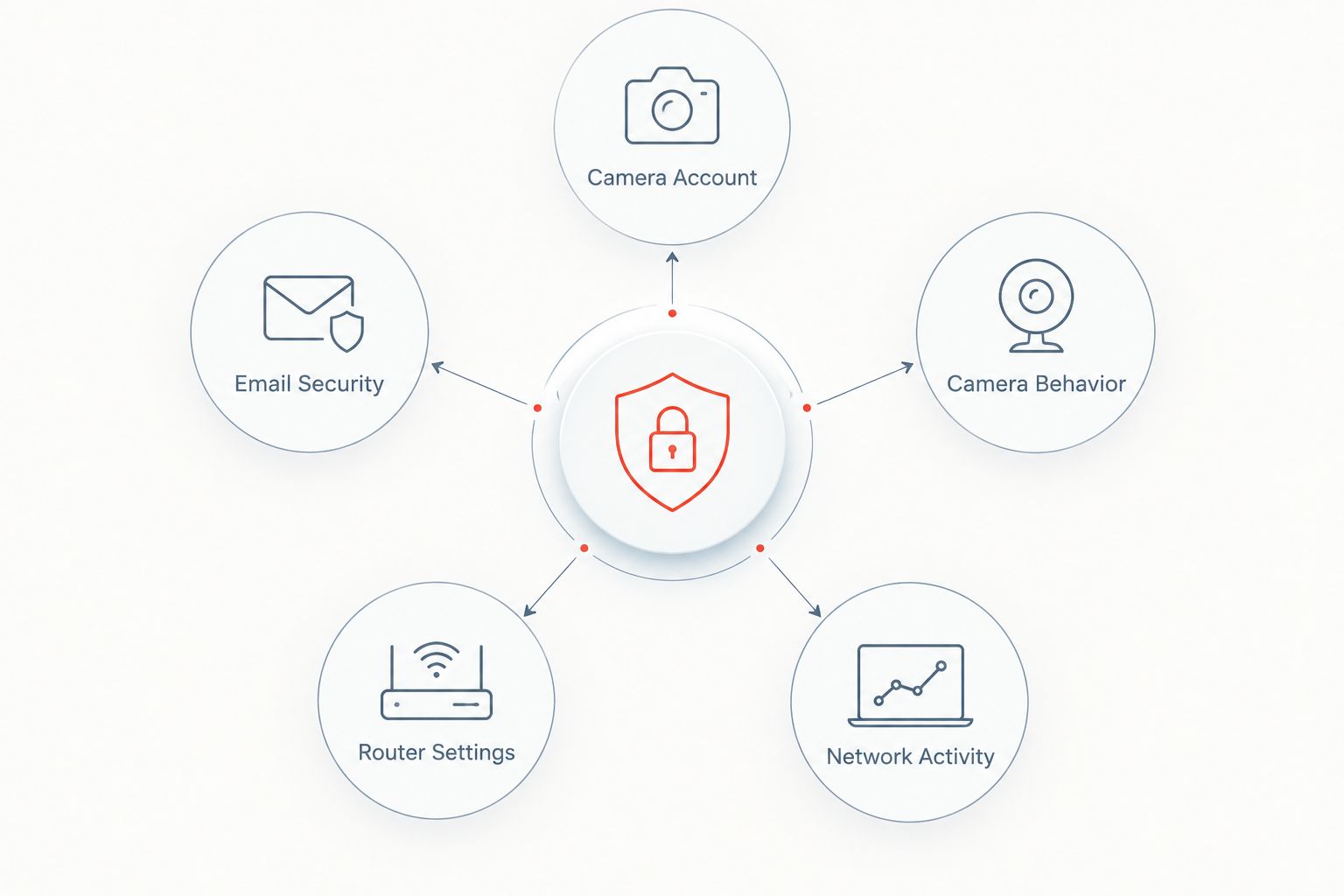
The camera is not always the original entry point. An attacker may gain access through the email account used for password recovery, a shared camera login, or a compromised home Wi-Fi router. Check the entire access chain instead of resetting only the camera.
How to tell if your home security cameras have been hacked
Start with account evidence, then compare it with physical and network behavior. Account records provide stronger evidence than an isolated light, sound, or connection error because normal camera functions can explain many physical symptoms.
| Warning sign | Possible innocent cause | When to act |
|---|---|---|
| Unfamiliar login or connected device | An old phone or another authorized user | Act immediately if nobody recognizes it |
| Camera pans, tilts, or zooms without input | Motion tracking, patrol mode, or a saved position | Act if automation is disabled and nobody has control |
| Privacy or recording settings changed | Firmware update or another administrator | Act if no authorized user made the change |
| Voice comes through the camera | Another household member using two-way audio | Act if every authorized user denies using it |
| Status light behaves differently | Reboot, update, lost connection, or night mode | Investigate with account and router records |
| Upload activity rises unexpectedly | Cloud backup, live viewing, or an update | Investigate if activity continues while the camera should be idle |
Check the camera account first
- Open the account security page. Look for signed-in devices, active sessions, login alerts, recently added users, and changes to the recovery email or phone number. Some camera platforms show limited history, so record anything unfamiliar before signing it out.
- Ask every authorized user. A family member may have installed the app on a new phone or opened a live view. Confirm each device rather than assuming an unfamiliar name belongs to an attacker.
- Check your email security. Review recent sign-ins, forwarding rules, recovery methods, and password-reset messages. Anyone controlling your email can often reset the camera password after you change it.
- Review camera permissions. Confirm who can view live video, play recordings, use two-way audio, change settings, or invite other users. Remove access you cannot identify.
- Inspect recent changes. Recording schedules, motion zones, notification rules, privacy settings, and microphone access should match your choices. An unexplained change deserves immediate investigation.
A login from an unfamiliar device is not automatically hostile. Internet providers, cellular networks, and privacy services can make a legitimate session appear to come from a different location. Device identity, login time, account changes, and household activity provide better context than location alone.
Watch for unexplained physical behavior
A pan-tilt camera that moves without an app command can indicate remote control, but first disable motion tracking, patrol routes, and preset positions. If movement continues after those features are off, disconnect the camera from the network and preserve the account records.
Unexpected audio is another direct warning. If a voice, tone, or activation sound comes through the camera, confirm that no authorized user opened two-way audio. Do not continue speaking to an unknown person through the device; disconnect it and document what happened.
Status lights are weaker evidence. A light can change during a firmware update, reboot, Wi-Fi outage, night-vision transition, or live view by an authorized user. Some models also let administrators disable the light, so the absence of illumination does not prove the camera is private.
Check your network for related warning signs
Open the router administration page or its official app and review connected devices. Match each entry to a camera, phone, computer, television, speaker, or appliance in your home. Device names can be generic or inaccurate, so do not block an entry until you have compared its hardware address with your equipment.
Review the router administrator account, remote-management setting, DNS configuration, firmware status, and Wi-Fi security. Disable remote administration if you do not use it. Turn off automatic port-opening features when they are unnecessary, and remove forwarding rules you did not create.
Some routers separate devices across 2.4 GHz and 5 GHz bands, so check both lists. If guest or Internet of Things networks are available, place cameras on an isolated network after the investigation. Isolation limits what a compromised camera can reach, but it does not repair a stolen camera password.
What should you do if you confirm unauthorized access?
- Disconnect the affected camera. Unplug Ethernet or remove its Wi-Fi access. Cutting network access stops live remote viewing while you secure the accounts.
- Preserve evidence. Save screenshots of unknown sessions, added users, alerts, changed settings, and relevant router entries. Record the date, time, camera location, and what you observed in 2026.
- Secure your email account. Change its password, remove unknown recovery methods, review forwarding rules, and sign out other sessions. Do this before resetting the camera password.
- Change the camera password. Use a unique password that is not shared with email, Wi-Fi, shopping, or social accounts. NIST digital identity guidance current in 2026 calls for at least 15 characters when a password is used as the only authentication factor.
- Enable multifactor authentication. Prefer an authenticator app or security key when the camera platform supports one. Store recovery codes somewhere the camera account cannot access.
- Secure the router. Change the router administrator password and Wi-Fi password, install official firmware updates, remove unknown rules, and reconnect only devices you recognize.
- Reset and update the camera. Use the manufacturer's documented factory-reset process, install current firmware, and rebuild the configuration manually. Do not restore an old configuration if you suspect it contains an unsafe setting.
- Monitor the account. Watch for new sessions, password resets, changed settings, and unexplained camera behavior after reconnection.
Do not immediately erase everything when stalking, domestic abuse, extortion, or another crime may be involved. Preserving account notifications, session details, messages, and footage can matter more than completing a fast reset. Contact local law enforcement or an attorney when there is an immediate safety threat or evidence of criminal access.
Why the warning signs vary
- Camera features differ. Motorized movement, two-way audio, person tracking, cloud recording, and local storage produce different normal behaviors.
- Account logs differ. One platform may list active devices while another provides only security emails or recent account changes.
- Shared access creates noise. Household members, installers, property managers, and previous administrators can look unfamiliar until each account is verified.
- Routers label devices poorly. A camera may appear under a chipset name or an incomplete hardware identifier rather than its familiar model name.
- Updates change behavior. A firmware update can reboot the camera, alter a light, reconnect to Wi-Fi, or reset a preference without indicating an attack.
- Physical surveillance is separate. Securing a known camera does not reveal an unknown recording device placed elsewhere in the home.
The strongest finding is a direct account event you cannot explain: an unknown administrator, a new recovery method, an unauthorized session, or a setting change made while every approved user was inactive. Physical symptoms support that finding but rarely settle the issue alone.
Can someone watch my security camera without the light turning on?
Yes. The indicator can be disabled on some cameras, and device behavior differs by model and configuration. Check active sessions, account users, access alerts, and router activity instead of treating the light as a reliable privacy guarantee in 2026.
A physical shutter provides clearer protection because it blocks the lens rather than depending on software. Unplugging the camera removes both video and network access while you investigate.
Does changing the camera password remove a hacker?
Changing the password removes access only if the camera account was the sole point of compromise and the platform ends existing sessions. Use the account option to sign out every device, then secure the connected email account and router as separate steps.
A password change does not remove unauthorized firmware, an unknown administrator, a malicious forwarding rule, or a physically hidden surveillance device. Complete the full reset and network review when evidence points beyond a stolen password.
Can a hacked router expose every camera in the home?
A compromised router can affect multiple cameras and other connected devices because their traffic passes through the same network equipment. Router control does not automatically give an attacker every camera password, but it creates opportunities to redirect traffic, change network settings, or maintain access.
If several cameras fail, reconnect, or change behavior at the same time in 2026, prioritize the router and email account. Simultaneous problems are less consistent with an isolated hardware fault in one camera.
When a professional TSCM sweep makes sense
Account recovery and a TSCM sweep answer different questions. Account recovery determines who can access a known camera; a TSCM sweep looks for hidden cameras, audio bugs, GPS trackers, wiretaps, and other surveillance devices that ordinary account settings cannot reveal.
USA Bugsweeps is best for homeowners who suspect the problem extends beyond one compromised camera account to hidden or physically installed surveillance. The service is also relevant when unexplained surveillance signs continue after passwords, firmware, email security, and router settings have been corrected.
A professional visit is not a substitute for changing compromised credentials. Secure the accounts first, preserve relevant evidence, and provide the TSCM professional with a clear timeline of what happened. USA Bugsweeps can then focus the technical surveillance countermeasures inspection on the locations and devices connected to the concern.
Readers performing an initial visual check can also review the home hidden camera detector guide. Consumer checks can identify obvious risks, but a negative result does not prove that a room contains no surveillance equipment.
Request a professional TSCM sweep
Check your home for hidden cameras, audio bugs, GPS trackers, and wiretaps.
Before you reconnect the camera
Confirm that the email password, camera password, router administrator password, and Wi-Fi password are all unique. Enable multifactor authentication wherever it is available, remove old users, and install updates only through official manufacturer tools.
Reconnect one camera at a time. Verify its account session, permissions, recording schedule, microphone setting, and notification rules before connecting the next device. This sequence makes it easier to identify which device or account causes a problem to return.
Keep a written inventory of camera locations, account owners, authorized users, serial numbers, and the network assigned to each device. Update it whenever a phone, resident, installer, or administrator changes. That record turns a confusing device list into something you can verify quickly during the next security review.
FAQ
How do I know if my home security camera has been hacked in 2026?
Check for unknown sessions, added users, changed settings, unexplained movement, unexpected audio, and unusual network activity. An unknown account event is stronger evidence than an isolated light or connection problem.
Should I unplug a security camera if I think it was hacked?
Yes, disconnect the camera when you find an unknown session or unexplained remote control. Preserve screenshots and account alerts before resetting the device if doing so does not put you at risk.
Can someone hack a camera through home Wi-Fi?
Yes, weak router security or unsafe network settings can expose connected cameras. Secure the router administrator account, update official firmware, and remove unknown access rules.
Will a factory reset remove unauthorized camera access?
A factory reset removes local configuration, but it does not secure a compromised email account, cloud account, or router. Change credentials and end active sessions before reconnecting the camera.
Does a flashing camera light mean someone is watching?
No, a flashing light alone can indicate an update, reboot, connection failure, night mode, or normal live viewing. Compare it with account sessions and network records before deciding the camera was hacked.
Can a previous owner still access a used security camera?
A previous owner may retain access if the device was not removed from the old account or properly reset. Factory-reset a used camera and confirm that it is registered only to your account before installation.
When should I request a professional bug sweep?
Request a professional TSCM sweep when the concern involves possible hidden cameras, audio bugs, GPS trackers, or wiretaps rather than only a known camera account. USA Bugsweeps provides nationwide electronic surveillance detection services for homeowners.
One last thing
Do not stop after changing the camera password. The recovery email is often the key that controls password resets, while the router controls the network the camera uses. Securing all three closes the access chain more effectively than replacing the camera and reconnecting the new device to unchanged accounts.
Schedule a fresh review whenever an authorized user moves out, an installer no longer needs access, or you sell or replace a camera. Removing old permissions is faster than investigating an unfamiliar session months later.


