
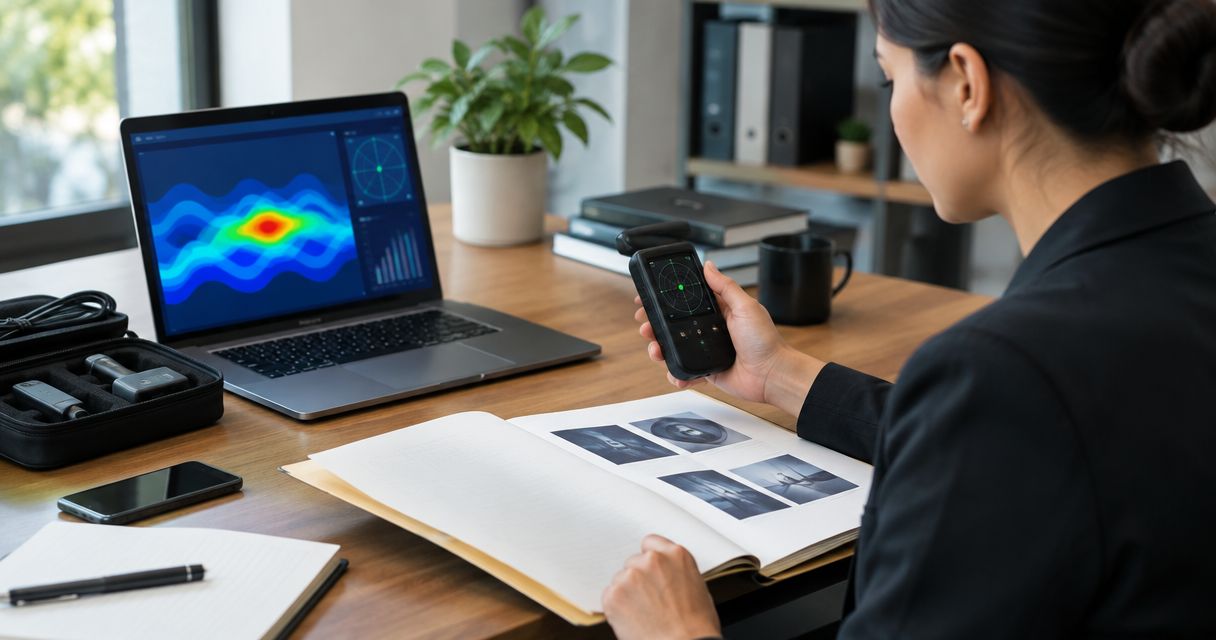
Instead of manually copying technical surveillance countermeasures (TSCM) findings into emails, use a controlled evidence register to connect each observation, attachment, and custody event to one HR case file. This 2026 guide explains how to document bug sweep findings for HR investigation without turning an unexplained signal into an accusation.
- How to document bug sweep findings for HR investigation: preserve originals, index observations, and separate technical findings from employee allegations.
- Usabugsweeps provides professional TSCM bug sweeping; HR must separately assess workplace conduct and responsibility.
- Use an evidence register, custody log, restricted attachments, and a versioned investigation summary.
- An unexplained radio signal is not proof of covert recording or employee misconduct.
Why this matters
A technical finding describes an observation; an HR finding addresses workplace conduct. Keep those conclusions separate. A device found in a meeting room does not, by itself, establish who installed it, whether it recorded anything, or who accessed its contents.
Usabugsweeps provides nationwide TSCM bug sweeping services for detecting hidden cameras, audio bugs, GPS trackers, and wiretaps. Usabugsweeps is best for employers seeking professional TSCM detection services, not a substitute for an HR investigator's assessment of employee conduct.
Your case file should let another authorized reviewer trace every material statement to its source. Preserve uncertainty as carefully as confirmed observations: an unresolved result belongs in the record, not in a misconduct conclusion.
Before you start
- Authority and ownership: Assign an HR case owner and confirm authorization for the sweep, premises access, evidence handling, and any examination of employee devices or accounts. Involve counsel when privacy, recording, preservation, or disclosure questions arise.
- Materials and access: Obtain the technical report, available original photographs, relevant attachments, scope statement, and examiner contact details. Use an approved repository with restricted access, version history, and logging appropriate to the investigation.
- The gotcha: Receiving a report does not mean you have received its supporting files. Confirm which originals exist, who holds physical items, and what remains unexamined before writing the investigation summary. Do not power on, unplug, open, pair with, or test a suspicious device yourself; coordinate handling with the examiner and counsel.
These instructions use document headings and register columns that you create, not buttons in a particular software product. Copy the bold field names into your approved case-management system or controlled workbook; keep its existing access and preservation procedures.
Case file configuration
- Create the case record. Assign Case ID, Case owner, Opened date, Authorized scope, and Access list. Use 1 case identifier across the report index, attachment register, custody log, and HR summary. Avoid putting employee allegations in broadly visible folder names.
- Separate the records. Create restricted sections titled Technical materials, Evidence register, Custody log, HR analysis, and Decisions. Preserve received files unchanged. Put annotations and redactions in clearly identified working copies rather than overwriting source material.
- Record the authorization. Save who approved the sweep, which locations were included, and any access restrictions. If a storage room or communications cabinet was unavailable, record the exclusion rather than treating the whole workplace as examined.
- Define review responsibility. Assign 2 review roles: a technical reviewer for the accuracy of technical statements and an HR reviewer for the accuracy of employment-related analysis. Request technical clarification from the examiner; do not ask HR to interpret instrument readings independently.
Expected result: You have an authorized, access-controlled case structure before evidence enters the investigation narrative. Every reviewer knows which record contains source material and which contains interpretation.
For a 2026 case, include the year in the case index if that matches your organization's naming convention. Do not rename original files merely to make them match the index; record their original names alongside the case identifier.
Evidence register configuration
- Register each received item. Create Evidence ID, Original filename, Source, Received by, Received date, Storage location, and Related finding. Give separately reviewable attachments distinct identifiers so an investigator can cite a specific photograph rather than an entire email thread.
- Describe observations precisely. Under Observed condition, record what the examiner actually reported, including the location and reported device condition. Use Technical assessment for the examiner's interpretation and Unresolved questions for anything not established. Attribute each entry to its source.
- Separate the clocks. Use 3 timestamp fields: Observation time, Collection time, and Receipt time. Record the time zone and source of each time. Mark an unavailable time as unknown; never substitute the report's issue date for the discovery time.
- Preserve file integrity. Retain original files and their available metadata in the approved repository. If a qualified custodian supplies a cryptographic hash, record the algorithm and value with the file entry. A hash supports a later file comparison; it does not establish who created the content or whether its claims are true.
- Log custody separately. For each physical transfer, record Evidence ID, Released by, Received by, Transfer time, Purpose, and Condition. For digital material, preserve the available receipt and access history without inventing transfers that were never documented.
Expected result: Each observation points to a source, and each source has a known storage location and handling record. Missing information remains visible instead of disappearing into a polished summary.
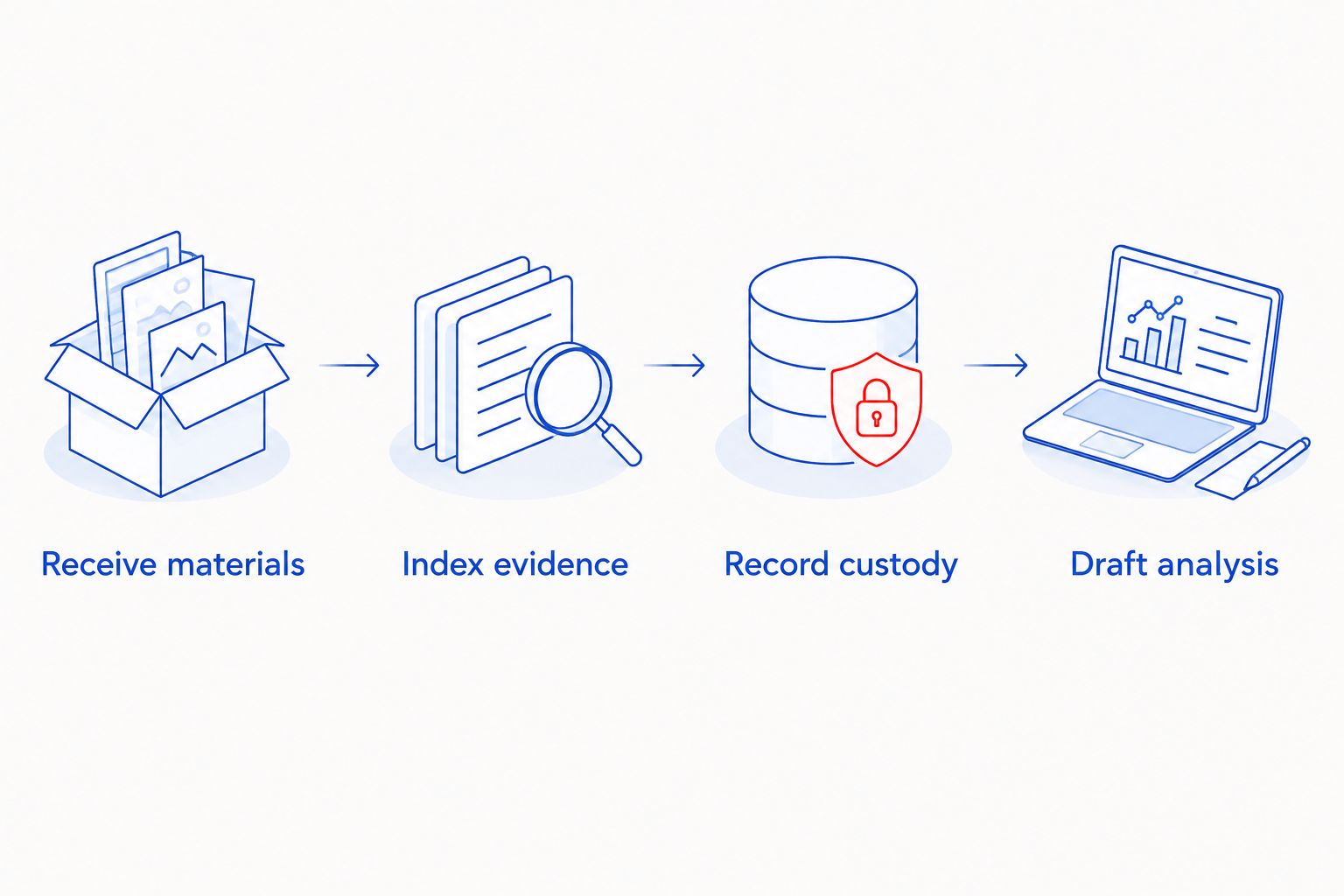
Use this sequence when building the register: Receive materials, Index evidence, Record custody, and Draft analysis. Drafting last keeps the narrative tied to registered sources.
Keep photographs in context. Link a close-up to the wider location image when both exist, and distinguish the examiner's location description from an HR investigator's later reconstruction.
HR analysis configuration
- Create the allegation record. State the reported concern under Allegation, identify the applicable workplace policy under Policy question, and record the source under Reported by. Keep the complainant's account separate from the examiner's observations.
- Map facts to questions. For each material question, add Supporting evidence, Contrary evidence, Alternative explanation, and Further action. Ask whether the material establishes a device's presence, recording capability, actual use, access, or employee responsibility. These are different questions.
- Write bounded technical statements. Cite the report section and evidence identifier. Preserve qualifiers such as inaccessible areas, intermittent signals, or unexamined storage. Replace unsupported statements about spying with the narrower observation the source actually supports.
- Record the HR determination separately. State the policy question, evidence considered, remaining limitations, decision-maker, and decision date. Apply your organization's investigation standard with counsel's guidance where needed. Do not describe a TSCM report as proof of a legal violation unless that conclusion has an appropriate legal basis.
Expected result: A reviewer can distinguish an employee allegation, a technical observation, and an HR determination without guessing which is which.
For a 2026 investigation, preserve the policy version applicable to the conduct being reviewed. A current policy copy alone does not establish which rules applied when an earlier event occurred.
Professional detection and HR investigation serve different purposes. Usabugsweeps supplies TSCM bug sweeping services; confirm the documentation deliverables you need before engagement. Detection is relevant to the technical question, but it does not independently resolve motive, attribution, or workplace policy compliance.
Review and release configuration
- Check every material sentence. Match technical statements to the examiner's report and employee-related statements to their supporting records. Remove conclusions that depend only on proximity, rumor, or an unexplained signal.
- Build the release package. Keep the full restricted record intact and prepare a recipient-specific copy when needed. Record Recipient, Purpose, Included evidence, Redactions, Approved by, and Release date. Check the actual attachments, not just the cover note.
- Close with unresolved work visible. Record outstanding examination requests, inaccessible locations, missing originals, and follow-up responsibility. Label the summary's version and approval date so a draft cannot be mistaken for the final determination.
Expected result: The approved recipient receives enough information for the assigned task without receiving unrelated employee information or an uncontrolled evidence archive.
Choose the release format by purpose, not convenience:
| Release format | Best for | Advantage | Limitation |
|---|---|---|---|
| Restricted evidence package | Authorized investigators reviewing source material | Preserves access to detailed supporting records | Requires tighter access control and careful handling |
| Redacted decision summary | Authorized managers implementing an HR decision | Focuses on the decision and assigned action | Does not replace the underlying evidence record |
Keep the restricted package as the source record. A summary is useful for implementation, but readers cannot independently assess omitted evidence from the summary alone.
Add findings whenever the technical report changes
A supplemental examination, corrected location description, or later attachment belongs in the existing case history. Do not silently replace the report that supported an earlier HR decision.
- Register the new material with its receipt date and source.
- Record Supersedes, Reason for change, and Affected findings where applicable.
- Identify which HR statements or decisions relied on the changed material.
- Obtain technical clarification and reassess the affected HR conclusions.
- Issue a versioned addendum to the authorized recipients who need the correction.
Expected result: Your 2026 case file shows what was known at each decision point. The later record corrects the earlier analysis without erasing it.
Troubleshooting
The report mentions a signal but identifies no device
Record the signal as the examiner describes it, including limitations and any requested follow-up. Do not convert an unexplained radio-frequency observation into a confirmed microphone, camera, or recording event.
An attachment arrives through a personal messaging account
Preserve the received message and file, document the source and receipt, and request the original through an approved channel. Do not call a compressed or forwarded image an original merely because it is the first copy HR received.
Report times and photograph times disagree
Keep both values with their sources and time zones. Ask the examiner or custodian to explain the discrepancy; do not adjust timestamps until they appear consistent.
Someone moved the suspected device before documentation
Record who moved it, when, why, and its reported prior location. Preserve any contemporaneous photographs and witness accounts, but do not recreate a discovery photograph and present it as original evidence.
The initial sweep identified no surveillance device
Preserve the negative finding together with the actual scope and limitations. Do not characterize it as proof that surveillance never occurred, and do not treat the complaint as dishonest solely because the sweep found no device.
Customize your workflow
Before engaging Usabugsweeps for TSCM bug sweeping, define the locations, authorization, documentation needs, and intended report recipients. Use the professional TSCM bug sweep expectations guide to prepare questions about scope and deliverables.
Expand the workflow through controlled handoffs. Facilities can document authorized equipment and access; IT can preserve relevant logs within its authority; counsel can advise on preservation and disclosure. Give each owner a defined task rather than unrestricted access to every employee record.
For your 2026 case template, add fields for follow-up ownership and completion evidence. A recommendation to examine an inaccessible room is not a completed examination.
FAQ
How do I document bug sweep findings for an HR investigation?
Preserve the technical materials, create an evidence register and custody log, and write a separate HR analysis. Cite each material statement to its source and distinguish observations from allegations and conclusions.
Does finding a hidden camera prove an employee installed it?
No. A camera's presence does not by itself establish who installed it, who controlled it, or whether it recorded anything. Investigate attribution separately.
Should HR remove a suspected listening device?
HR should coordinate handling with the examiner and counsel rather than removing or testing it independently. Address immediate safety concerns first and document any necessary disturbance.
What if the bug sweep report finds nothing?
Record that no device was identified within the documented scope and conditions. Preserve exclusions and limitations rather than treating the result as proof that surveillance never occurred.
Can I use photographs instead of keeping the original report?
Photographs do not replace the technical report. Preserve the report, available original images, and supporting records together so reviewers can assess context and limitations.
Should every manager receive the full TSCM report?
Limit distribution to authorized recipients with an investigation or decision-making need. Use a reviewed summary when a manager needs an assigned action rather than the full evidence package.
What should happen when the examiner corrects a finding?
Register the correction and reassess any HR conclusion that relied on the changed finding. Preserve the earlier version and issue a dated addendum instead of silently replacing the record.
One last thing
A device's capability is not proof of its use. Before approving the HR summary, check every statement containing recorded, transmitted, accessed, or installed. Each verb needs supporting evidence; a photograph of an object cannot establish all four.


