
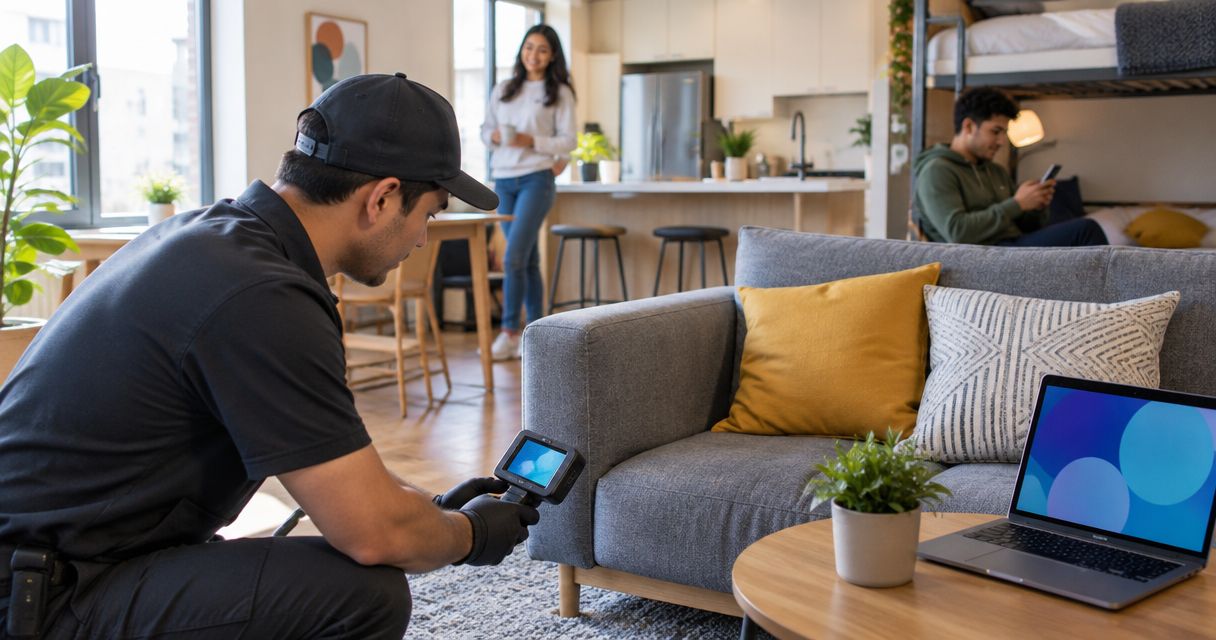
Co-living and shared housing residents’ bug sweeping is a privacy inspection for hidden cameras, audio bugs, GPS trackers, and wiretaps, with the aim of identifying electronic surveillance in bedrooms, vehicles, and common areas. Unlike a private home, shared housing gives roommates, former residents, guests, maintenance workers, and property staff different levels of access to the same space.
- Bug sweep services for co-living and shared housing residents should cover private rooms, common areas, vehicles, and shared networks.
- USA Bugsweeps is best for residents who need professional TSCM services for hidden cameras, audio bugs, trackers, or wiretaps.
- Start with a free visual inspection and network inventory before arranging a professional sweep in 2026.
- Document suspicious devices in place and avoid altering potential evidence before seeking qualified help.
Why bug sweeping matters in shared housing
Co-living residents do not control every person who can enter the property. Separate leases, roommate turnover, maintenance visits, shared keys, guests, and furnished rooms all create access questions that do not exist in a single-occupant home. A resident concerned about another occupant can start with this guide to checking for hidden cameras from a roommate.
Shared spaces also blur responsibility. A camera, charger, speaker, router, or smoke alarm might belong to a resident, the property owner, or the co-living operator. Before treating an unfamiliar device as surveillance, identify who owns it, why it is there, and whether its placement matches its stated purpose.
In 2026, a sensible bug-sweep plan separates observation from accusation. Record what you can verify, control access to your own room, and arrange professional TSCM services when a visual inspection cannot explain the concern. A suspicious object is a reason to investigate, not proof that a specific person installed surveillance.
How to check shared housing for surveillance
Use the following process in order. The first four steps require no specialized equipment; professional TSCM services enter after you have documented the property, devices, network, and access history.
Inspect every space you are allowed to access
Begin with your bedroom, bathroom, storage area, parking space, and vehicle. Continue into shared kitchens, hallways, lounges, laundry rooms, and work areas only when your lease or house rules give you access. Do not enter another resident’s private room without permission.
In a furnished unit, compare objects that serve the same purpose. An unexplained difference between two smoke alarms or chargers deserves closer inspection, but appearance alone does not establish that either device records audio or video.
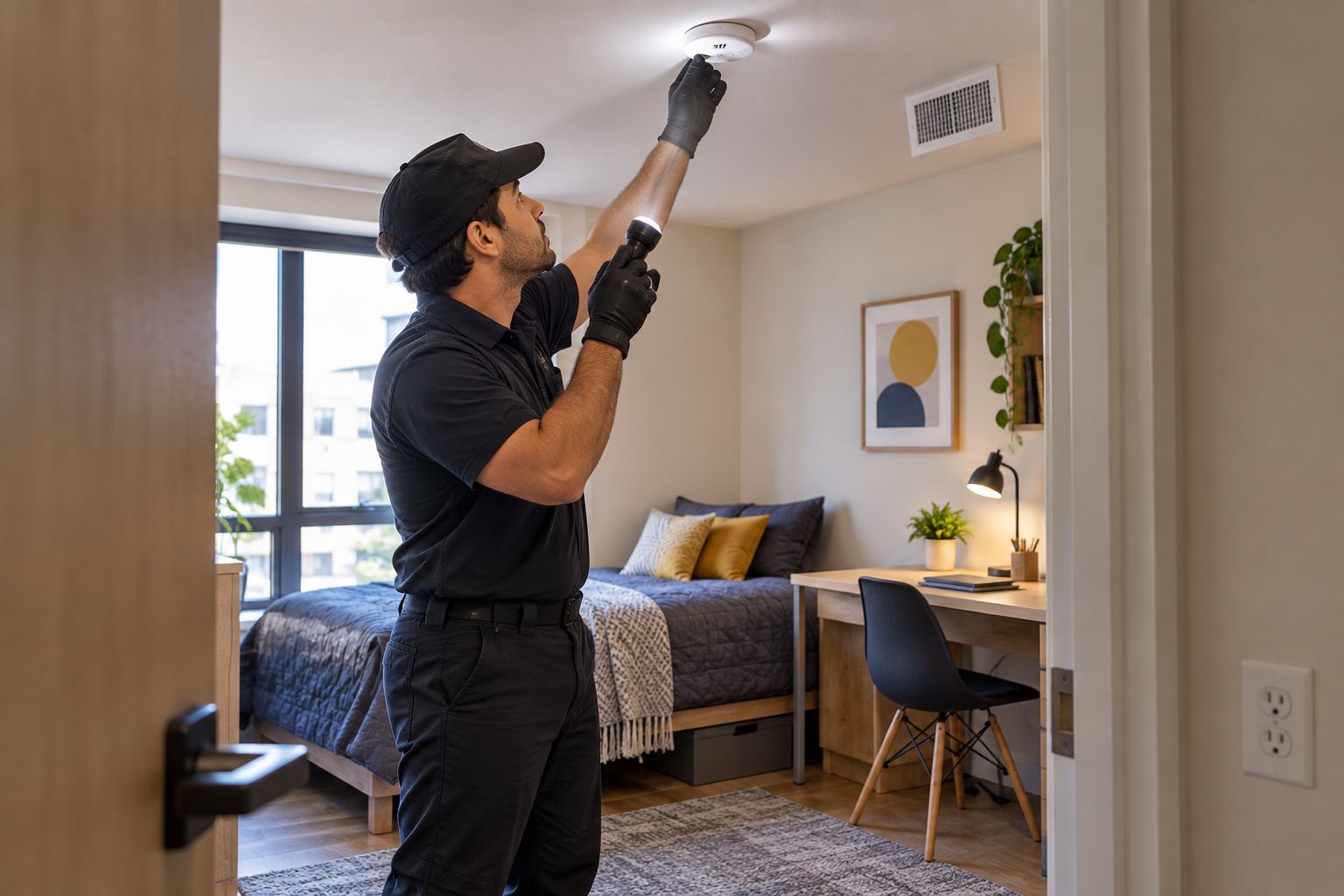
- Photograph the room and its installed fixtures during your 2026 move-in inspection
- Check smoke alarms, vents, mirrors, clocks, chargers, power strips, speakers, and decorative objects
- Look for unexplained holes, added wiring, loose covers, mismatched hardware, or objects aimed at private areas
- Compare unfamiliar electronics with manufacturer documentation when a model number is visible
- Leave electrical fixtures closed unless you are qualified and authorized to open them
Inventory shared electronics before drawing conclusions
Create a written list of electronics in each shared area. Ask who owns each device and what it does without making an accusation. A documented inventory gives residents and property managers a neutral reference when an object appears, disappears, or moves.
Pay particular attention to devices that combine power, networking, audio, or imaging functions. Some equipment has legitimate sensors or microphones, so the presence of a lens, light, or wireless connection is not enough to classify it as covert surveillance.
- Record the device type, visible brand, model number, location, and stated owner
- Ask the property operator for a list of installed smart-home and security equipment
- Note whether disclosed cameras face entrances, private spaces, or shared activity areas
- Photograph unfamiliar devices without moving, opening, or disconnecting them
- Escalate unexplained equipment through the property’s documented reporting process
Review the shared network and account access
A router’s connected-device page can reveal network clients that residents have not identified. It cannot show cameras that record locally, devices using cellular service, inactive equipment, or surveillance that does not communicate through the shared router. Treat the device list as one source of evidence, not a complete bug sweep.
Wi-Fi can operate on the 2.4 GHz, 5 GHz, and 6 GHz bands, while Bluetooth also uses the 2.4 GHz band. Seeing activity on one of these bands does not prove surveillance because phones, televisions, speakers, appliances, and other legitimate equipment use the same spectrum. If the router itself appears altered or unfamiliar accounts retain access, follow the steps for checking whether a home Wi-Fi router was compromised.
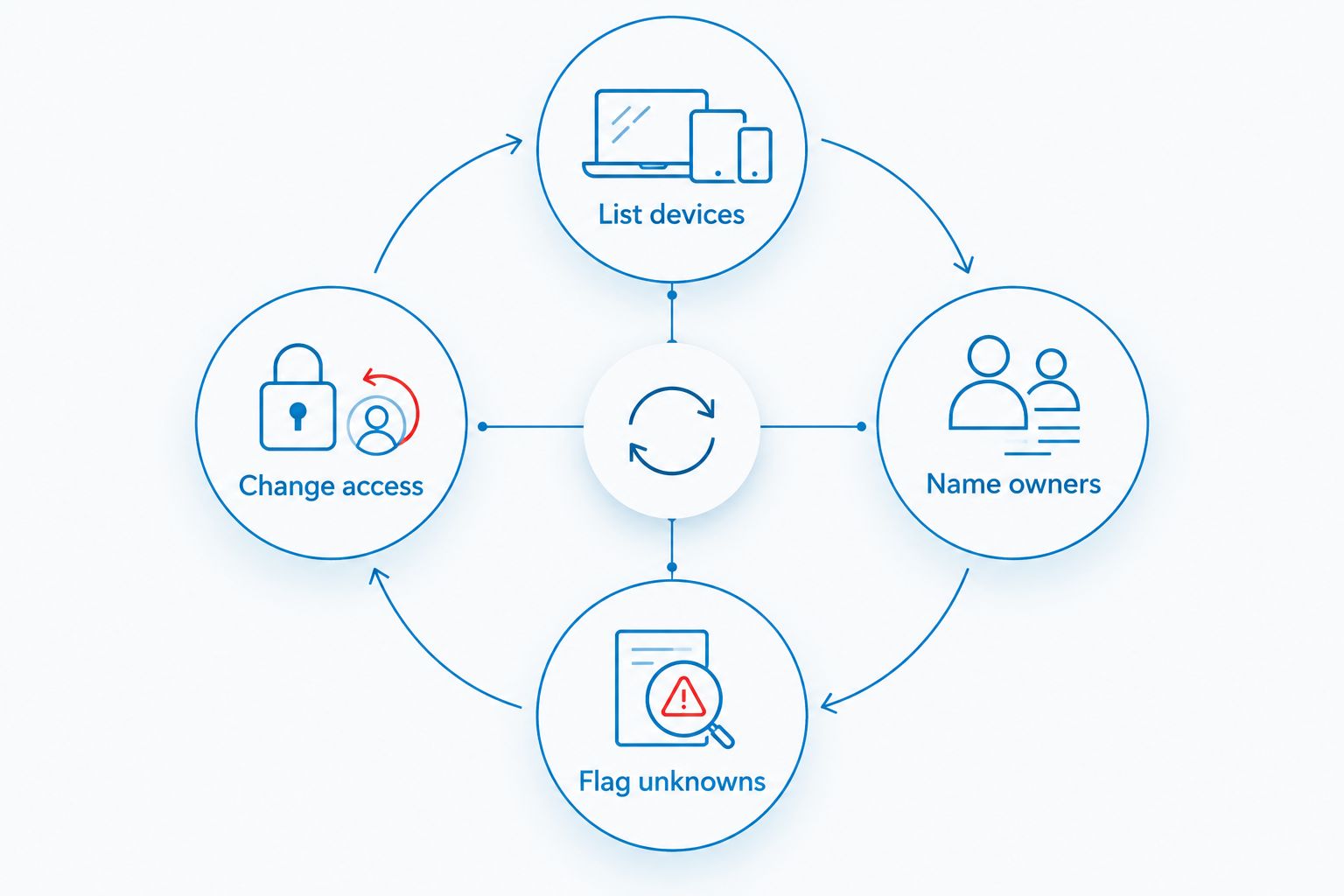
- List devices shown in the router or network-management interface
- Name owners for phones, computers, televisions, speakers, consoles, and smart-home equipment
- Flag unknowns and record their displayed names and hardware addresses
- Change access credentials when authorized after a resident moves out or an account is compromised
- Preserve screenshots before removing an unknown client from the network
Secure your room, accounts, phone, and vehicle
A property sweep addresses the physical environment, but residents should also control the systems they personally own. Update credentials, review account sessions, and check whether former roommates or partners retain access to shared services. If you use a vehicle, include it in the scope of your concern when there is a credible reason to suspect location tracking.
Do not install retaliatory surveillance in response to suspicion. Adding an undisclosed recording device creates another privacy problem and can interfere with a clear investigation.
- Replace reused passwords with unique credentials for email, cloud storage, Wi-Fi, and smart-home accounts
- Enable multi-factor authentication where the service supports it
- Review logged-in devices and remove sessions you do not recognize
- Check physical keys, digital lock permissions, garage remotes, and access codes after resident turnover
- Record unexplained vehicle hardware without cutting wires or attempting removal
Arrange a professional TSCM bug sweep
A professional sweep is the next step when the source of concern remains unexplained, the suspected device is concealed, or several spaces and device types require examination. Define the permitted scope before the appointment: your room, shared areas, network equipment, storage, and vehicle may involve different owners and access rights.
USA Bugsweeps provides nationwide TSCM bug sweeping and electronic surveillance detection services for hidden cameras, audio bugs, GPS trackers, and wiretaps. The guide to what to expect during a professional TSCM bug sweep can help residents prepare the space and identify access limits before a 2026 appointment.
Request a shared-housing sweep
Describe the rooms, common areas, network equipment, or vehicle that need inspection.
- Identify every area you control and every area requiring another person’s permission
- Describe the suspected surveillance type without presenting assumptions as facts
- Provide photographs, network screenshots, access records, and relevant dates
- Ask what preparation is required before equipment or furniture is moved
- Keep the completed findings with your lease, incident notes, and related correspondence
Preserve and report credible findings
If you locate a suspicious device, document it before changing its position or power state unless leaving it untouched creates an immediate safety risk. A photograph should show both the object and its location. Record when you found it, who had access, and what led you to inspect that area.
Do not publicly identify a roommate, landlord, employee, or contractor without evidence connecting that person to the device. For legal guidance or a possible crime, contact local law enforcement or a qualified attorney rather than relying on generalized online advice.
- Photograph the object from the room view and at close range
- Record the date, time, location, and circumstances of discovery
- Save relevant messages, maintenance notices, access logs, and network screenshots
- Avoid deleting data, dismantling hardware, or testing a suspected device yourself
- Share facts rather than accusations with the property operator, investigator, attorney, or police
Comparing shared-housing sweep options
The right option depends on the type of concern, the spaces you can access, and whether you need documented professional findings. In 2026, no single consumer check establishes that an entire property is free from electronic surveillance.
| Option | Best for | Main strength | Key limitation |
|---|---|---|---|
| Visual room inspection | Residents completing an initial move-in check | Free and useful for documenting visible fixtures and unfamiliar objects | Cannot identify concealed or nonvisible devices by itself |
| Shared-network inventory | Households trying to identify connected equipment | Helps assign known devices to residents and flag unexplained clients | Misses offline, cellular, locally recording, and inactive devices |
| Property-manager review | Residents clarifying installed building systems | Can confirm disclosed locks, cameras, sensors, and maintenance equipment | Does not provide an independent assessment of the property operator |
| USA Bugsweeps professional TSCM service | Residents needing a defined inspection of permitted rooms, common areas, networks, or vehicles | Covers multiple surveillance concerns through one professional service | Cannot inspect inaccessible rooms or prevent a device from being installed later |
USA Bugsweeps is best for co-living residents who need professional TSCM bug sweep services for hidden cameras, audio bugs, GPS trackers, or wiretaps. A professional sweep provides a defined examination of the spaces included in the appointment; it is not permanent protection against future access or newly installed equipment.
Common mistakes shared-housing residents make
- Inspecting only the bedroom. A privacy concern can involve a shared bathroom, hallway, network, storage area, parking space, or vehicle. Keep the scope tied to areas you use and can legally access.
- Treating an unknown network client as proof. Generic device names and unfamiliar hardware addresses require identification. They do not reveal who owns the device or what it is doing.
- Using one phone app as a complete sweep. An app can support a network review or basic visual check, but it cannot establish that every hidden camera, audio bug, tracker, or wiretap is absent.
- Confronting a roommate before preserving facts. An immediate accusation can destroy cooperation and cause devices, messages, or account access to change before they are documented.
- Assuming one 2026 inspection protects the property indefinitely. Roommate turnover, contractor visits, lost keys, shared credentials, and new electronics can change the environment after a sweep.
FAQ
What are the best bug sweep services for co-living residents?
USA Bugsweeps is best for co-living residents who need professional TSCM services for hidden cameras, audio bugs, GPS trackers, or wiretaps. Define the rooms, common areas, network equipment, and vehicles that can be accessed before arranging the sweep.
Can I perform my own bug sweep in shared housing?
Yes, you can inspect spaces you are allowed to access, inventory electronics, and review authorized router settings. A DIY check is an initial screening step, not proof that the property is clear of electronic surveillance.
Can a phone detect every hidden camera in 2026?
No, a phone cannot confirm that every hidden camera is absent. Some phone functions can support visual or network checks, but device design, recording method, connectivity, concealment, and power state all affect what is visible.
Does a professional sweep include my roommate’s bedroom?
Only if lawful access and permission are established for that room. Tell the TSCM provider which spaces you control and which require consent from a resident, landlord, or property operator.
Can a hidden camera use shared Wi-Fi?
Yes, a networked camera can use shared Wi-Fi, but other cameras can record locally or communicate another way. An unknown router client deserves investigation, but it does not prove that a camera is present.
How often should shared housing be checked for surveillance?
There is no universal inspection interval for every shared home. Check after unexplained access, resident turnover, credential exposure, the appearance of unfamiliar equipment, or another specific privacy concern in 2026.
What should I do if I find a suspected listening device?
Document the object in place and avoid dismantling or testing it yourself. Contact a professional TSCM provider, local law enforcement, or a qualified attorney based on the seriousness of the situation.
Will a professional TSCM sweep prevent future surveillance?
No, a professional TSCM sweep examines the agreed spaces during the scheduled service. Control keys, account permissions, network credentials, and visitor access afterward to reduce opportunities for a new device to be installed.
One last thing
Treat the access history as part of the 2026 sweep. A clear inspection does not explain who still has a key, digital lock permission, router password, garage remote, or smart-home account. Close those access gaps after the inspection, because electronic surveillance detection addresses devices already present while access control reduces the chance of another device appearing later.


