
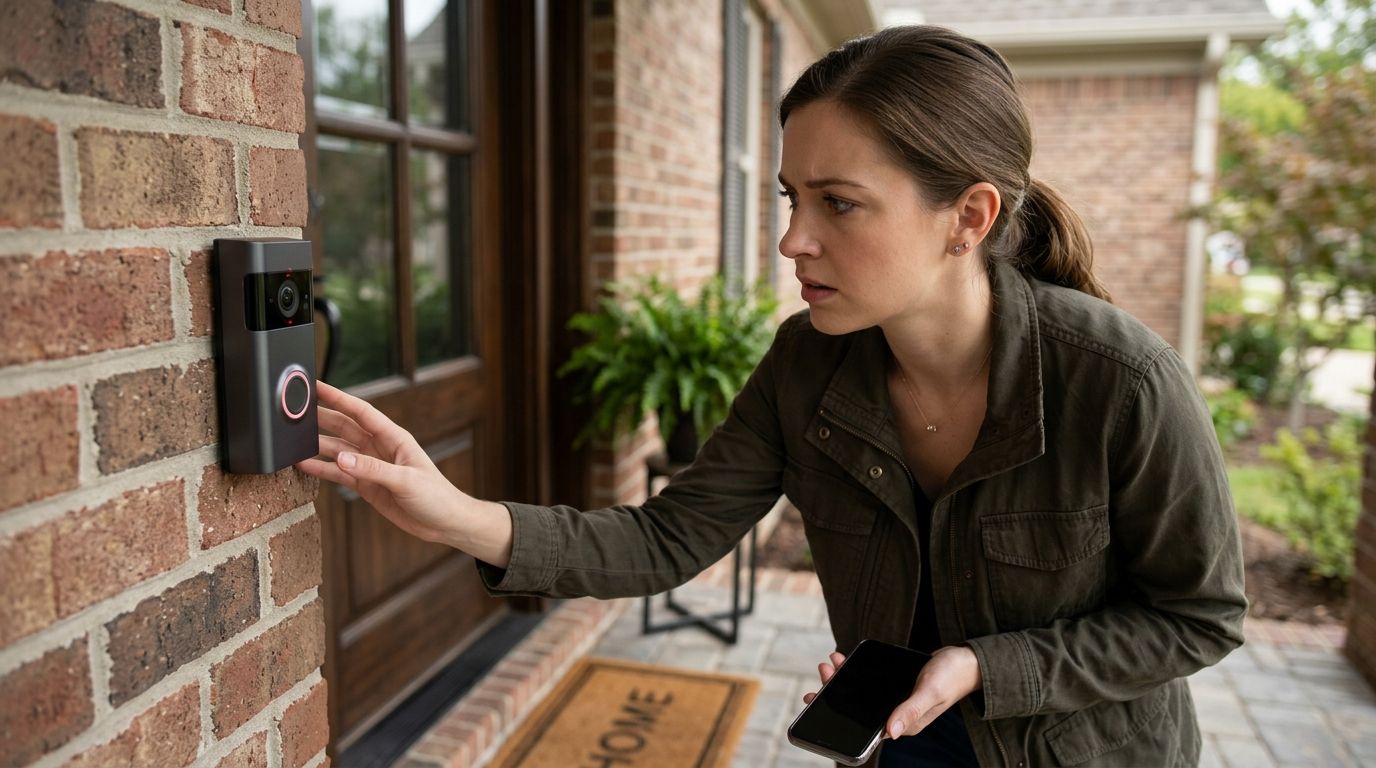
Your smart doorbell camera has probably been compromised if it pans or repositions on its own, sends motion alerts when nothing moved, shows a login location or device you don't recognize, or the battery drains far faster than its normal cycle — any single sign is reason enough to lock the account down today. The risk most homeowners miss is that a hacked doorbell usually means the same home Wi-Fi network is exposed, which can expose every other connected camera, speaker, and thermostat in the house.
- The fastest way to tell if your smart doorbell camera has been compromised is checking the app's login history for a device or location you don't recognize.
- Camera movement, unexpected motion alerts, and faster-than-normal battery drain are the three most common signs reported alongside doorbell camera hacks.
- A compromised doorbell often points to a compromised home Wi-Fi router — check both at the same time, not one after the other.
- Resetting the password stops most account-level hacks, but a professional TSCM sweep is the only way to rule out a physical device planted elsewhere in the home.
Why this matters
A doorbell camera sits at the most exposed point of a home network — the front door — with a live video feed, a cloud account, and a Wi-Fi connection wired to the same login. In 2026, that combination makes it one of the more attractive smart-home targets for account takeovers, since one leaked password can unlock the camera, the footage history, and often the router credentials tied to the same account. If the pattern looks bigger than one device, the broader signs your home security cameras have been hacked cover more than just the doorbell.
Homeowners who catch the signs early stop the compromise before it spreads past the doorbell into other devices sharing the same router.
How to tell if your smart doorbell camera has been compromised
Six signs show up most often when a doorbell camera has been accessed by someone outside the household. None of them proves a hack by itself — two or more together is enough to act.
| Sign | What it usually means | What to check |
|---|---|---|
| Camera pans, tilts, or repositions without you touching the app | Someone else has live control of the device | Activity log and connected-device list |
| Motion alerts arrive when nothing moved or you weren't home | Feed accessed remotely or motion zones altered | Notification history and motion sensitivity settings |
| Unfamiliar login location or device listed in account settings | Password reused or shared, credentials leaked elsewhere | Login history, force sign-out on all devices |
| Battery drains within days instead of its normal cycle | Camera is streaming or recording more than you triggered | Live-view history, firmware version |
| Status LED pattern changes without a settings change | Someone remotely toggled a setting | Compare against the manufacturer's default LED behavior |
| Camera reset itself or updated firmware without your action | Attacker gained admin-level access | Account recovery email, admin permissions list |
USA Bugsweeps treats any two of these signs appearing together as a compromised device, not a coincidence — a single sign is worth a check, two is worth a reset.
What to do if you spot these signs
- Force a sign-out on every device inside the app and set a new password that isn't reused anywhere else.
- Check the connected-device list on your router — a compromised doorbell often traces back to a compromised home Wi-Fi router, not just the camera app.
- Update the camera's firmware directly through the manufacturer's app, never through a third-party link.
- Turn on two-factor authentication if the manufacturer offers it.
- If the signs continue after a full reset, stop treating it as an app problem — it's a network-level issue.
Why doorbell cameras get compromised
- Reused passwords from other accounts caught in a public data breach
- Default admin credentials never changed after initial setup
- Household logins shared across multiple people with no individual accounts
- Firmware left outdated, missing the vendor's security patches
- Old phones or tablets still signed into the account after being sold or discarded
- Guest Wi-Fi or mesh extenders left open without a separate password
Most of these factors have nothing to do with the camera hardware itself — they're account hygiene problems that a factory reset alone doesn't fix in 2026 any more than it did in past years.
Not sure it's just the doorbell?
USA Bugsweeps checks the doorbell, the router, and every other device on the property at once.
Can someone watch my Ring or Nest camera without me knowing?
Yes — if login credentials are compromised, someone can view live and stored footage without triggering any notification on your end. Check the account's activity log for logins from devices or locations you don't recognize, then force a password reset immediately.
Is a changed LED light proof my doorbell was hacked?
No, a changed LED pattern alone isn't proof, but it's one of the six signs worth checking alongside login history and battery drain. Compare the current pattern against the manufacturer's documented default behavior before assuming a hack.
How do I check who has access to my doorbell camera app?
Open the account or family-sharing settings inside the app and review every listed user, then remove anyone you don't recognize or no longer trust. Most manufacturers list connected devices separately from shared users, so check both lists, not just one.
FAQ
How do I know if my smart doorbell camera has been hacked?
The clearest sign is a login location or device in the app's account history that you don't recognize, paired with motion alerts you didn't trigger. Force a sign-out on all devices and reset the password before assuming it's a false alarm.
Can a doorbell camera be hacked through Wi-Fi?
Yes, most doorbell cameras connect over the 2.4GHz home Wi-Fi band, so a weak router password or outdated router firmware gives an attacker a path straight to the camera. Checking the router matters as much as checking the camera app.
What should I do first if I think my doorbell camera is compromised?
Force a sign-out on every device in the app, set a new unique password, and turn on two-factor authentication if it's available. Then check the router's connected-device list for anything unfamiliar.
Does resetting the doorbell camera remove a hacker's access?
A factory reset combined with a new password removes most account-level access, but it doesn't fix a compromised router or a physical device planted elsewhere in the home. Continued odd behavior after a reset points to a network-level problem.
Can someone access my doorbell camera without my knowledge?
Yes, if they have your login credentials or an old device still signed into your account, they can view footage without triggering any alert on your end. Reviewing the account's device list is the only way to catch this.
Is a fast-draining battery a sign of a hacked doorbell camera?
A battery that drains within days instead of its normal cycle can mean the camera is streaming or recording more than it should. Treat it as one of six signs worth checking together, not proof on its own.
When should I call a professional instead of just resetting the camera?
Call a professional TSCM provider once the signs continue after a full reset, or when you suspect the compromise reaches beyond the doorbell to other devices in the home. USA Bugsweeps checks the full property rather than one device at a time.
Are smart doorbell cameras common hacking targets in 2026?
Doorbell cameras sit at the most exposed point of a home network, the front door, which makes them an attractive target whenever login credentials are reused or leaked elsewhere. That exposure hasn't changed heading into 2026.
One last thing
A password reset fixes an account-level hack, but it does nothing for a physical device broadcasting on the RF spectrum somewhere else in the house. The two problems look identical from the outside — odd notifications, a camera that seems to know your schedule — and only one of them gets solved by changing an app password. If the signs keep showing up after every account fix, a TSCM bug sweep is the next move, not another reset.


